
Codeium Review
CodingFreemiumThe free AI coding assistant that started it all — now the Windsurf AI code editor, with unlimited completions on the free tier.
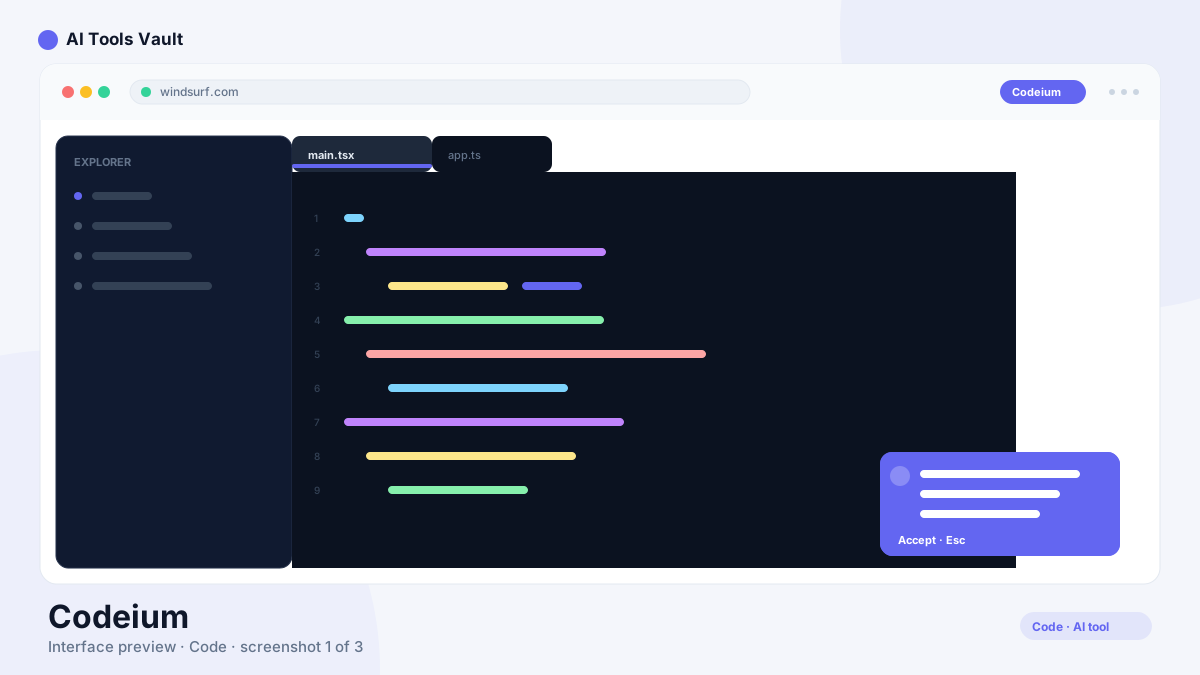
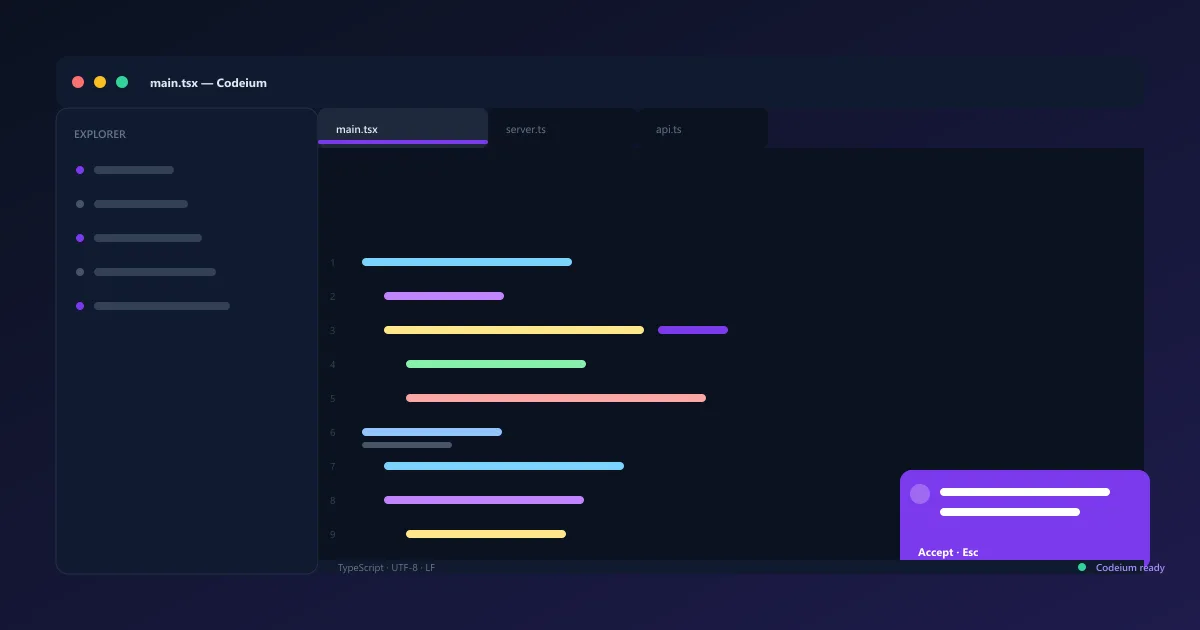
What Is Codeium?
This AI coding assistant provides fast inline code completions, AI chat, and command tools across VS Code, JetBrains, and Neovim. It launched in 2021 with a simple pitch: everything GitHub Copilot does, but free — and that free tier still offers unlimited completions at no cost.
In late 2024, the company behind the assistant rebranded as Windsurf and expanded from an extension into a full AI-first code editor. The assistant features carried over seamlessly, so the familiar extension keeps working while the Windsurf editor pushes agentic workflows forward.
The assistant still works as a standalone extension, which keeps it approachable for teams that just want better completions without changing editors. Over time, most power users migrate to the editor for agentic workflows, while casual users stay on the extension.
Codeium VS Code, JetBrains & Neovim Extensions
The extension installs in seconds inside VS Code and JetBrains IDEs, and it works in Neovim for terminal-first developers. Install the plugin, sign in, and inline completions start appearing as you type — no context switch and no new editor to learn.
Beyond completions, the extension carries the full assistant: AI chat, command shortcuts for common tasks, and quick refactors. Because it runs where you already work, it fits into an existing workflow instead of replacing it.
Signing in syncs your settings across editors, so completions and chat history follow you between projects. Most users go from install to their first suggestion in under a minute.
- One-click install for VS Code and JetBrains IDEs
- Neovim support for terminal-first developers
- Inline completions, chat, and commands in one plugin
- No need to leave your current editor
Codeium Windsurf — Agentic IDE
Windsurf is the AI-first code editor built by the same team. It's powered by Cascade, an agentic assistant that reads your whole project, plans multi-file changes, and executes them — editing files, running previews, and deploying from a single conversation.
The free-tier story continues in the editor too: unlimited tab completions stay free, with Pro adding monthly credits for heavier agentic usage.
The editor launches fast and feels familiar to anyone coming from VS Code, with the same keybindings, themes, and extensions. That low switching cost is a big reason teams adopt it without a migration project.
- Cascade agent plans and executes multi-file edits
- Built on the VS Code foundation with a familiar UI
- Unlimited free tab completions inside the editor
- Previews and one-click deploys built in
Codeium Chat & AI Coding Assistant
The AI chat answers questions about your code, explains unfamiliar files, and suggests fixes — grounded in your open project rather than generic answers. Ask it to explain a function, trace where something is used, or propose a refactor.
Chat works alongside inline completions, so you can move from a quick suggestion to a deeper conversation without leaving your editor. Reusable commands extend it further with shortcuts for workflows like writing tests or generating docs.
Because chat results draw from your actual files, answers stay relevant even in large monorepos where generic assistants tend to drift. You can also scope questions to a single file or folder when you want tighter focus.
- Chat with full context of your current project
- Explain, refactor, and fix suggestions inline
- Reusable commands for common coding workflows
- Answers grounded in your actual codebase
Codeium Context Awareness & Supported Languages
Context awareness is a standout: it indexes your codebase and uses surrounding code to make completions that match your project's style, naming, and patterns. The more you use it, the more relevant the suggestions become.
Language support is broad — Python, JavaScript, TypeScript, Java, C++, Go, Rust, and dozens more — so most teams can adopt the assistant without switching tools. The models also pick up project-specific conventions quickly, so new code follows the same structure as existing files.
- Completions adapt to your project's style and patterns
- Codebase indexing for smarter suggestions
- 70+ languages supported out of the box
- Works in VS Code, JetBrains, Neovim, and Windsurf
Codeium Pricing — Free vs Paid Plans
Pricing is freemium with the free tier built around unlimited tab completions. The free plan includes unlimited tab completions, AI chat, and commands — no credit walls for everyday completion use. Pro adds 500 prompt credits per month of agentic usage for $20/month.
The Teams plan is $40/user/month with admin controls and centralized billing, and Enterprise is custom. Credits only meter the heavier agentic features, so most developers can stay on the free plan comfortably.
Students can get Pro at a reduced rate, and annual billing drops the monthly price further. There are no per-seat surprises on the free plan, which makes it an easy default for side projects.
Compare Plans & Pricing
Free plan; Pro $20/mo; Max $200/mo; Teams $40/user/mo; Enterprise custom
Free
Unlimited tab completions at no cost.
- Unlimited tab completions
- 25 credits/mo for agentic use
- AI chat & commands
- All major IDE support
Pro
For developers who code daily.
- 500 prompt credits/mo
- Cascade multi-file editing
- Access to Claude, GPT-4.1 & Gemini
- Unlimited previews & deploys
Teams
For teams with admin needs.
- All Pro features per seat
- Centralized billing
- Admin dashboard
- SSO & RBAC
Codeium vs GitHub Copilot
GitHub Copilot is the default for many teams thanks to native GitHub integration and wide IDE coverage, with Pro at $10/month. This assistant answers with a more generous free tier and strong context awareness — and the Windsurf editor adds agentic multi-file editing.
If you're deeply invested in GitHub-native workflows, Copilot is seamless. If you want powerful AI coding without a mandatory subscription — or agentic editing at a lower cost than Cursor — this is the better value.
Pricing makes the difference for many individuals: a student or hobbyist gets everything they need at no cost, while teams already paying for GitHub can fold Copilot into an existing plan without extra procurement.
Codeium vs Tabnine
Tabnine is a privacy-focused AI coding assistant popular with enterprises, offering local models and on-prem deployment for teams that can't send code to the cloud. It provides inline completions and chat, with a basic free tier for limited use.
This assistant counters with broader free features — unlimited completions, chat, and the Windsurf agentic editor — plus stronger context awareness for most teams. Tabnine wins when privacy and on-prem hosting are non-negotiable; the free assistant wins on features and price for everyone else.
For a practical test, both tools feel similar on the free tier for basic completion. The gap widens on agentic features and price, which is where the Windsurf editor and the generous free plan pull ahead.
Pros and Cons
Codeium earns strong marks in several areas, with a handful of caveats covered below.
Pros
- Free tier with unlimited tab completions
- Cascade multi-file agentic editing
- Supports VS Code, JetBrains, and more
- Cheaper than Cursor at comparable features
Cons
- Pro usage is credit-based (500/mo)
- Heavy agentic use can exhaust credits fast
- Rebrand to Windsurf still causes confusion
- Free tier limits model choice
Best For
Recommended use cases and scenarios where Codeium shines.
Frequently Asked Questions
Common questions about Codeium, answered.
Is Codeium free?
Yes. The free tier includes unlimited tab completions, AI chat, and commands — with no credit walls for everyday use. Pro adds 500 prompt credits per month of agentic usage for $20/month.
Does Codeium work with VS Code and JetBrains?
Yes. Extensions are available for VS Code, JetBrains IDEs, and Neovim, plus the Windsurf editor built by the same team. Install the plugin, sign in, and completions work immediately.
Is Codeium better than GitHub Copilot?
It offers a more generous free tier and the Windsurf agentic editor, while GitHub Copilot wins on native GitHub integration at $10/month. For free and agentic coding it's the stronger choice; for GitHub-first teams, Copilot is seamless.
What languages does Codeium support?
It supports 70+ languages including Python, JavaScript, TypeScript, Java, C++, Go, and Rust, with completions that adapt to your project's existing style and patterns.
How does Codeium pricing work?
It's freemium. Free includes unlimited completions, chat, and commands. Pro is $20/month for 500 prompt credits of agentic usage, Teams is $40/user/month, and Enterprise is custom.
Reviews & Ratings
Loading reviews...
Explore More AI Coding Tools
Browse the full AI Tools Vault directory to compare Codeium with every AI coding assistant and editor, or line up your shortlist side by side.
Similar Tools
More Coding tools you might like

Claude Code
Anthropic's agentic coding tool that lives in your terminal — plan, build, test, and ship software by describing tasks in plain English.

GitHub Copilot
AI coding assistant that suggests code completions and entire functions in VS Code, JetBrains, and Neovim.

Guides & Articles about Codeium
Read our detailed reviews and comparisons covering Codeium
 Guides & How-To
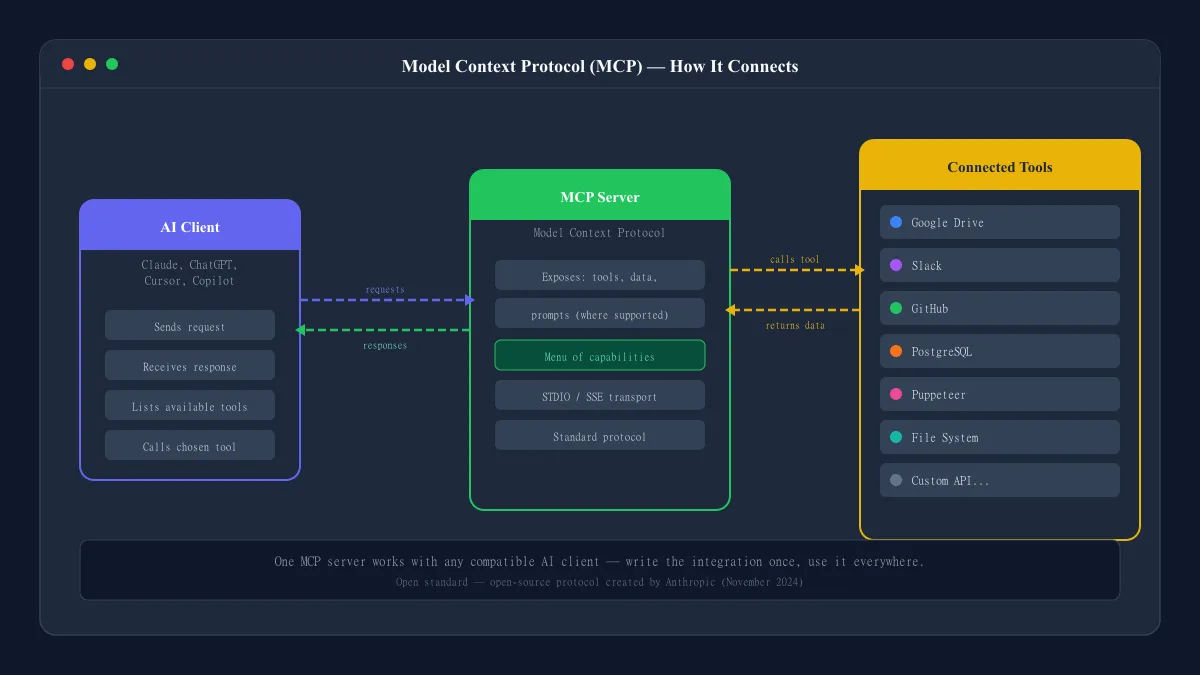
What Is an MCP Server? A Plain-English Explanation
An MCP server is what lets compatible AI applications connect to external tools and data through the Model Context Protocol. Here is how it works, where you have probably seen it, and what to watch out for.
 AI Tools Vault Team
 Guides & How-To
AI Powered Coding Assistant: How AI Helps Developers
What an AI powered coding assistant actually does, where it helps most, where it can fail, and how developers at every level should evaluate and use these tools.
AI Tools Vault Team Comparisons
Amazon Q Developer vs GitHub Copilot vs Tabnine (2026)
Amazon Q Developer vs GitHub Copilot vs Tabnine compared for 2026 — agentic coding, AWS integration, privacy and pricing, tested for real developer workflows.
AI Tools Vault Team