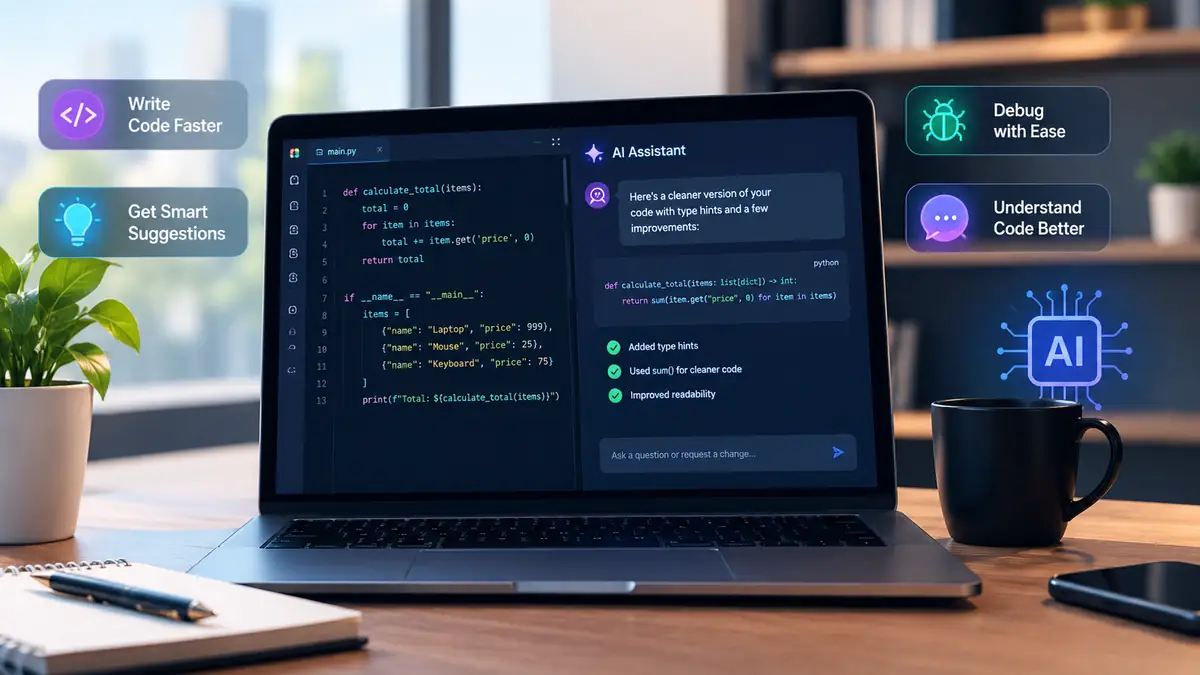
Most articles about an AI-powered coding assistant describe one product and assume every other tool works the same way. They do not. A completion plugin that guesses your next line, a chat panel that explains a stack trace, and an agent that edits six files and runs your test suite are three different products with three different risk profiles and three different price structures.
That confusion became a factual error in the previous version of this article, which claimed coding assistants "do not run your code" in one section and then described Claude Code executing commands in another. Both halves cannot be true. This rewrite fixes that at the root by separating the four kinds of tool, then comparing six of them on terms you can check.
The four kinds of AI coding assistant
The category label tells you almost nothing. What matters is how far the tool's authority extends.
Inline completion. The tool predicts the next line or block as you type and shows it as ghost text. It is fast, cheap and low-risk because you accept or reject each suggestion. GitHub Copilot's completions and Devin Desktop's Tab model sit here. It does not run anything.
Chat inside the editor. You ask a question about code and get an explanation, a refactor or a snippet to paste. This is where most people start. Capability depends entirely on what context the tool can see: the current file only, or your whole indexed repository.
Agentic tools that edit and run. These read files, propose multi-file diffs, execute terminal commands, run tests and iterate when something fails. Cursor's agent, Claude Code and Devin Local are in this group. They are genuinely useful and genuinely able to break things, which is why permission prompts exist.
Remote and cloud agents. The task runs in a separate environment rather than on your laptop. GitHub Copilot's agent works in a cloud development environment, and Devin Cloud runs on its own VM with testing and autofix. You get a pull request instead of a local diff. This is convenient and it means your code left your machine.
A tool can span several categories. Claude Code runs in a terminal, an IDE, a desktop app and a browser. That is the point: ask which mode is running, not which logo is on the box.
Why "does it run your code" is the wrong question
The useful question is narrower: what is the tool allowed to touch, and where?
An autocomplete plugin sees the buffer. A chat panel sees what you paste or index. An agent sees your filesystem, your shell, your environment variables and whatever network access you granted. Those are not variations in quality; they are different trust boundaries.
So when a comparison says an assistant is "safe" or "powerful" without saying which mode it means, it has told you nothing you can act on. The table below states the mode explicitly for each tool.
Every figure here was checked against the vendor's own pricing or documentation page on 22 October 2026. Free tiers are listed as the vendor describes them, because "free" in this market means a quota, not unlimited use.
| Tool |
Kind |
Runs commands and tests? |
Free tier, as documented |
Entry paid price |
| GitHub Copilot |
IDE completion, chat and cloud agent |
Yes, in a cloud development environment |
2,000 completions/month, entry-level models, limited chat and agent usage |
Pro $10/month |
| Claude Code |
Terminal, IDE, desktop and web agent |
Yes |
Not included on Claude's free plan |
Pro $17/month billed annually ($200 up front) or $20 monthly |
| Cursor |
Agentic IDE |
Yes, terminal execution |
"Limited" agent and chat usage; third-party models unavailable |
Plus $8/month |
| Devin Desktop (formerly Windsurf, formerly Codeium) |
Agentic IDE with local, worktree and cloud agents |
Yes |
Light agent quota, limited model availability, unlimited inline edits and Tab completions |
Pro $20/month |
| Amazon Q Developer |
IDE and CLI agent |
Yes, via agentic requests |
Limited agentic requests per month |
Pro $19/month |
| Cline |
Open-source agent runtime for IDE, CLI, desktop and cloud |
Yes |
Free software, no subscription |
$0, but you pay your model provider |
Two pricing notes worth knowing before you budget. GitHub moved Copilot to a credit system where one AI credit costs $0.01 and each plan carries a monthly allowance, though code completions and next-edit suggestions do not consume credits. Cursor and Claude also let you buy additional usage at API rates once a plan's included quota is exhausted, so the sticker price is a floor rather than a ceiling.
GitHub Copilot
The broadest default. It covers completion, chat, pull request review and an agent that plans changes and runs tests in GitHub's cloud environment. The free plan is unusually usable for a free plan: 2,000 completions a month, entry-level models, and agent mode at limited volume.
It stops being the obvious choice when the work needs to run against your local machine — a database, a device, a private service. The agent's cloud environment is the feature and the limitation.
Claude Code
A terminal-first agent that reads across files, edits them and runs commands. It also ships as IDE extensions, a desktop app and a web surface. It is the most direct option if you already work in a shell and want one agent with your whole project in view.
The trade-off is entry cost and blast radius. It is not on Claude's free plan, and an agent with shell access deserves the narrowest permissions you can give it.
Cursor
An editor organised around the agent rather than around autocomplete. Its tools include file editing, codebase search and terminal execution, and projects can delegate work from a coordinator agent to others. Cursor states SOC 2, ISO 27001, ISO 42001 and AIUC-1 certification.
The free tier is real but thin, and third-party models are not available below the paid tiers, which matters if your team standardises on a specific model.
This is the naming mess most 2026 comparisons have not caught up with. Codeium's extension line became Windsurf. On 2 June 2026 Cognition rebranded Windsurf as Devin Desktop. Version 3.9.19 removed the Cascade agent entirely; Devin Local is now the only agent in the desktop app, with local, worktree and cloud as the three execution locations.
If a roundup still recommends "Codeium for unlimited free completions" as a current product, it is describing a chain of products that has since been renamed twice. Note also that the JetBrains plugin is still listed under the older Windsurf and Cascade branding, and Linux repositories still carry windsurf package names next to devin-desktop.
Amazon Q Developer
The AWS-aware option, with free and Pro tiers that both work in the IDE or CLI. The Pro tier's extra agentic requests and higher Java and .NET transformation limits are the reason to pay. Free-tier transformation is capped at 1,000 lines of code per month per user, against 4,000 on Pro, with overage at $0.003 per line.
It is a specialist, not a general default. If your work is not on AWS, the differentiation disappears.
Cline
The control option. Cline is an open-source agent runtime available for IDE, CLI, desktop and cloud, and it does not sell you a model. You bring a key from Claude, GPT or Gemini, point it at local Ollama or LM Studio, or use any OpenAI-compatible endpoint.
That keeps cost and data flow under your control and moves the operational burden onto you: your keys, your rate limits, your model choices. For teams with strict data rules it is often the only workable shape.
Also considered, and what could not be confirmed
Four tools are worth knowing about but did not earn a row in the table, because I could not verify the free-tier facts closely enough to publish them as numbers.
Gemini Code Assist publishes clear paid pricing — Standard at $22.80 per user per month, or $19 with an annual commitment; Enterprise at $54, or $45 annually — and describes a free "individual" tier. The individual-tier quota is documented separately, and I could not confirm its current limits on the page I checked, so I have not restated the figures circulating in other roundups.
OpenAI Codex is now reached through ChatGPT plans and appears as a surface in OpenAI's documentation. Its pricing pages blocked automated retrieval, so no price is quoted here.
JetBrains Air now includes Junie, and runs agents across JetBrains IDEs, web, CLI and mobile, with usage billed as credits at public API rates. I found no free tier to describe.
Tabnine's pricing URL now redirects to Tricentis, which indicates a change in ownership or packaging. I have not confirmed Tabnine's current standalone status, so it is left out rather than described from memory.
Which one fits your job
Choose by where the work happens, not by which tool has the loudest benchmark.
- You want help without changing your workflow: GitHub Copilot Free, or Cursor's free tier. Both are editor-native and neither asks you to trust a shell.
- You work in a terminal and want one agent across the repository: Claude Code.
- You want an IDE built around agents, with local and cloud options: Devin Desktop.
- You are on AWS and want the assistant to understand AWS: Amazon Q Developer.
- You need your own models, your own keys, or local inference: Cline.
- You are choosing for a team: check admin controls, audit logs, data residency and whether the agent can reach production before you compare per-seat prices. The cheapest seat is expensive if it needs a separate security review.
Three examples of a coding assistant doing real work
The examples below are illustrative. They show the shape of a useful prompt and, more importantly, how to verify the result. No product was run and no output was captured for this guide, so nothing here is presented as a recorded session.
Example 1: fix a bug that tests will not catch
def apply_discount(price, pct):
    return price - price * pct / 100
A prompt worth writing: "This function handles currency. apply_discount(19.99, 10) returns 17.991, not 17.99. Explain why, then fix it using Decimal with explicit rounding. Do not change the function signature."
The failure is floating-point arithmetic, not logic, so a test written from the same assumption passes. A defensible fix looks like this:
from decimal import Decimal, ROUND_HALF_UP

def apply_discount(price, pct):
    price = Decimal(str(price))
    pct = Decimal(str(pct))
    return (price - price * pct / 100).quantize(
        Decimal("0.01"), rounding=ROUND_HALF_UP
    )
Verify by asserting on the exact Decimal value and adding a case at the rounding boundary. A realistic limitation: the assistant may "fix" it by rounding only at the end, which still accumulates error across a basket of items. Read the diff.
Example 2: write a test and actually run it
import pytest
from decimal import Decimal
from money import apply_discount

@pytest.mark.parametrize("price,pct,expected", [
    ("19.99", 10, "17.99"),
    ("0.05", 50, "0.03"),
    ("10.00", 33, "6.70"),
])
def test_apply_discount_rounds_half_up(price, pct, expected):
    assert apply_discount(Decimal(price), pct) == Decimal(expected)
Run it with python -m pytest tests/test_money.py -q. The agent should report the real exit status rather than asserting success.
Two things to verify that a demo will not show you: whether the test fails against the old implementation before the fix lands, and whether the agent modified the test to make it pass. A test that never failed proves nothing. If the suite passes on the first run with no diff to money.py, treat that as a red flag and revert the change until the test fails and then passes.
def get_user(conn, username):
    cur = conn.cursor()
    cur.execute(f"SELECT * FROM users WHERE username = '{username}'")
    return cur.fetchone()
A prompt worth writing: "Review this for injection and authorisation problems. Show the corrected function, explain the attack string that breaks the original, and add a regression test. Do not change the schema."
The corrected form passes the value as a parameter rather than interpolating it:
def get_user(conn, username):
    cur = conn.cursor()
    cur.execute(
        "SELECT id, username FROM users WHERE username = %s",
        (username,),
    )
    return cur.fetchone()
A regression test makes the fix permanent:
def test_get_user_ignores_injection(conn):
    conn.execute("INSERT INTO users (id, username) VALUES (1, 'admin')")
    assert get_user(conn, "' OR '1'='1") is None
To verify, run that test against both versions and confirm the unsafe one returns the admin row. A common failure mode: the assistant parameterises the query but leaves a second, string-built query elsewhere in the file.
Security risks that survive passing tests
Functional correctness and security are different properties, and the gap is measurable. Endor Labs benchmarked 32 agent and model combinations on 200 tasks drawn from 108 open-source Python projects covering 77 CWE classes. The strongest configuration reached 87.2% functional correctness and 37.4% security correctness. Most combinations were worse on security than on function.
That single comparison explains why "it works" is not a review.
Vulnerable code that runs. Injection, broken access control and insecure defaults all produce code that passes the happy path. Generated code tends to be plausible and idiomatic, which makes it easy to skim past a missing authorisation check.
Hallucinated packages. This is not hypothetical. A study of 16 code-generating models and 576,000 samples found that at least 5.2% of packages recommended by commercial models and 21.7% by open-source models did not exist, with 205,474 unique fabricated names. An agent that installs what it suggests can be steered toward a name an attacker registered in advance.
Prompt injection through repository content. An agent reads files, issues, documentation and web pages. Any of that text can contain instructions. OWASP lists prompt injection as LLM01 in its Top 10 for LLM applications, ahead of sensitive information disclosure and supply chain risk. Treat repository text as untrusted input.
Secrets in prompts and logs. Pasting a config file to ask why it fails can send credentials to a provider and into a session transcript. Keep secrets out of the working tree, check what the tool retains, and read the data-handling terms for your plan.
Agent permissions. Shell access, filesystem writes and network reach determine the worst case. Devin Desktop, for example, disables agents and hooks while a workspace is open in Restricted Mode until you trust it, and its file-editing tools refuse to write through symlinks. Those controls exist because the risk is real.
The safeguards are unglamorous: review the diff rather than the summary, verify every new dependency against the registry and your lockfile, keep tokens least-privilege, run tests and a security scan before merge, and require human approval for anything touching production.
Licensing and copyright
Whether you can use generated code in a commercial product depends on the provider's terms for the plan you are on, the licence of any code the model reproduced, and the law where you operate. No article can settle that for your situation, and anyone who states it as a flat rule is guessing.
What you can do is act on the specifics: read the terms attached to your actual plan, keep the output of your licence scanner in the review record, and avoid accepting large verbatim blocks whose provenance nobody checked. Team and enterprise plans often carry different warranties and indemnities from individual plans, which is a reason to buy at the right tier rather than to upgrade after an incident.
Hallucination: how to verify what the assistant tells you
Assistants invent methods, parameters, configuration keys and package names with total confidence. They also misread conventions: a project that returns result objects everywhere may get a function that raises, and it will look consistent with the file it was written in.
A workflow that catches most of this:
- Open the official documentation for any API you do not already know. Not a blog post quoting it.
- Check the import against your manifest and lockfile before installing anything.
- Run the tests, then check that the new tests fail without the change.
- Read the diff for deleted validation, weakened conditions and newly swallowed exceptions.
- Exercise the behaviour in the real application, not only in the test harness.
Step four matters most. Assistants are good at making a failing test pass, including by relaxing the assertion.
Context windows in practice
Every assistant has a limit on how much text it can consider at once, and large repositories exceed it. When that happens, the tool either drops older context, summarises it, or retrieves only what it thinks is relevant. Devin Desktop, for instance, ships a context-usage indicator because earlier context can be dropped without warning.
The practical consequence is that a correct-looking change can miss a caller three directories away, a migration that must run in order, or an instruction file the team relies on. Do not assume your whole repository is in view. Put the important conventions where the tool will see them, reference the specific files that matter, and start a fresh session when a conversation has drifted. Token counts differ per product and per model; treat any single number you read as specific to that configuration.
The Model Context Protocol is an open standard for connecting AI applications to external systems: local files, databases, search tools and specialised workflows. Its own documentation compares it to a USB-C port for AI applications, which is a fair description of the goal — one connector shape instead of a custom integration per pair.
For coding assistants, MCP is how an agent reaches a ticket tracker, a database or an internal service without bespoke glue. Devin Desktop's changelog, for example, records support for MCP protocol revision 2026-07-28.
It also moves the security boundary. A connected server is something the model can read from or act through, on your credentials, possibly with write access. Available integrations and permission models differ by client and by server, so enable the ones you can name a reason for, review what each exposes, and revoke the rest.
What the research actually shows about productivity
Two studies are worth more than any vendor benchmark, and both come with limits.
METR's randomised controlled trial put experienced open-source developers to work on their own repositories and found that, with access to early-2025 AI tools, they took 19% longer — a slowdown that contradicted both their own expectations and expert forecasts. The same research note observes that models often succeed on benchmark tasks that are hard for humans. The reconciliation is in the task shape: benchmark tasks are well specified, while the trial used real pull requests in large codebases, and the developers were already expert in the code they were changing. A snapshot of early-2025 tools is not a verdict on 2026 ones, and the finding does not transfer to a beginner writing greenfield code.
Perry and colleagues ran the first large-scale user study of an AI code assistant on security tasks and found that participants with access to a codex-davinci-002-based assistant wrote significantly less secure code than those without — while being more likely to believe their code was secure. Participants who trusted the assistant less and engaged more with the prompt produced fewer vulnerabilities. The model is from 2022 and the tasks were security-focused, so the magnitudes should not be read across to today's tools. The direction of the effect, and the overconfidence, are the durable findings.
Neither study supports "AI makes developers faster" or "AI writes insecure code" as general claims. They support something more useful: measure the task, not the tool.
How this guide was researched
No hands-on testing was performed for this article. No code was executed through any of these products, no audio or video was recorded, and no screenshots of vendor interfaces are included. The three examples above are illustrative, written to show a verification method, and are labelled as such.
What was done: every pricing figure, free-tier limit and capability statement was read from the vendor's own pricing page, official documentation or changelog on 22 October 2026. Where a vendor's page contradicted a competing roundup, the vendor page was treated as authoritative. Where a fact could not be confirmed — Gemini Code Assist's individual quota, OpenAI Codex's pricing, Tabnine's current status — it is labelled as unconfirmed rather than estimated. Security and productivity claims are traced to the published research linked in the sources.
Prices and limits in this market change monthly. Check the linked page before you subscribe, and treat any comparison without a date as decoration.
Frequently Asked Questions
What is an AI-powered coding assistant?
It is a tool that uses a large language model to help with software work inside or alongside your development environment. The category covers four different things: inline autocomplete, chat panels that answer questions about code, agentic tools that edit files and run commands, and cloud agents that work in a separate environment and open pull requests. Calling all four the same thing is the main reason buying advice in this space is confusing.
Can an AI coding assistant run my code?
Some can and some cannot, and the difference matters more than any benchmark. GitHub Copilot's agent works in a cloud development environment, Claude Code and Cursor execute terminal commands, and Devin Desktop runs agents locally, in a worktree or in the cloud. Inline completion tools and plain chat panels do not execute anything. Check the specific product and mode rather than the category label.
Is Codeium still a product in 2026?
No. The Codeium extension line became Windsurf, and on 2 June 2026 Cognition rebranded Windsurf as Devin Desktop. The Cascade agent was removed in version 3.9.19 and Devin Local replaced it. The older Codeium and Windsurf names still appear in Linux package repositories and in the JetBrains plugin listing, which is why 2026 roundups keep treating them as separate live products.
Which AI coding assistant is free?
GitHub Copilot Free costs nothing and includes 2,000 completions a month, entry-level models and limited chat and agent usage. Cursor, Devin Desktop and Amazon Q Developer all have free tiers with quotas rather than unlimited use. Cline is open-source software with no subscription, but you pay your own model provider. Claude Code is not available on Claude's free plan.
Can I use AI-generated code commercially?
That depends on the provider's terms and on the licence of anything the model reproduced, so there is no single answer. Read the terms for the plan you actually use, keep your organisation's policy on file, and treat licence scanning as part of code review. A tool accepting your subscription payment does not by itself resolve copyright questions about a specific output.
Why does AI-generated code pass tests but still fail a security review?
Because a functional test asks whether the code does the job, not whether it does the job safely. In Endor Labs' benchmark of 32 agent and model combinations, the best configuration reached 87.2% functional correctness but only 37.4% security correctness on the same tasks. Unit tests you wrote from the same flawed understanding will not catch that gap.
Is it safe to let an agent read my whole repository?
It is a trust decision, not a default. An agent that can read files, issues and documentation can also be steered by text inside them, which is prompt injection. Grant read access deliberately, use restricted or untrusted-workspace modes, keep secrets out of the working tree, and require approval for commands that write, deploy or reach production.
Do AI coding assistants actually make developers faster?
Not reliably in every setting. METR's randomised trial found experienced open-source developers took 19% longer on their own repositories when allowed to use early-2025 AI tools, despite believing they were faster. Benchmarks show large gains on well-specified tasks, so the honest answer is that results depend on task shape, codebase familiarity and how much verification the output needs.
What is MCP and why does it matter for coding assistants?
The Model Context Protocol is an open standard for connecting AI applications to external systems such as databases, files and tools. It lets a coding assistant reach beyond the editor. That convenience also widens the security boundary, because every connected server is another thing the model can read from or act through, so enable only servers you trust and review their permissions.
Sources
Everything below was opened on 22 October 2026. Prices and quotas are as stated on those pages on that date.
- GitHub Copilot plans and pricing — free-tier completions, credit system and plan prices
- GitHub Docs: Copilot plans — plan definitions
- GitHub Docs: Copilot surfaces — cloud agent behaviour, review and automations
- Claude Code documentation — supported surfaces and multi-file capability
- Claude pricing — Pro, Max and Team pricing; Claude Code availability by plan
- Cursor pricing and Cursor agent documentation — plan tiers, agent tools and certifications
- Devin pricing and Devin Desktop changelog — Free, Pro and Max plans; the v3.0.12 rebrand entry and the v3.9.19 Cascade removal
- Windsurf is now Devin Desktop — Cognition's 2 June 2026 announcement
- Devin Desktop documentation — install, Restricted Mode and agent locations
- Amazon Q Developer pricing — Free and Pro tiers, transformation limits
- Cline — open-source runtime, surfaces and bring-your-own-key model support
- Gemini Code Assist for teams — Standard and Enterprise pricing
- Gemini Code Assist quotas — Google's quota reference
- JetBrains Air — Agent surfaces and credit billing
- Model Context Protocol — what MCP connects and how it is versioned
- OWASP Top 10 for LLM Applications — LLM01 prompt injection and related risks
- Endor Labs AI code security benchmark — functional versus security correctness across 32 configurations
- METR: measuring the impact of AI on experienced open-source developer productivity — the randomised trial and its 19% result
- Perry et al., Do Users Write More Insecure Code with AI Assistants? — the security user study
- Spracklen et al., We Have a Package for You! — package hallucination rates across 16 models
Keep reading
If you have picked a shortlist and want the head-to-head detail, these go deeper without repeating this guide: the ten leading AI coding assistants compared, AI coding tools by category, Claude Code vs Cursor vs GitHub Copilot, and Amazon Q Developer vs GitHub Copilot vs Tabnine. For the two topics that decide whether an agent is safe to deploy, read what an MCP server actually does and AI agent security risks.
Individual tool reviews are on the directory pages for GitHub Copilot, Cursor, Claude Code, Devin Desktop and Windsurf, and Amazon Q Developer.