
Beautiful.ai Review
Design & 3DPaidBeautiful.ai is the AI presentation design tool that auto-formats smart slides so anyone can build polished, on-brand decks.

What Is Beautiful.ai?
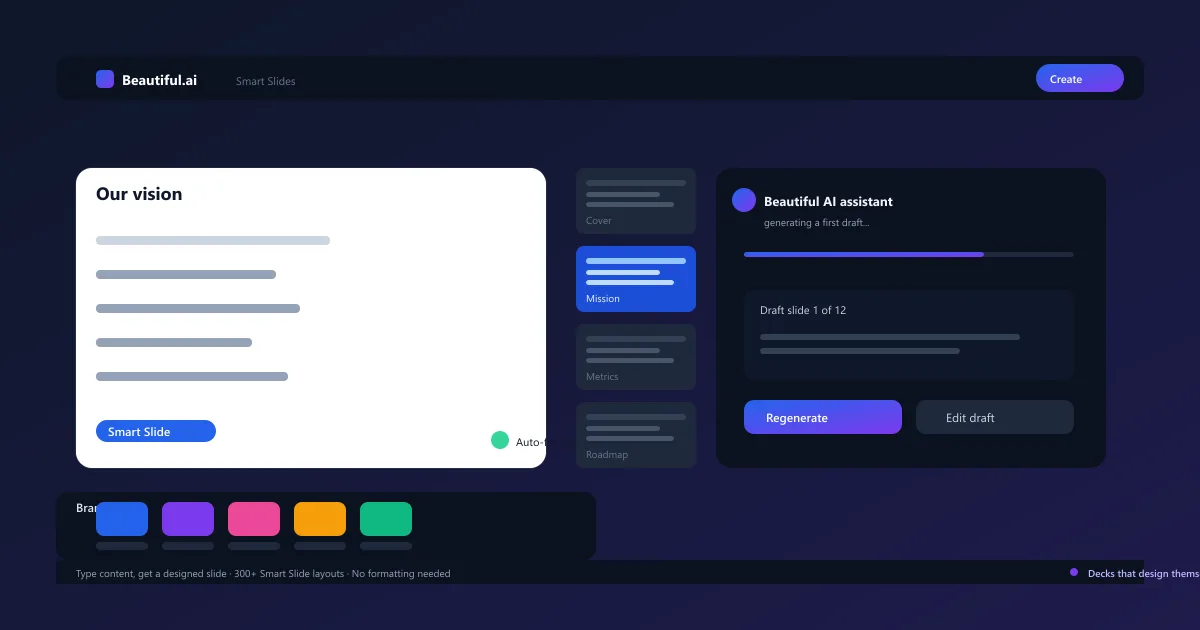
It's a presentation design tool built around Smart Slides — templates that automatically lay out your content as you type. Add a title and a few bullet points, and the slide instantly arranges text, images, and charts into a professionally designed layout, with no manual formatting required.
You can start from a blank Smart Slide, a template from the inspiration library, or ask the built-in AI to generate a first draft of a deck from a short prompt. Custom branding keeps fonts and colors on-message, and every design stays consistent across the whole presentation.
The platform targets sales, marketing, and leadership teams who need polished decks week after week. Because the design engine handles the layout, a new hire with zero design experience can produce a slide that looks like it came from a brand studio.
It launched in 2017 and has become one of the most popular AI presentation makers, with thousands of companies relying on it for go-to-market and board decks.
There is a 14-day free trial, but no permanent free plan — pricing is built around paid Pro and Team tiers.
Beautiful AI Smart Slides
Smart Slides are the core of the platform. Instead of nudging text boxes into alignment, you type content and the layout engine formats, aligns, and sizes everything for you in real time.
There are 300+ Smart Slide layouts covering titles, content, images, charts, and data. Pick one, add your content, and it adapts — change a word and the slide reflows so nothing ever overlaps or spills off the edge.
Because every slide uses the same design system, a deck stays visually consistent from the first slide to the last, even when a team of people built it together.
It removes the most tedious part of presentation work, which is why reviewers consistently rate the smart slide engine as the standout feature.
- 300+ Smart Slide layouts that auto-format as you type
- Text, images, and charts arranged in real time
- Consistent design across the whole deck
- Nothing ever overlaps or spills
Beautiful AI Templates & Pitch Decks
The template library is built around business outcomes rather than generic designs. There are templates for pitch decks, quarterly reviews, marketing plans, sales decks, and investor updates — each pre-structured with the right slide types.
Pitch decks are a particular strength. You get funding-oriented structures with slides for problem, solution, market, traction, and financials, so a founder can draft a credible investor story without starting from scratch.
Every template inherits your brand theme automatically, so a deck built from a template still looks on-brand out of the box.
- Templates for pitch decks, marketing, sales, and reviews
- Investor-ready pitch structures built in
- Brand themes applied automatically
- Start from a blank slide or an AI-generated draft
Beautiful AI Data Visualization & Charts
Data slides get the same auto-formatting treatment. Drop in a spreadsheet or type a few numbers and the tool suggests the right chart type, then styles it to match the deck.
Charts stay connected to live data, so you can link a slide to a source and refresh it when the numbers change. That keeps investor updates and dashboards accurate without manual rework.
Whether it's a bar chart, line graph, or a custom visualization, the layout engine keeps titles, labels, and legends clean and legible.
- Auto-generated charts from raw numbers
- Live data linking and one-click refresh
- Chart styles that match your brand
- Clean titles, labels, and legends
Beautiful AI Export to PowerPoint & Google Slides
You are never locked into the platform. Decks export to PowerPoint with formatting intact, so stakeholders who live in PPT can still edit and present the files.
PowerPoint import works the other direction too — bring an existing deck in and it gets re-formatted into Smart Slides, then re-exported once it's polished.
Presenting and sharing also work natively, with viewer analytics that tell you which slides people spent the most time on.
- One-click export to PowerPoint
- Import existing PPT decks and reformat them
- Native presenting and sharing
- Viewer analytics on slide engagement
Beautiful AI Pricing — Free Trial vs Team Plans
There is a 14-day free trial with no credit card required upfront, but no permanent free tier. Pro costs $12/month billed annually ($144/year) or $45 month-to-month.
Team plans run from $40/user/month billed annually and add real-time collaboration, a shared template library, version control, and brand governance. Enterprise adds SSO, SCIM provisioning, and SOC 2 Type II for larger organizations.
If you need one polished deck a month, the annual Pro plan is a reasonable spend; if you're building decks weekly for a team, the collaboration features in Team quickly pay for themselves.
Compare Plans & Pricing
14-day free trial; Pro $12/mo annual ($45 monthly); Team from $40/user/mo; Enterprise custom
Pro
For individuals. Billed annually ($144/year).
- Unlimited AI content generation
- 300+ Smart Slide layouts
- Custom branding & fonts
- PowerPoint import/export
- Viewer analytics
Team
For 2-20 collaborators. Billed annually.
- Everything in Pro
- Real-time collaboration
- Shared template library
- Version control & locked slides
- Engagement analytics
Enterprise
For 20+ users needing security controls.
- SSO & SCIM provisioning
- SOC 2 Type II
- Advanced permissions
- Dedicated onboarding
Beautiful AI vs Gamma App
Gamma generates a full deck from a prompt in under a minute and offers a free tier, making it the faster and cheaper way to spin up a first draft.
This tool's strength is design quality and brand control — its Smart Slides produce more polished, consistent layouts, and its brand governance features are stronger for companies with strict design standards.
The practical split: choose Gamma when you need speed and a free option; choose this platform when every deck has to be on-brand and presentation-ready.
Beautiful AI vs Canva
Canva is a general-purpose design suite — presentations are one of many things it does, alongside social graphics, documents, and videos. It's more flexible but requires more manual design effort.
This tool is a specialist: everything is designed around producing presentation decks automatically. There's no blank-canvas freedom, but there's also no fiddling with alignment or typography.
Pick Canva if you want one tool for all your visual design. Pick this platform if presentations are a core, recurring part of your work and you want them automated.
Pros and Cons
With the basics covered, here is how Beautiful.ai performs once you push past the demo.
If you produce branded decks every week for sales, marketing, or leadership, the smart slide engine is a genuine time-saver.
Try the 14-day trial on a real upcoming deck: if the automated layouts match how you like to present, it will earn its subscription. If you only make slides occasionally, a free tool may be all you need.
Pros
- Smart Slides auto-format your content perfectly
- Strong brand control and custom themes
- AI content generation from a simple prompt
- Great alternative to Gamma for polished decks
Cons
- No permanent free plan — 14-day trial only
- Team collaboration requires pricier tiers
- Less flexible than full design tools like Canva
- One-off decks cost as much as a month of Pro
Best For
Recommended use cases and scenarios where Beautiful.ai shines.
Frequently Asked Questions
Common questions about Beautiful.ai, answered.
What is Beautiful.ai?
It's an AI presentation maker that auto-formats your content into polished Smart Slides. Type content into a template and the design engine arranges text, images, and charts for you — no manual design skills needed.
Does Beautiful.ai have a free trial?
Yes, there's a 14-day free trial. There's no permanent free plan — Pro costs $12/month billed annually or $45 month-to-month after the trial.
Does Beautiful.ai export to PowerPoint?
Yes. You can export any deck to PowerPoint with formatting intact, and import existing PPT files to have them re-formatted into Smart Slides.
Is Beautiful.ai good for pitch decks?
Yes. Its template library includes investor-ready pitch structures covering problem, solution, market, traction, and financials, and every deck inherits your brand theme automatically.
Is Beautiful.ai better than Gamma?
It produces more polished, brand-consistent slides with stronger design governance. Gamma is faster at generating a full deck from a prompt and has a free tier — choose it for brand polish, Gamma for speed and free experimentation.
Reviews & Ratings
Loading reviews...
Explore More AI Productivity Tools
Browse the full AI Tools Vault directory to compare Beautiful.ai with every AI productivity tool, or line up your shortlist side by side.
Similar Tools
More Design & 3D tools you might like

Canva AI
Magic Studio AI design suite for creating graphics, presentations, and social posts in minutes.

Figma AI
Figma AI generator turns text prompts into editable UI designs, wireframes, and prototypes inside Figma — plus AI search, smart editing, and design-to-code tools.

Guides & Articles about Beautiful.ai
Read our detailed reviews and comparisons covering Beautiful.ai
 AI News
Claude Docs & Claude Slides: Anthropic's New AI Update
Anthropic's September 16, 2026 update folds Claude Cowork and chat into one Claude and adds Claude Docs and Claude Slides in beta. What each tool does, who has them, exports, sharing, and the limits still in place.
 AI Tools Vault Team
 Guides & How-To
AI Presentation Generator: A Simpler Way to Create Better Slides
An AI presentation generator turns a topic or prompt into a full slide deck. See how these tools work, when to use them, and how to get better results.
 Alex Rivera