
Framer AI Review
Web & App BuildersFreemiumFramer AI generates complete, responsive websites from a text prompt, with smart components, CMS, and one-click publishing built in.
What Is Framer AI?
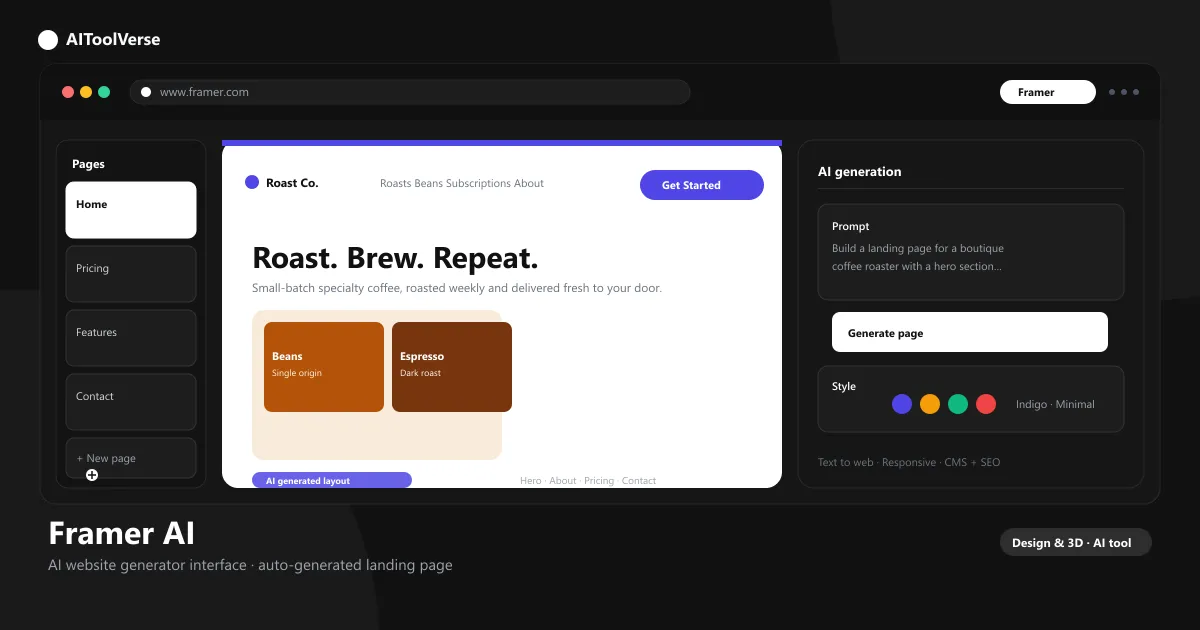
Framer AI is the generative layer built into Framer, the visual web design platform used by designers, startups, and agencies to ship polished sites without code. Type a prompt such as "landing page for a boutique coffee roaster" and it assembles a complete, responsive website — sections, copy, imagery, and navigation — that stays fully editable in Framer's design canvas.
Every paid plan ships with AI credits that power Framer agents. You can generate whole pages from a prompt, make any existing design responsive in one click, and edit copy conversationally, then fine-tune every pixel in the canvas. That mix of speed and control is why founders and design teams use the platform for everything from startup landing pages to full marketing sites — content, CMS, and localization all live in the same canvas.
Framer AI Website Generator
The core generator turns a short brief into a full site in seconds. Describe your business, audience, and tone, choose a design direction, and it produces a multi-section layout with real copy, relevant imagery, and a clear structure you can publish immediately. Because the output stays fully editable, you can treat the first generation as a strong draft and then shape it until it matches your exact design system.
- Generate landing pages, portfolios, and marketing sites from text prompts
- Choose between generated design directions before committing
- Swap sections and components without touching code
- Refine layout, spacing, and motion visually in the canvas
- Publish to a custom domain with global CDN hosting
Figma to Framer AI
Designers can import Figma files directly into Framer and keep working on the same canvas. The AI assistant then helps you convert static designs into responsive, production-ready pages — automatically generating missing breakpoints, filling in components, and cleaning up layers so the move from design file to live website feels seamless. Fonts, spacing, and color styles carry over automatically, so the result looks like the original file rather than a generic template.
Framer AI Text to Web
Beyond full pages, the AI turns a block of text into a structured, styled section. Paste a paragraph about your product or describe what you need, and it generates typography, layout, and imagery matched to your brand — a fast way to draft new sections without starting from a blank canvas.
- Paste a prompt or copy and get a designed section back
- Generates matching imagery and icons
- Keeps your brand colors and fonts applied
Framer AI Templates & Landing Pages
Framer ships a large library of templates for landing pages, portfolios, SaaS sites, and more. Start from a template or generate from scratch, then use AI to restyle, swap content, or adapt the design for a different use case. Landing pages built this way include fast load times, mobile-responsive layouts, and built-in SEO controls by default.
Framer Motion AI Effects
Framer Motion brings scroll effects, hover interactions, and page transitions to your site without writing JavaScript. The AI layer helps you apply motion presets, animate elements as visitors scroll, and add micro-interactions that make pages feel alive — all in a few clicks, with full control to tweak timings and easing curves afterward. The same motion tools handle entrance animations, sticky sections, and responsive reveals, so even a prompt-generated page feels hand-built.
Framer AI SEO Settings
Every page ships with structured SEO settings: meta titles, descriptions, Open Graph images, sitemaps, and canonical URLs. The AI generates these automatically from your content, while global hosting on a fast CDN and automatic image compression keep pages quick — a solid foundation for ranking. You can also connect analytics, manage redirects, and organize content into CMS collections that publish structured pages across the whole site.
Framer AI Pricing — Free vs Paid Plans
It is free to start and credit-based beyond that. The Free plan includes 500 daily AI credits so you can test generation; paid plans raise the credit allowance and unlock custom domains, more CMS collections, and publishing features. You can also buy top-up credits at any time if you hit your monthly limit mid-project.
Compare Plans & Pricing
Free (500 daily AI credits); Basic $10/mo; Pro $30/mo; Enterprise custom
Free
Try it with daily credits.
- 500 daily AI credits
- Framer.com subdomain
- Basic templates
- Made in Framer banner
Basic
For personal sites and portfolios.
- 1,000 AI credits per month
- Custom domain included
- 2 CMS collections
- 50 GB bandwidth
Pro
For businesses and teams scaling their site.
- 3,000 AI credits per month
- 10 CMS collections
- Site redirects & staging
- A/B testing add-on
Framer AI vs Webflow
It is the most direct competitor to Webflow. Webflow is a heavier, code-first CMS and design tool with deep flexibility and a steeper learning curve; it shines at marketing sites, design-driven landing pages, and portfolios where AI speed and visual control matter most.
If you need complex CMS logic, ecommerce, or enterprise integrations, Webflow remains the safer bet. For AI-first site building with pixel control, the platform wins on speed.
Pricing is the other differentiator: the paid plans start at $10 per month with AI credits included, while comparable Webflow builds often cost more once you add the CMS, ecommerce, or higher traffic tiers. For most marketing sites and portfolios, the tool delivers a production site at a fraction of the setup time.
Pros and Cons
The tool is fast, beautiful, and easy to publish, but credit limits and the learning curve beyond basic edits are real trade-offs.
Pros
- Generate a full website from a prompt
- Beautiful responsive templates
- CMS, forms & SEO built in
- AI credits on every plan
- Pixel-perfect design control
Cons
- AI credits can run out quickly
- Learning curve beyond basic edits
- Custom domains need a paid plan
- No native ecommerce features
Best For
Recommended use cases and scenarios where Framer AI shines.
Frequently Asked Questions
Common questions about Framer AI, answered.
Is Framer AI free to use?
Yes. The Free plan includes 500 daily AI credits and a Framer subdomain so you can try generation without paying. Custom domains and higher credit limits sit behind the Basic and Pro plans, which start at $10 and $30 per month.
What do the paid plans include?
Basic is $10/month with 1,000 monthly AI credits, a custom domain, and two CMS collections. Pro is $30/month with 3,000 credits, ten collections, site redirects, and staging. Enterprise plans add custom limits and dedicated support.
Can it import Figma files?
Yes. You can bring Figma designs straight into the canvas, and the assistant helps convert static layouts into responsive, production-ready pages.
Does it include SEO tools?
Yes. Each page includes meta titles, descriptions, Open Graph tags, sitemaps, and canonical URLs, and global CDN hosting keeps performance fast — both are key ranking factors.
How does Framer AI compare to Webflow?
It is faster for generating a complete site from a prompt and easier to learn. Webflow offers deeper CMS and ecommerce features for complex builds, so the right choice depends on the project.
Reviews & Ratings
Loading reviews...
Explore More AI Design Tools
Browse the full AI Tools Vault directory to compare Framer AI with every AI Design tool, or line up your shortlist side by side.
Similar Tools
More Web & App Builders tools you might like

Windsurf
Codeium's agentic AI IDE with Cascade — an agent that plans, edits, and runs across your whole codebase while you review the changes.

Lovable
An AI app builder that turns a plain-English prompt into a production-ready web app — with a database, authentication, and one-click deploy.

Guides & Articles about Framer AI
Read our detailed reviews and comparisons covering Framer AI
 Guides & How-To
10 Free AI Tools to Build a Website Without Coding (2026)
10 free AI tools to build a website without coding in 2026 — TurnCage, Durable AI, Framer AI, Wix ADI, Softr, Base44, V0, Bolt.new, Lovable, and Uizard compared.
 AI Tools Vault Team
 Guides & How-To
Best AI App Builders for Startups in 2026
The best AI app builders for startups in 2026 — MarsX, Bolt.new, Lovable, Base44, Rosebud and Mixo compared for building apps and games from prompts.
AI Tools Vault Team Guides & How-To
Best AI App Builders for Non-Coders in 2026
The best AI app builders for non-coders in 2026 — Lovable, v0, Bolt.new and Base44 compared for prompt-to-app development, pricing and free tiers.
AI Tools Vault Team