AI Tools for Small Business: How to Actually Choose
Most small businesses already use AI — but few chose it strategically. Here is a decision framework for picking AI tools for small business without overpaying.


Most small businesses already use AI — but few chose it strategically. Here is a decision framework for picking AI tools for small business without overpaying.
Eighty-two percent of small business employers have invested in AI tools, and the typical small business now uses a median of about five. That number keeps climbing. But adoption does not equal strategy — most small business owners are buying tools reactively, reacting to whatever appeared on their feed last week, and ending up with overlapping subscriptions that solve problems they do not actually have. Choosing AI tools for small business without a framework leads to overspending and underusing.
This article gives you a decision framework for choosing AI tools for small business that genuinely save time and money, instead of a ranked list of names you can find anywhere.
There are hundreds of AI tools for small business owners right now. Writing assistants, customer support bots, design generators, accounting helpers, CRM automators, scheduling tools — the list is long and growing every week. The issue is not availability. The issue is that most small businesses are buying tools without a clear picture of what is slow or broken in their workflow.
McKinsey's State of AI research found that despite majority adoption, most organizations have yet to see organization-wide, bottom-line impact from generative AI, and only one percent of executives describe their rollouts as mature. The gap is not the software. The gap is the strategy behind it.
Before you compare any tool, write down the three tasks that eat the most time in your week. Not the tasks you think AI should handle — the ones that actually drain your hours. That list is your starting point for choosing AI tools for small business with purpose.
The most effective way to evaluate AI tools for small business is to look at them through the lens of work categories, not product brands. Here are the five categories where AI saves the most time for most small teams.
If your business publishes blog posts, social media content, email campaigns, or product descriptions, an AI writing assistant eliminates the blank-page problem. ChatGPT handles general drafting and brainstorming. Jasper is purpose-built for marketing copy with brand voice controls. Writesonic covers ad copy and product descriptions at speed.
The right question is not "which AI writer is best." The right question is: how many hours per week do you spend writing, and is the quality good enough on a first draft to justify the cost? For most small businesses, the answer is yes — but only if you are already producing content regularly.
If you answer the same questions repeatedly — via email, chat, or social — an AI support tool deflects a meaningful portion of those tickets without sacrificing quality. Echowin uses AI to auto-resolve common questions and route complex ones to humans. ZenCall AI answers every call around the clock and captures lead details in context. Vapi lets you build and deploy AI voice agents that handle phone conversations end to end.
For small businesses, the ROI here is the most straightforward: every ticket AI resolves is a ticket your team does not answer. If your support volume exceeds what two people can comfortably handle, AI support tools are worth a serious trial.
AI tools for small business automation connect your apps and remove manual data entry. Zapier is the most recognized, with an AI-powered interface for building automations in plain English. Make offers more visual flexibility for complex multi-step workflows. Notion AI handles internal process automation — meeting notes, task tracking, knowledge base — for teams already inside Notion.
The pattern is simple: if a task involves copying data from one app to another more than three times a week, it belongs in an automation. The cost of these tools pays for itself in recovered hours faster than most people expect.
Small businesses that produce social media graphics, presentations, or marketing materials benefit most here. Canva AI remains the default recommendation — its AI features handle text-to-image, background removal, and layout suggestions within the platform most teams already use. For brand-heavy work where consistency matters, tools like Looka (logos) or specialized AI image tools handle the job without a freelance designer.
The caveat: AI design tools work best when your brand guidelines are already defined. If you do not have a color palette, fonts, or logo locked in, start there before paying for an AI design tool.
If you track sales, customers, or marketing performance in spreadsheets or CRMs, AI tools for small business analytics can surface patterns that manual review misses. HubSpot AI flags high-value leads and predicts churn, while Apollo enriches customer data and targets the right accounts. For simpler operations, Perplexity AI handles competitive research and market analysis faster than manual Google searches.
The value here is not the data — it is the speed of turning data into a decision. If your team spends hours every week pulling numbers and building reports, this category pays for itself quickly.
Here is the decision framework for choosing AI tools for small business. It works regardless of team size or industry.
Step 1: List your top three time drains. Be specific. Not "marketing is slow" but "writing social media posts takes five hours a week" or "answering the same customer questions eats two hours daily."
Step 2: Map each drain to one category above. Writing, support, automation, design, or data. One-to-one — do not try to solve everything with one tool.
Step 3: Test one tool per category, free tier first. Most AI tools for small business have free plans or trials. Run each one for two weeks on the actual task. Do not evaluate it in a vacuum — use it on real work.
Step 4: Measure the time saved. After two weeks, compare actual hours spent on the task before and after. If the tool saves more time than its monthly cost justifies, keep it. If not, cancel and try the next option in that category.
Step 5: Set a budget ceiling. A reasonable rule of thumb is to spend no more than five to ten percent of your monthly operating costs on AI tools. If you are spending more, you probably have overlap or tools solving problems that do not exist.
The point is not to find the perfect tool. The point is to test cheaply, measure honestly, and keep only what proves its value. Most small business owners who adopt AI tools for small business end up keeping three to four core tools — not ten.
AI tools for small business come with a few traps that catch first-time buyers off guard.
Subscription stacking. It is easy to pay for ChatGPT, Jasper, and Canva AI separately when a single tool covers two of those use cases. Before adding a new subscription, check whether an existing tool already does the job.
Vendor lock-in. If your data lives inside one AI tool and you cannot export it cleanly, switching later becomes painful. Prioritize tools that let you download your data in standard formats.
Overpromising. No AI tool replaces a strategy. AI tools for small business amplify what already works — they do not fix broken processes. If your customer support process is disorganized, an AI chatbot will surface that disorganization faster, not fix it.
Data privacy. If your business handles sensitive information — financial records, health data, legal documents — read the tool's data policy carefully. Some AI tools train on your inputs by default. Most enterprise plans disable this, but the free tiers sometimes do not.
Eighty-two percent of small businesses are already using AI tools. The question is not whether to adopt, but whether you are adopting strategically. Start with your three biggest time drains, test one tool per category, measure real results, and keep only what earns its cost. That is how you get value from AI tools for small business without overspending on tools you never needed. The businesses that benefit most from AI tools for small business are the ones that treat adoption as an ongoing process, not a one-time purchase.
Ready to compare your options? Browse the full AI tools directory, or use the compare tool to line up pricing, features, and ratings side by side.
How many AI tools should a small business use? Most small businesses benefit from three to four core AI tools — one for writing or content, one for customer support or communication, one for workflow automation, and optionally one for design. Using more than five often signals overlap or tools solving problems that do not exist.
Are AI tools for small business worth the cost? They are, if you measure results. If an AI tool saves you ten hours a month and costs forty dollars, the math works. The trap is paying for five tools that each save two hours — you are better off choosing the one that saves the most and cutting the rest.
What is the best free AI tool for a small business? It depends on the job. ChatGPT is the strongest general-purpose free option. Canva AI covers design. Grammarly handles writing quality. Start with the free tier, test it on real work, and upgrade only when limits get in the way.
Do I need technical skills to use AI tools for small business? No. Most modern AI tools are designed for non-technical users. Tools like Zapier and Notion AI use plain-language interfaces specifically so small business owners without coding experience can set them up.
How do I know if an AI tool is actually saving me time? Track the task before you start using the tool — how many hours per week does it take? Then track it again after two weeks of regular use. If the hours saved exceed the monthly subscription cost, the tool is earning its place. If not, cancel.
Will AI tools replace my employees? No. AI tools for small business handle repetitive, low-judgment tasks — drafting, sorting, routing, data entry. Your team handles the work that requires context, relationships, and decisions. The best outcome is not fewer employees; it is employees spending time on higher-value work.
Get our best AI tool reviews and guides delivered to your inbox each week. No spam, unsubscribe anytime.

Written by
Editorial Team
The AI Tools Vault editorial team researches, tests, and reviews the best AI tools across every category.
More reading on guides & how-to
 Guides & How-To
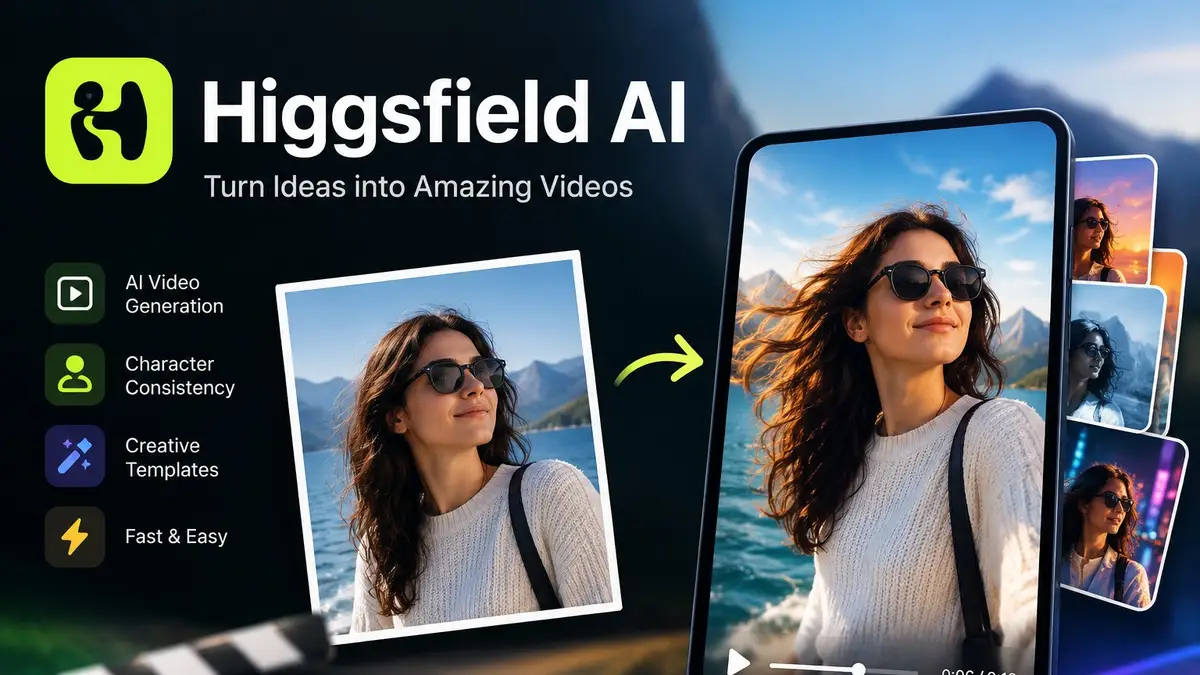
We break down Higgsfield AI's features, pricing, free access and best alternatives, so you can decide if the subscription is worth it for your videos.
 Jawad Fiaz
 Guides & How-To
The free AI background removal tools still worth using after remove.bg closes in December 2026 — Photoroom, Adobe Firefly, Canva, Clipdrop and rembg, with free-tier limits checked in October 2026.
Jawad Fiaz Guides & How-To
Six free AI photo enhancers, six different deals. What each free tier really allows, what AI cannot recover, and how to check a result before trusting it.
Jawad Fiaz