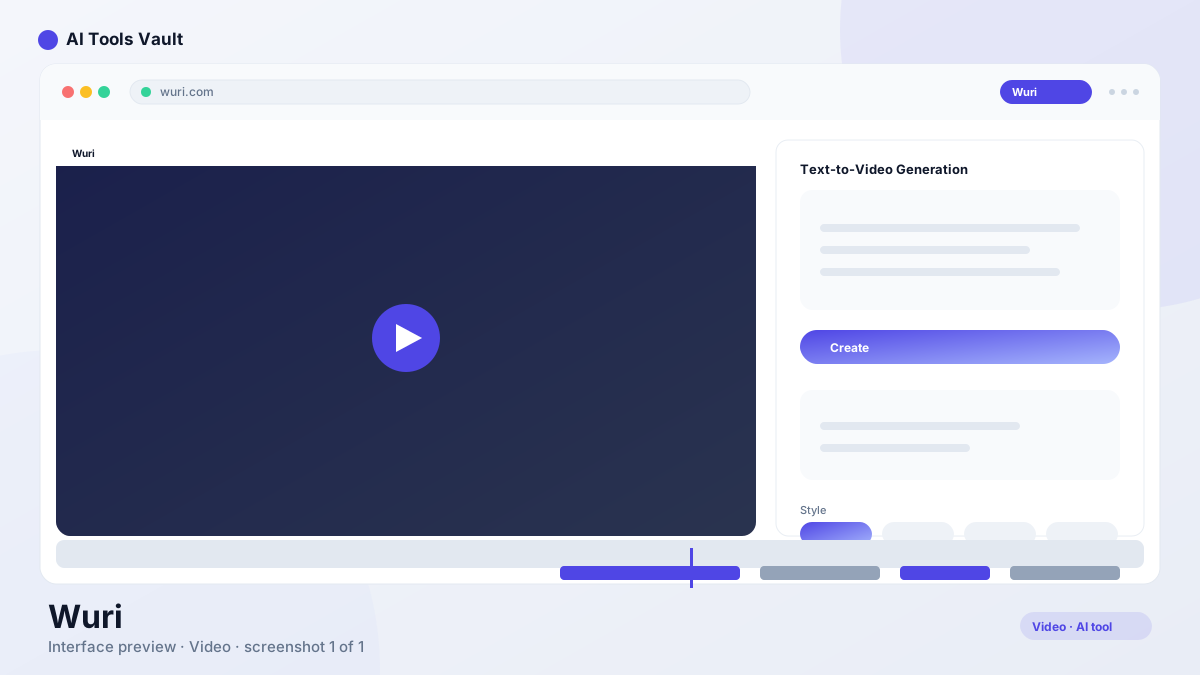
Wuri is an AI video generation tool that creates short clips from text prompts and images, with camera controls, style presets, and fast rendering for creators.
This tool is an AI video generation platform that creates short clips from text prompts. You describe a scene, pick a style, and the platform renders a video in seconds rather than the long waits associated with heavier AI video models.
It supports three core workflows: text-to-video for generating scenes from descriptions, image-to-video for animating still images, and video-to-video for restyling existing footage. This flexibility makes it useful for creators who want to produce social media content, marketing clips, or quick concept visualizations without traditional video production.
The platform was founded in 2024 and targets social media creators, marketers, and beginners who want fast AI video generation without a steep learning curve. The clean interface and prompt-based workflow lower the barrier to entry compared to professional video editing suites.
Unlike longer-form video generators that focus on cinematic quality and extended clip lengths, this tool prioritizes speed and accessibility. The trade-off is shorter clips and less granular control, but the practical benefit is that creators can generate, evaluate, and iterate on concepts in minutes rather than hours.
The AI models behind the platform are trained on diverse video datasets, which allows them to interpret a wide range of visual prompts. From realistic scenes to abstract artistic styles, the generation quality has improved significantly since the platform launched, making it a practical option for professional content creation.
Text-to-video, image-to-video, and video-to-video
Camera movement controls
Fast rendering with a clean interface
Style presets for consistent looks
How Wuri Works
The generation process starts with a text prompt. Write a detailed description of the scene you want, choose a style preset, and hit generate. The platform processes the request and returns a short clip you can preview, download, or re-render with adjusted prompts.
For image-to-video, upload a still image and describe the motion you want to see. The AI animates the image based on your prompt, adding movement that matches the described scene. Camera controls let you add push-in, pan, or orbit effects to any generation, giving otherwise static scenes a cinematic feel.
The platform also supports video-to-video, where you upload existing footage and restyle it with different visual treatments. This is useful for repurposing content across platforms or experimenting with new looks without reshooting.
A gallery of community creations serves as inspiration, showing the prompts and styles that produce the best results. Saving favorite prompts makes it easy to maintain consistent brand content across a series of videos.
The prompt quality directly affects the output. Detailed descriptions with specific visual elements, motion directions, and style references tend to produce better results than vague one-line prompts. The platform provides guidance on effective prompting to help new users get started quickly.
The camera controls are particularly useful for adding production value to otherwise simple scenes. A slow push-in on a product shot, a gentle pan across a landscape, or an orbit around a subject can transform a flat generation into something that feels more intentional and polished.
Write a detailed scene prompt
Choose a style preset
Add camera movement if needed
Generate, preview, and iterate
Wuri Features
The feature set is built around accessibility: fast rendering, a clean prompt-based workflow, and style presets that keep outputs consistent across batches of clips. The goal is to get from idea to finished video as quickly as possible.
Image-to-video with camera controls and video-to-video restyling round out the toolset. This platform is not the deepest editor in the category, but for short-form social content it covers the essential creative jobs without unnecessary complexity.
Rendering speed is the main reason creators choose this tool. Where some platforms queue for minutes, this service returns usable previews quickly, making it practical to iterate on prompts during a single working session instead of waiting overnight for results.
The platform also includes a simple editing view where you can trim clips, add text overlays, and export in formats sized for each social platform. Keeping those finishing touches inside the same tool avoids the back-and-forth with a separate editor.
Style presets deserve particular attention. Each preset applies a consistent visual treatment to generated clips, which is valuable for brands that need a cohesive look across multiple videos. Instead of describing the visual style in every prompt, you select a preset and focus your prompts on the scene content.
Fast prompt-to-clip rendering
Image-to-video animation
Camera pan, zoom, and orbit controls
Style presets for consistent branding
Wuri Pricing and Plans
The platform uses a freemium model. New users get a batch of free credits on signup so they can test text-to-video and image-to-video before committing, with standard resolution and a watermark on exports.
The Pro plan starts at $19 per month and adds more credits, higher resolution, watermark-free exports, and priority rendering. It is priced competitively against bigger names like Runway and Pika, making it an attractive starting point for casual creators.
Pricing can change over time. Verify current plans and credit allocations at the official website before purchasing. The free tier is a useful way to test the output quality with your specific use case before upgrading.
For creators who generate videos regularly, the Pro plan's priority rendering and higher resolution make a noticeable difference in workflow speed and output quality. The credit system means you should evaluate how many clips you typically need per month before choosing a plan.
Who Should Use Wuri?
This tool is best suited for social media creators, marketers, and small business owners who need quick AI video clips without investing in professional editing software or learning complex workflows.
Content creators who produce daily or weekly social media content benefit from the fast rendering and prompt-based workflow. Instead of filming or sourcing stock footage, they can generate custom clips that match their brand style in seconds.
Marketing teams use the platform for ad creative, product demos, and social campaigns where speed matters more than cinematic quality. The ability to generate multiple variations of a concept quickly makes A/B testing practical and affordable.
Beginners who are curious about AI video generation will find the clean interface and free credits a low-risk way to experiment. The learning curve is minimal compared to professional tools like Runway or Adobe Premiere Pro.
Educators and trainers also use the platform to create short visual demonstrations and concept videos. The fast rendering makes it practical to generate custom visuals for specific lessons rather than relying on generic stock footage.
Wuri vs Runway
Both platforms generate AI video, but they target different users. Runway offers the deepest editing stack with Motion Brush, timeline editing, and Gen-3 quality, while this tool focuses on speed, simplicity, and a friendlier price point.
For beginners producing social clips, this platform is the easier path. For filmmakers who need shot-level control and professional output, Runway's extra tools justify the higher cost. Many creators use both: one for quick tests, one for final shots.
Clip length is another differentiator. Like most AI video tools, this service produces short bursts rather than long scenes, so it is best treated as a clip generator that feeds into a larger editing process.
Pricing is a key factor in the comparison. This tool's Pro plan at $19 per month is significantly cheaper than Runway's equivalent tier, making it accessible for individual creators and small teams who need AI video generation without a large monthly commitment.
Pros and Cons of Wuri
This platform is a great entry point into AI video generation because it is fast, affordable, and easy to learn, with useful free credits to start exploring the technology.
The limits are clip length, resolution, and the lack of advanced editing compared with platforms like Runway or Kling AI. For short-form content and rapid idea testing, it delivers a lot of value for the price.
The competitive advantage is the combination of speed and price. While other tools may produce higher quality individual clips, few match the turnaround time and affordability for creators who need to generate content frequently.
Pros
Simple, fast text-to-video generation
Image-to-video and camera controls
Usable free credits on signup
Good quality-to-cost ratio for creators
Cons
Short clip lengths compared to rivals
Smaller community and fewer templates
Free tier limits resolution and exports
Less control than professional suites
Wuri Alternatives
Runway is the most established alternative, offering deeper editing tools, longer clip generation, and a larger community. Pika focuses on stylized video generation with strong community features. Kling AI provides competitive video quality with different pricing tiers.
For longer-form video production, DaVinci Resolve offers professional editing with AI-assisted features. CapCut provides free video editing with AI tools for social media content. Sora from OpenAI generates longer, more detailed video clips but with different access requirements.
The right alternative depends on your budget, clip length needs, and level of editing control. For quick social clips at a low price, this platform remains competitive. For professional production, the more established tools offer deeper capabilities.
When evaluating alternatives, consider the total workflow. Some platforms generate better individual clips but lack built-in editing, requiring a separate tool for trimming, text overlays, and social formatting. The integrated approach of this tool saves time for creators who want everything in one place.
Runway
VideoFreemium
Best for: Cinematic video generation
Runway AI is a cloud-based AI video platform for filmmakers and creators, best known for the Gen-3 Alpha model that turns text prompts into hyper-realistic cinematic clips.
OpenAI's Sora video generator turns text prompts into realistic clips, and this free Sora AI prompt generator helps you write prompts that produce better footage.
Best for: Photorealistic AI video with realistic motion
Kling AI is Kuaishou's AI video generator known for realistic motion and physics, turning text and images into cinematic clips up to three minutes long.
Wuri is an AI video generation tool that creates short clips from text prompts and images. It supports text-to-video, image-to-video, and video-to-video workflows with camera controls and fast rendering.
How does Wuri work?
You write a text prompt describing a scene, choose a style preset, and generate. The platform renders a short video clip in seconds. You can also upload images to animate or restyle existing footage.
Is Wuri free?
Wuri offers free credits on signup so you can test generation without paying. The Pro plan, from $19 per month, adds more credits, higher resolution, and no watermark.
How long are video clips from this tool?
The platform generates short clips, typically a few seconds each, which is standard for AI video generators. Longer sequences are built by connecting multiple generations.
Can it animate images?
Yes. The platform supports image-to-video, so you can upload a still image and prompt the motion you want to animate in it.
What are the best alternatives?
Runway, Pika, and Kling AI are the main alternatives. Runway offers deeper editing tools, Pika focuses on stylized generation, and Kling AI provides competitive quality with different pricing.
Reviews & Ratings
Loading reviews...
Explore More Video Tools
Browse the full AI Tools Vault directory to compare Wuri with every video tool, or line up your shortlist side by side.
CapCut is ByteDance's free AI-powered video editor for short-form content, with auto captions, background removal, and a huge template library for TikTok and Reels.