Skip to content
Synthesys Video AI tool logo

Synthesys Review — AI Voice and Avatar Video Studio

VideoFreemium
Best for: AI voiceover, avatar video, and UGC ad creation

AI content studio generating voiceovers, avatar presenter videos, UGC-style ads, product demos, and voice clones from text scripts in 175+ languages.
Founded 2020
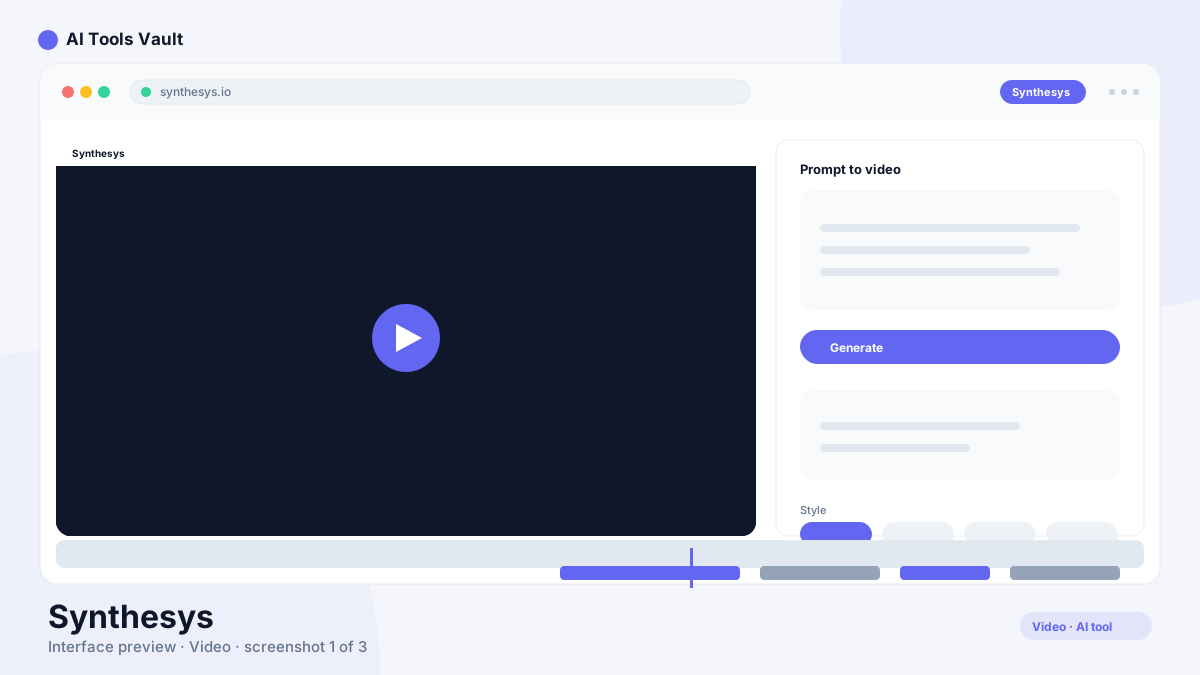
Synthesys AI studio interface showing voiceover generation, avatar video creation, and voice cloning tools

What Is Synthesys?

The platform is an AI content studio that turns text scripts into voiceovers, avatar presenter videos, UGC-style ads, product demos, and voice clones in more than 175 languages. A single subscription bundles a 1,000+ voice library, 200+ stock video avatars, custom digital-twin avatars, UGC personas, talking photos, and a multi-model video generator.
The company behind the platform has operated since 2020 and says it has produced more than one million videos for tens of thousands of users, with brands like Coca-Cola and Yahoo among its customers. Instead of relying on a single renderer, the studio routes each job to the frontier model that fits best — Google VEO 3, Sora 2, Kling, or Wan — so output quality keeps pace with the latest video AI rather than aging out.

Synthesys Features

The feature set spans voice, video, and image inside one interface, which is the suite's main selling point. These are the headline capabilities across plans:
  • 1,000+ AI voices across 175+ languages and dialects
  • 200+ stock avatars in the core library, plus access to 1,000+ through the extended library
  • Custom digital-twin avatars: five on Indie, 15 on Studio, unlimited on Agency
  • Unlimited custom UGC personas on every paid plan
  • Voice cloning from a 10-second audio sample and voice design from a plain-text description
  • Video and audio dubbing with frame-accurate, phoneme-matched lip-sync
  • Multi-model video generation with Google VEO 3, Sora 2, Kling 3, and Wan
  • AI talking photos, Recast face swap, and speech-to-speech voice changing
  • Multi-speaker podcast creation and template-driven ad generators
  • 1080p export on Indie and Studio; up to 4K on Agency

How Synthesys Works

The workflow follows three steps. First, choose an output format — avatar presenter, UGC social ad, commercial, product demo, voiceover, or dubbed video — then supply a script, a product image, or even a URL that the AI converts into a script. Next, pick a presenter and voice from the libraries, or upload reference material for a custom clone.
Generation is automatic: the engine handles script tweaks, voice synthesis, lip-sync, facial expressions, transitions, and final rendering in minutes. Because nothing is shot on camera, iterating means changing the script or swapping the presenter and regenerating — the same avatar and voice carry across every new version.
For custom presenters, you upload a short video or photo of yourself and the system builds a digital twin. Once that exists, any script can be delivered in your voice across dozens of languages without stepping in front of a camera again.
One workflow worth singling out is localization. Create the source video once, then duplicate it across 140+ languages: the dubbing engine re-renders each version with the correct phonemes so lip movements match the target language instead of simply laying a translation over the original. For brands running global campaigns, that single production pass replaces a separate shoot per market.
  • Choose a format, template, or start from scratch
  • Input a script, product image, or URL
  • Select a stock avatar or upload footage for a digital twin
  • Pick a voice, clone one, or design one from a description
  • Generate, review, and iterate without re-filming

Synthesys Pricing

Pricing starts with a free plan for testing, then steps through three paid tiers: Indie at $20/month, Studio at $41/month, and Agency at $83/month, all billed annually. Billed month to month, the same tiers cost $29, $59, and $119 respectively, so annual billing saves roughly 40% across the board. Enterprise plans are priced custom with a dedicated account manager and a service-level agreement.
Generation runs on a unified credit system. Video credits and voice characters renew monthly, and each render burns credits based on the model and clip length — a 15-second product ad costs around 75 credits, while a 15-second Sora 2 clip costs around 975. Another strong point: every paid plan includes full commercial rights, with no royalties, attribution requirements, or per-video licensing fees.
The free plan is deliberately light — enough credits to evaluate the studio rather than a production tier. When you outgrow a monthly allocation, one-time credit packs top the account up without needing an upgrade, and Enterprise agreements bundle custom volume pricing together with an SLA for high-throughput teams.

Compare Plans & Pricing

Free plan; Indie $20/mo annual ($29 monthly); Studio $41/mo annual ($59 monthly); Agency $83/mo annual ($119 monthly); Enterprise custom

Free

$0

Limited monthly credits to test voice and video generation before committing.

  • Limited monthly credits across voice and video tools
  • Access to the stock voice and avatar libraries
  • Standard render speed
  • Good way to evaluate the studio
Start Free
Most Popular

Indie

$20/mo

The entry paid plan, billed annually at $20/month ($29 billed monthly). Includes 1,000 video credits and 50,000 voice-generation characters each month.

  • 1,000 video credits and 50,000 voice characters per month
  • 10 voice clones and 5 digital-twin avatars
  • 200 stock avatars; UGC personas included
  • 1080p export with standard processing
  • Full commercial rights
Start Indie

Studio

$41/mo

The professional tier, billed annually at $41/month ($59 billed monthly). Raises capacity, adds AI VSL and dubbing, and unlocks faster processing.

  • 2,500 video credits and 125,000 voice characters per month
  • 25 voice clones and 15 digital-twin avatars
  • AI VSL generation and video-to-video dubbing
  • Fast processing with 1080p export
  • Frontier model access, including VEO 3 and Sora 2
  • Full commercial rights
Get Studio

Agency

$83/mo

The top tier for teams, billed annually at $83/month ($119 monthly). Built for agencies producing at scale with 4K export and two seats.

  • 5,400 video credits and 270,000 voice characters per month
  • Unlimited voice clones and unlimited digital-twin avatars
  • 4K export with faster processing
  • 2 user seats with simultaneous access
  • Advanced frontier model access
  • Full commercial rights
Start Agency

Synthesys vs Papercup

Papercup specializes in one job: dubbing existing videos into other languages with natural-sounding, lip-synced voiceover, built mainly for media companies and broadcasters. If your workflow is localizing content you already own, it is the more focused pick.
The platform reviewed here is broader — it creates new voiceovers, avatar videos, UGC ads, and clones from a script, and its dubbing is one capability among many rather than the whole product. Choose Papercup for high-volume localization of finished footage; choose the studio reviewed here when you need to produce fresh content from text in a single tool.
  • Papercup wins for localizing finished videos at volume
  • The suite reviewed here wins for producing new content from scripts
  • Papercup focuses on dubbing rather than avatar generation or UGC ads

Who Should Use Synthesys?

The platform fits marketers producing ad creatives, e-learning teams building multilingual training libraries, course creators who narrate long-form content, and small agencies that want several video formats under one subscription and one bank of credits.
It makes less sense if your priority is the most realistic digital presenter — rival avatar platforms like HeyGen and Synthesia are harder to beat on lip-sync polish and micro-expressions — or if you only occasionally need a voiceover, where a cheaper, voice-only tool may be enough. For regular video production at volume, though, the bundle is hard to beat on price.
In short, the studio suits teams that need volume and variety across formats rather than one polished output type. If you publish ads, training videos, product clips, and social content each week in several languages, the time saved by a single workflow is where the value shows up — but if you need one specific category, a specialist usually wins on quality per dollar.

Pros and Cons of Synthesys

The strengths are the breadth of the suite, an aggressive entry price, a genuinely good voice engine, and full commercial rights at every paid tier. The weaknesses revolve around credit metering, avatar realism versus specialist rivals, annual-upfront pricing, and the assembly work still required before ad output is launch-ready.
On pricing, the 40% annual discount is real but it is also why the headline numbers look so low — budget against the annual total if you plan to stay month to month. And because credits burn per model and clip length, the effective cost of a finished video moves with the frontier models you choose.

Pros

  • All-in-one suite: voiceovers, avatar video, UGC ads, dubbing, talking photos, and image generation in one subscription
  • Voice cloning from a 10-second audio sample, plus voice design from a text description
  • Full commercial rights on every paid plan — no royalties, attribution, or per-video fees
  • Entry price of $20/month on annual billing still includes 1,000 video credits, five digital twins, and ten voice clones
  • Multi-model generation keeps output tied to frontier video models like VEO 3 and Sora 2

Cons

  • Credit metering makes the real cost per video hard to predict — frontier models like Sora 2 consume credits quickly
  • Avatar realism and lip-sync trail dedicated rivals such as HeyGen and Synthesia
  • Headline prices require annual billing paid upfront; monthly billing costs more and the free plan is limited
  • Ad and UGC generators produce strong starting clips, but launch-ready ads still need finishing work

Synthesys Alternatives

The closest alternatives in this directory are Papercup for localization dubbing, Captions for mobile-first video editing, and Akool for face-swap and video translation features.
For direct competition, HeyGen and Synthesia deliver more polished presenter avatars and are the usual choice for enterprise training, while ElevenLabs is stronger as a dedicated voice platform. The right pick depends on whether you need pure presenter realism, voice-only output, or a broad creation suite in one subscription.
Papercup AI tool logo

Papercup

Translation & LanguagePaid
Best for: Enterprise AI video dubbing and localization

Enterprise AI video dubbing platform combining voice synthesis with human review, now powered by RWS for broadcasters and media companies.
Captions AI tool logo

Captions

VideoFreemium
Best for: Mobile AI video editing and auto-captioning

Mobile-first AI video editing app for talking-head content with auto-captioning, eye-contact correction, filler-word removal, AI dubbing, and AI-generated actors.

Akool AI tool logo

Akool

VideoFreemium
Best for: AI face swap and video translation

A browser-based AI video suite for face swap, talking and streaming avatars, and lip-synced video translation in one credit pool.

Final Verdict: Worth It in 2026?

Take it if you produce video or voice content regularly and want voice cloning, avatar video, UGC ads, and dubbing from one $20-per-month subscription. The voice engine is the standout, and the multi-model generator keeps output quality current without you switching tools.
Hold off if avatar polish is non-negotiable, if you need a fully automated product-URL-to-finished-ad pipeline, or if your use case is one-off voiceover — in those cases a specialist outclasses the suite's weakest areas. For everyone else, the value proposition remains among the strongest in this price band: a genuinely broad toolkit, commercial-ready licensing, and a cost structure that undercuts most multi-model competitors.

Best For

Recommended use cases and scenarios where Synthesys shines.

Frequently Asked Questions

Common questions about Synthesys, answered.

What is Synthesys?

An AI content studio that turns text scripts into voiceovers, avatar presenter videos, UGC-style ads, product demos, and voice clones across 175+ languages and dialects.

Is Synthesys free?

Yes — there is a free plan with limited monthly credits for testing voice and video generation. Paid plans start at Indie, $20/month on annual billing ($29 billed monthly).

How much does Synthesys cost?

Indie is $20/month on annual billing ($29 monthly), Studio is $41/month annual ($59 monthly), and Agency is $83/month annual ($119 monthly). Annual billing saves roughly 40% over monthly, and enterprise pricing is custom.

How many voices does Synthesys have?

More than 1,000 AI voices across 175+ languages and dialects, with premium voices, voice cloning, and voice design unlocked by plan.

Can Synthesys create avatar videos?

Yes — 200+ stock avatars in the core library (1,000+ with the extended library), plus custom digital-twin avatars built from a short video or photo and UGC personas for social ads.

What is UGC in Synthesys?

UGC personas generate authentic-looking social ad videos that mimic creator-style content for TikTok, Instagram Reels, and Meta campaigns.

Is Synthesys the same as Synthesia?

No — Synthesys (synthesys.io) and Synthesia (synthesia.io) are separate companies with different products. Synthesia targets enterprise training with more polished avatars at a higher price, so the two platforms serve different buyers.

What are the best alternatives to Synthesys?

Papercup for localization dubbing, Captions for mobile editing, and Akool for face-swap video tools are solid matches. HeyGen and Synthesia lead on presenter realism, while Synthesys combines voice, avatar video, and dubbing in one subscription.

Reviews & Ratings

Share your experience

Your rating

Loading reviews...

Explore More Video Tools

Browse the full AI Tools Vault directory to compare Synthesys with every video tool, or line up your shortlist side by side.

Similar Tools

More Video tools you might like

Loom AI AI tool logo

Loom AI

VideoFreemium
Best for: Async screen recordings with AI summaries

Async screen recording with built-in AI that writes titles, summaries, chapters, and action items from every recording.

CapCut AI tool logo

CapCut

VideoFreemium
Best for: Free short-form video editing

CapCut is ByteDance's free AI-powered video editor for short-form content, with auto captions, background removal, and a huge template library for TikTok and Reels.

Pictory AI tool logo

Pictory

VideoPaid
Best for: Turning blog posts & scripts into videos

AI video generator that turns blog posts, scripts, and URLs into narrated videos with stock clips, captions, and AI voices.