InVideo AI – AI Video Generator & Creation Platform
VideoPaid
Best for: Generating complete videos from text
InVideo AI generates complete videos from text prompts using AI agents, with script, stock footage, voiceover, captions, and music — no editing skills required.
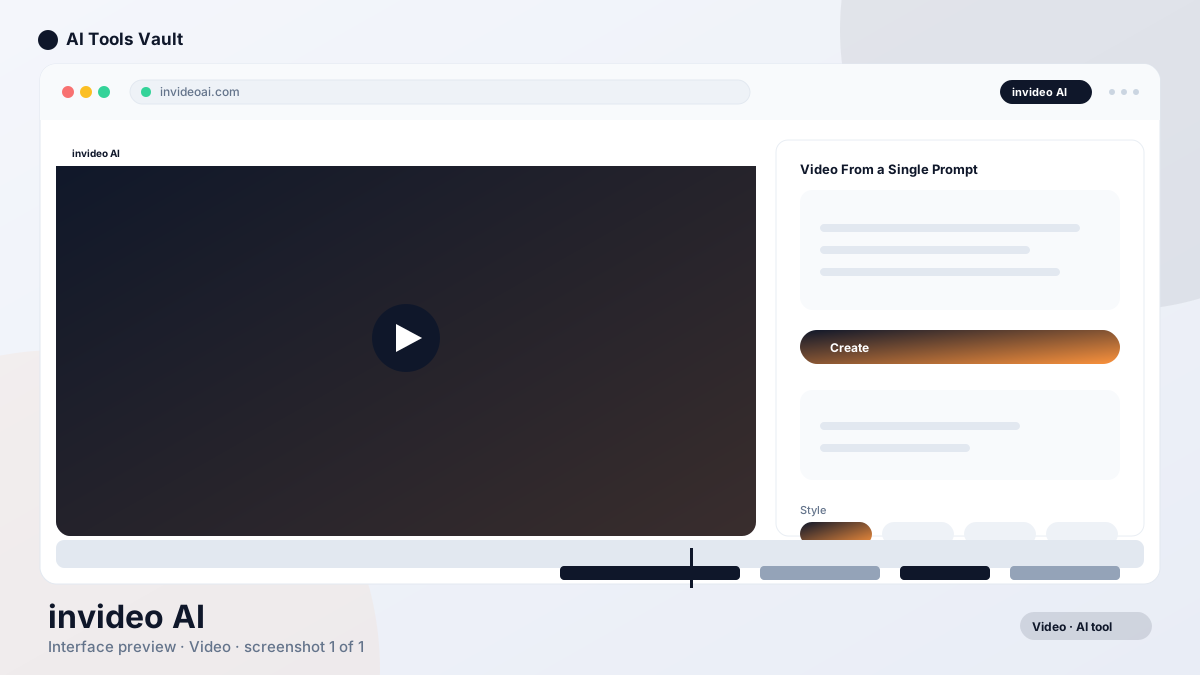
InVideo AI is a text-to-video platform that turns a prompt into a complete, publish-ready video. You type a topic, and the AI writes a script, selects stock footage, adds a voiceover, captions, and background music, and assembles the result on an editable timeline.
The platform is built for marketers and creators who need to produce videos at volume — product promos, YouTube shorts, social ads — without a camera, a studio, or editing skills. It draws from millions of stock clips licensed through iStock and Storyblocks, and supports over 200 AI models including Veo 3.1, Kling 3, and Seedance 2.5.
The latest addition, Agent Two, introduces AI agents with long-term memory that can store project context, handle multi-scene editing, and collaborate in real time. This positions the tool beyond simple text-to-video into a full creative production platform.
Prompt-to-video with automatic script and footage
AI voiceover in 25+ languages
Auto captions and background music
Editable timeline for full control
InVideo AI Features
The headline feature is the all-in-one pipeline: script, footage, voiceover, captions, and music generated from a single prompt and delivered on an editable timeline. The media library includes millions of stock clips, and the AI matches scenes to your script so results stay relevant.
Agent Two introduces AI agents that store your project's full context in long-term memory, so every clip stays consistent across sessions. You can experiment with new costumes, locations, or characters without regenerating dozens of clips individually. The agents also help write prompts for each shot, so you don't need to become a prompt engineer.
Multiplayer mode allows real-time collaboration with live cursors, making it possible for teams to work on the same project simultaneously. Storyboarding tools turn scripts into shot-by-shot plans before generation, and a built-in script writer helps develop ideas from scratch.
The platform supports custom agents for specific roles — cinematographer, music designer, sound designer, colorist — giving teams structured creative workflows. You can also upload your own brand footage so generated videos stay on-message. The timeline editor behaves like a standard video editor, which keeps professionals comfortable while remaining approachable for beginners.
Automatic script generation from prompts
Millions of stock footage clips
AI voiceover in 25+ languages
Agent Two with long-term memory
How to Create a Video with InVideo AI
Getting started takes one prompt. Describe the video you want — topic, tone, and length — and the platform generates the script, footage, and voiceover automatically.
From there you review the generated video on the timeline, regenerate any scene you dislike, swap footage or voice, and export. The workflow turns video production into a content-management task rather than an editing one.
The system also accepts rough briefs like "a 60-second ad about project management" and fills in the details itself, which means even non-editors can produce reasonable first drafts. Each generation is fully editable, so the output is a starting point rather than a final export.
For more structured projects, use the storyboarding feature to plan shots before generation, or assign custom agents for specific creative roles like cinematography and sound design. The long-term memory feature means agents retain context across sessions, so you don't have to re-explain your project each time.
Enter a prompt describing the video
Review the generated script and scenes
Regenerate or replace any scene
Export in the format you need
Who Should Use InVideo AI?
This tool is best suited for marketers, social media managers, and content creators who need to produce videos at scale. If you are creating product promos, YouTube shorts, social ads, or educational content regularly, the prompt-to-video workflow eliminates the production bottleneck.
Small businesses without dedicated video teams benefit from the ability to generate publish-ready videos from a brief. The AI handles scriptwriting, footage selection, voiceover, and assembly, so the output is usable even without editing experience.
Agencies managing multiple brand accounts use the platform to produce content across different verticals simultaneously. The multiplayer collaboration and custom agent features support team workflows that simpler tools like CapCut or Wondershare Filmora cannot match.
Solo creators who want to test video ideas quickly without committing to filming find the tool valuable for prototyping concepts before investing in production. The credit-based system means you only pay for what you generate.
Pros and Cons of InVideo AI
The biggest advantage is speed. Going from a text prompt to a complete video with voiceover, captions, and music in minutes is a genuine time-saver for teams that need volume.
The Agent Two features — long-term memory, multiplayer collaboration, custom agents — push the platform beyond simple text-to-video into a legitimate production tool for teams.
The main limitations are the credit-based pricing system, stock footage that occasionally feels generic, and AI voiceovers that need tuning for brand tone. The lack of a free tier means you need to commit to a plan before testing.
Pros
Full videos from a single prompt
Script, voiceover, captions, and music included
Editable timeline for tweaks
200+ AI models including Veo 3.1 and Kling 3
Cons
No free tier — paid plans only
Credit-based system can be confusing
Stock footage can feel generic
AI voiceover needs careful tuning
Frequently Asked Questions
These are the questions readers ask most often before trying InVideo AI.
Best For
Recommended use cases and scenarios where InVideo AI shines.
InVideo AI is a text-to-video platform that generates complete videos from a single prompt. It writes scripts, selects stock footage, adds voiceover and captions, and assembles everything on an editable timeline using AI agents.
Is InVideo AI free?
No. InVideo AI uses a credit-based pricing system. Plans start at $17/mo (Plus) with 75 credits, scaling up to $900/mo (Elite) with 4,250 credits. Annual billing is available with a 15% discount.
How do I make a video with InVideo AI?
Enter a prompt describing the video you want, review the generated script and scenes, adjust any elements you want to change, and export. The platform handles scriptwriting, footage selection, voiceover, and assembly automatically.
How much does InVideo AI cost?
Plans range from $17/mo (Plus, 75 credits) to $900/mo (Elite, 4,250 credits). All plans include access to 200+ AI models, stock footage, and unlimited watermark-free exports.
Is InVideo AI good for YouTube videos?
Yes. The platform generates YouTube-ready videos with scripts, footage, voiceover, and captions. It is particularly useful for creators who need to produce content consistently without a full production setup.
What are the best alternatives to InVideo AI?
Runway and Pika focus on AI-generated footage. CapCut is free for short-form editing. HeyGen specializes in AI avatar videos. InVideo AI is more focused on complete prompt-to-video workflows with stock footage.
Reviews & Ratings
Loading reviews...
Explore More Video Tools
Browse the full AI Tools Vault directory to compare InVideo AI with every video tool, or line up your shortlist side by side.
CapCut is ByteDance's free AI-powered video editor for short-form content, with auto captions, background removal, and a huge template library for TikTok and Reels.