Fireflies is the meeting notetaker everyone has heard of. It joins your calls, transcribes them, and turns them into searchable notes. After checking its pricing, documentation, and privacy policy against its main rivals in October 2026, here is my verdict for UK readers: buy it for the archive and the integrations, not for summary quality, and read the privacy section below before you put a client call through it.
I want to be clear about what this review is and is not, because that honesty affects how much you should trust it.
Read Me First: How This Review Was Done
This is a source-verified research review, not a hands-on product test. I did not use a Fireflies account, so you will not find screenshots, sample transcripts, or accuracy numbers from my own calls in here. That gap is deliberate. I would rather tell you exactly what I verified than invent the impression that I tested the tool.
What I did do: I read the official pricing page, the guide articles on plans, free features, and AI credits, the privacy policy, and the security page, all on 9 October 2026, and I checked competitor prices on the same day. Every figure below cites where it came from. Where I could not verify something, I say so instead of guessing. If you want the shortest version of my advice, it is this: use the free tier for two weeks, run the UK accent test in this article, and let your own usage decide the upgrade.
The Short Verdict
- Buy Fireflies if your team lives in meetings it needs to look up later, such as "what did we agree in March" searches, sales calls feeding a CRM, or conversations that cross languages and need Business-tier Multi-language Mode.
- Skip it if your meetings are short, internal, and disposable. Fathom's free plan covers that pattern with no per-meeting cap, and tl;dv records without adding a visible bot, which some UK clients will prefer.
- Test before you pay on the free plan with Auto Join switched on for two weeks, then check whether you actually read, correct, and search what it produces. If you never open a recap, no pricing tier fixes that.
The rest of this review is the evidence behind those three sentences.
What Fireflies Actually Does
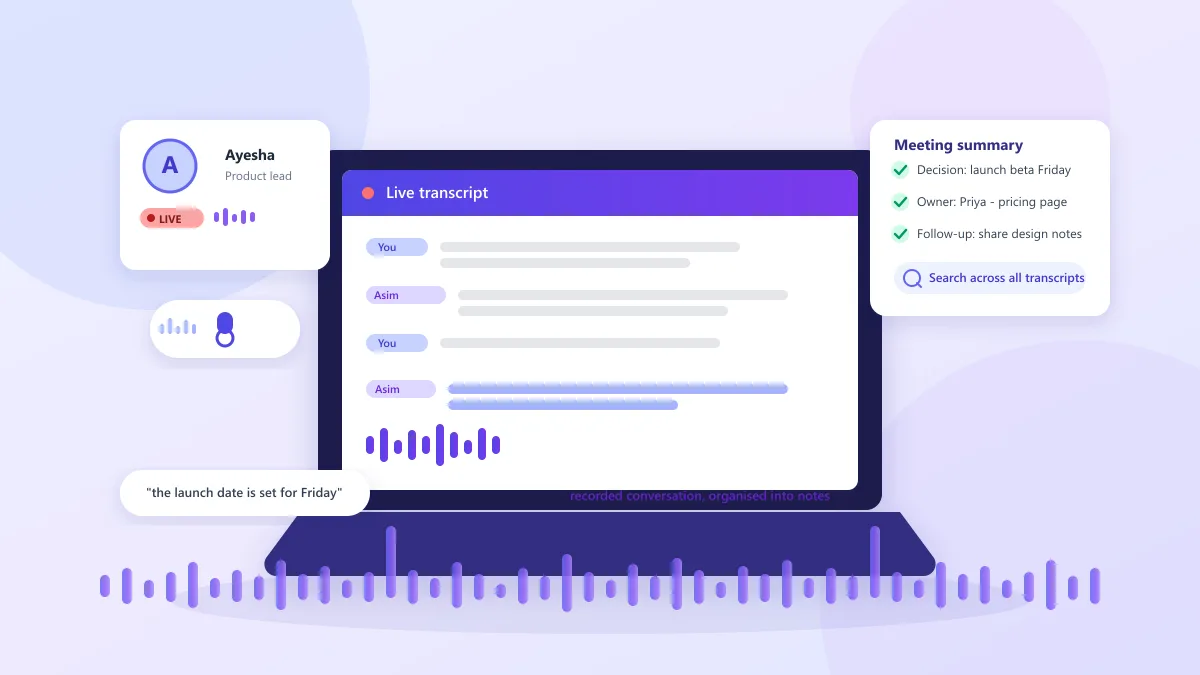
Fireflies records a meeting and converts the audio into a written record with speaker labels, a summary, and action items. Everything lands in a shared workspace where you can search by keyword, speaker, or topic, add timestamped comments, and clip short highlights called soundbites.
There are five capture methods, and this wider range is one of the main reasons Fireflies beats simpler competitors:
- Notetaker bot: invite
fred@fireflies.ai to a call, or connect a calendar so the bot auto-joins scheduled meetings.
- Chrome extension: records calls without adding a bot as a participant, with real-time transcripts.
- Mobile app: captures in-person conversations through your phone, which is handy for site visits and workshops.
- Desktop app: captures calls and system audio from your computer, and includes a free dictation feature called Fireflies Talk.
- Uploads and dialers: upload MP3, MP4, WAV, or M4A files, and connect VoIP dialers such as Aircall and RingCentral.
The supported platforms are Zoom, Google Meet, Microsoft Teams, Webex, and more than ten others, per the official pricing page. If you are still mapping the wider category, our AI meeting summary guide contrasts the capture styles across the main tools.
The Meeting Bot: When It Helps, When It Doesn't
The default experience is a visible bot. It joins the call, sits in the participant list, and records. That works well for internal team meetings where everyone expects a notetaker, and calendar auto-join means nobody has to remember to start anything.
External calls are a different story. Clients sometimes ask who the extra participant is, and some organisations' platforms or policies refuse notetaker bots entirely. When that happens, you have routes that avoid the bot: the Chrome extension records without adding a participant, the desktop app captures system audio, and the mobile app handles in-person meetings. You can also record with your own tool and upload the file afterwards, though uploads use transcription on the free plan and top out at 100MB and 150 minutes per file.
One rule applies to every method: tell people a meeting is being recorded. Recording someone's contribution without telling them damages trust even where the law is unclear, and it is exactly the transparency the ICO expects from organisations. If you are deciding between Fireflies and the recording built into your platform, our Zoom transcription guide shows how the built-in option compares with a dedicated assistant.
Pricing in 2026: Dollars on the Page, Pounds on the Invoice
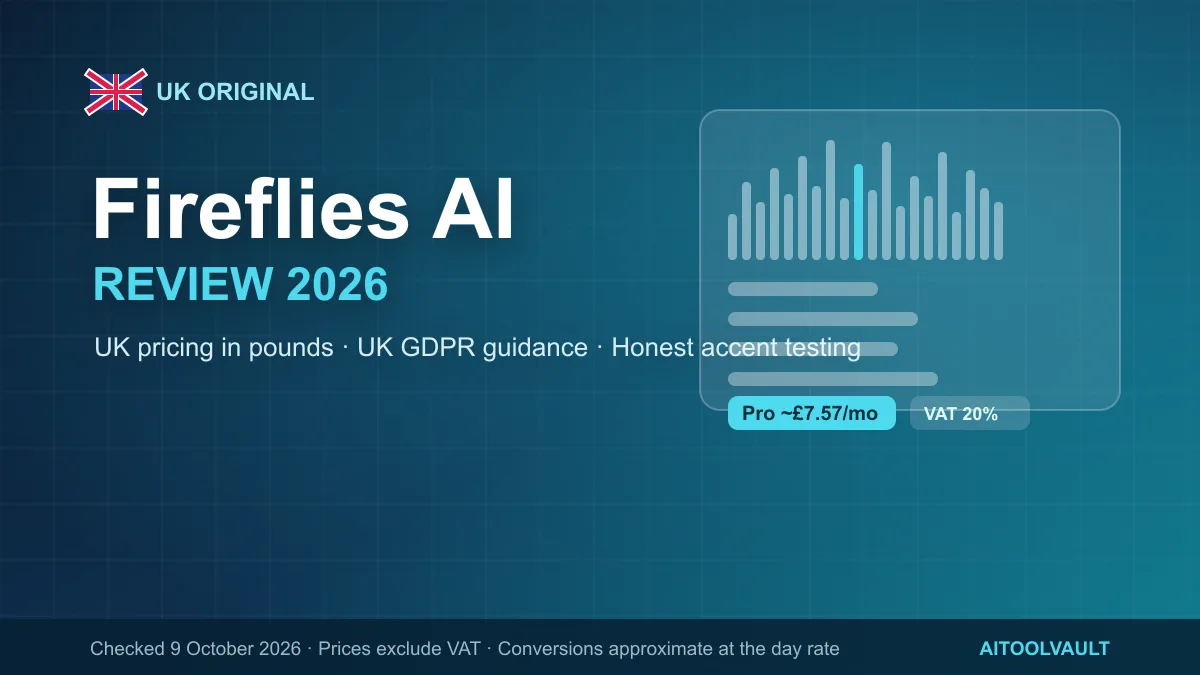
If you searched "Fireflies price in GBP", the honest answer is that there is no official one. Fireflies does not publish UK prices. The pricing page and the pricing plans guide quote US dollars only. The table below keeps the official USD prices and adds an approximate conversion to pounds at the 9 October 2026 rate of roughly £0.76 to the dollar. The conversion moves daily, so treat the pound figures as a budgeting guide, not an invoice.
| Plan |
Monthly billing (USD / approx GBP) |
Annual billing (USD / approx GBP) |
Storage per seat |
Recording limit |
| Free |
$0 / £0 |
$0 / £0 |
400 minutes |
2 hours per meeting |
| Pro |
$18 / £13.62 |
$10 / £7.57 |
8,000 minutes |
2 hours per meeting |
| Business |
$29 / £21.94 |
$19 / £14.37 |
Unlimited |
3 hours per meeting |
| Enterprise |
Not listed |
$39 / £29.50 |
Unlimited |
Custom |
What I like about how Fireflies prices itself: the free tier keeps every integration and the core transcription free, which is rare. What I dislike: the AI-credit system makes the real monthly cost unpredictable, and I explain that below because it is the trap most reviews skip.
The VAT and FX reality for UK buyers. Fireflies prices exclude VAT, and UK VAT is 20%. For digital services from a non-UK supplier, a UK business usually accounts for the VAT itself under the reverse charge rather than seeing it added on the invoice. So do not be surprised when there is no VAT line, and do not assume there is no VAT to account for. Check with an accountant or VAT adviser, and check your card's foreign-exchange rate too, because a USD charge lands on a GBP account at whatever your bank or card charges. On annual Pro, a two-seat workspace costs $240 (about £181.56) and ten seats cost $1,200 (about £907.82), before AI-credit add-ons, FX costs, and any VAT you must account for.
The free plan. You get three meeting transcriptions by default. Turn on Auto Join and the free tier guide says transcription becomes unlimited for supported meetings and recordings. Storage is the real limit: 400 minutes per seat is roughly seven hours of recordings before you must delete older meetings to make space, and downloading transcripts or recordings requires a paid plan. What surprises people is integrations. Fireflies lists 50+ app connections, and its documentation says all of them are available on the free plan, which contradicts what many reviews claim. My UK takeaway: treat Free as a solid two-week trial rather than a permanent tier.
Pro and Business. Pro adds unlimited transcription and summaries, 8,000 minutes of storage per seat, 720p video capture, transcript downloads, and unlimited public channels. Business removes the storage cap, extends recording to three hours, adds conversation intelligence (sentiment, question detection, speaker talk-time) and admin team insights, and unlocks Multi-language Mode. Enterprise is annual billing only at $39 per seat/month (about £29.50), adding custom data retention, single sign-on, SCIM, super admin controls, private storage, and HIPAA support.
AI credits: the second bill nobody explains well
Transcription, the standard AI summary, and recap emails are covered by your plan and never touch AI credits. AI credits are a separate, metered balance used only by advanced features: AskFred questions, AI Skills, custom summary sections, magic and keyword soundbites, Voice Agents, Sales Assist during live calls, the Slack Assistant, and Salesforce or HubSpot autofill. Per the AI credits guide, credits are charged per request, so a complex query burns more than a simple one.
Each plan includes a one-time credit allowance: 20 on Free and Pro, 30 on Business, 50 on Enterprise. Credits are pooled across the workspace and do not grow when you add seats. Upgrading replaces your allowance instead of stacking it. You can buy more as an add-on from $5 per month (about £3.78) for 50 credits, with annual billing roughly 20% lower, but purchased credits do not roll over to the next cycle. If you run out mid-cycle, paid users are automatically bumped to the next credit tier, which you can switch off in billing settings; free users simply see a paywall.
Work out which advanced features you will actually use before you upgrade. A team that only needs transcripts and summaries may never spend a credit. A sales team autofilling a CRM or asking AskFred questions after every call will chew through them quickly.
How Reliable Are the Transcripts?
Fireflies' homepage claims "95% accurate" transcription. That figure is Fireflies' own marketing claim, with no published methodology or independent study behind it, so I would not treat it as a guarantee. Test on your own voices and audio setup instead.
Several factors decide how clean a transcript is in practice: background noise, overlapping speakers, strong regional accents, and niche vocabulary. Speaker attribution is where errors hide on group calls. The transcript can quietly hand a sentence to the wrong person, and names and product terms are the most likely casualties. AI summaries inherit those mistakes, and generated action items can name the wrong owner or miss a deadline mentioned in passing.
Fireflies' own documentation is honest about this. Transcripts are editable, and the guidance is to review them. A practical routine: check names and figures, read the summary for decisions rather than assuming it captured every caveat, and confirm action items name the right person and date before sharing. Automated transcription always needs a human pass on the details that matter, and that applies to every tool in this category, not just Fireflies.
Language support: read the fine print
Fireflies lists more than 100 transcribed languages, genuinely ahead of most rivals, but there are layers to the claim. The pricing FAQ says English is the primary supported language, with Spanish, French, Portuguese, Italian, and 100+ others in beta. Auto-language detection picks the spoken language per meeting. Transcribing several languages inside one meeting is a separate feature. Multi-language Mode is documented as a beta on Business and Enterprise, so a fully multilingual single meeting is not available on Free or Pro.
The UK Accent Question (and How to Test It Honestly)
Here is the differentiator most Fireflies reviews ignore, and it matters more for UK readers than any feature list. Transcription engines tuned on American English handle Scottish, Welsh, and Northern English voices worse than they handle, say, a Boston accent. That "95%" figure tells you nothing about how the tool copes with a Dundee sales director or a Wrexham project lead.
I have to be straight about what this review did not do. I did not run a paid, live transcription benchmark, because an accurate test needs a Fireflies account, real meeting audio, and consumed recording time that I cannot produce from here. So instead of quoting invented accuracy numbers, here is the ten-minute test I would run if I were you, on your team's actual voices:
- Make three short clips (60 to 90 seconds each). Ideally one speaker with a Scottish accent, one Welsh, and one Northern English, or your own voice if you are testing a UK team. Two speakers per clip is even better, because it tests attribution.
- Include the words that trip engines up. Place names such as Leicester, Worcester, and Edinburgh, money terms like "quid" and "£12.50", and UK business phrases such as "the invoice is in the post". Say each number and name clearly once.
- Upload or record them through the desktop app or the upload option (MP3, WAV, or M4A; the cap is 100MB and 150 minutes). On the free plan, count this against your transcription allowance.
- Compare the transcript word-for-word against your script. Count the errors per 100 words, and check whether the place names, amounts, and speaker labels came through.
- Read the AI summary twice. Once for decisions, once for action items. The real test of a notetaker is whether the recap names the right person and the right deadline.
Apply this test before you pay and keep the result. If the transcript needs more than a couple of small fixes per ten minutes on your team's actual accents, the summaries built on top of it will carry the same errors, and no pricing tier changes that. This is a test protocol, not a claim that we tested; treat any accuracy figure you see elsewhere, including Fireflies', with the same scepticism.
Fireflies, UK GDPR and the Data Protection Act 2018
UK readers need more than a feature list, so this section digs deeper than most Fireflies reviews.
What Fireflies processes. For meetings it collects participant names and email addresses, the meeting title, meeting URLs and IDs, and the audio and video files themselves. Its privacy policy (last updated 28 September 2026) also describes voice data: service providers may extract characteristics of participants' voices to separate speakers, which some jurisdictions treat as biometric information. The policy says those providers do not use it to identify or authenticate people, and that Fireflies never receives or processes voice data on its own servers.
Training and retention. Fireflies' policy states that it does not use personal information for AI model training and contractually prohibits vendors from doing so with service data. Meeting content (audio, video, transcripts, and summaries) sits under a "Zero Data Retention" policy: not stored by third-party vendors after processing, not accessed by vendors once the service is complete, and not used to train internal or external AI models. Its security page repeats the point: "You own your data. We don't train on it by default unlike other AI companies." Read that wording carefully. Account information such as your email and profile is kept while your account is active, separate from meeting content, and is deleted within 30 days if you close the account.
Where data sits, and the UK route for transfers. Fireflies is a US company, and the policy says personal information is processed and stored on servers in the United States and other countries. For UK and EU customers, Fireflies says it is certified under the EU-US and Swiss-US Data Privacy Frameworks and the UK Extension. The UK Extension is the mechanism that lets data flow from the UK to certified US companies after the "UK-US data bridge" was agreed (ICO: how the UK Extension to the EU-US Data Privacy Framework works, UK-US data bridge: supporting documents). Fireflies also says unresolved complaints can be raised through the ICO, which is the mechanism UK users have if a dispute is not resolved. Teams with strict data-residency requirements should look at Enterprise private storage or consider an EU-hosted alternative such as tl;dv.
What your organisation still has to do. In the UK, UK GDPR operates alongside the Data Protection Act 2018, and neither one has a "recording is fine, tick the box" rule. Recording happens for a purpose, must be transparent, should be limited to people who need the recording, and should not be kept longer than necessary. The ICO's monitoring workers guidance is the starting point for workplace recording. Its right to be informed guidance covers telling people what is happening to their data, and its lawful basis guidance helps you pick a lawful basis rather than defaulting to consent. Buying Fireflies does not make your business GDPR-compliant. Compliance lives in your practices, your policies, and your training, and that point applies to every notetaker on this page.
The short version of UK recording law. For your own calls, UK law broadly lets a party to a call record it without asking everyone, which is the one-party consent idea. For business meetings that simplicity ends. You still need transparency and a lawful basis under UK GDPR. Recording staff triggers employment-practice safeguards under ICO guidance. Client or regulated conversations carry contract and professional-standards duties of their own; a solicitor's client call, for example, is governed by more than the law of surveillance. Confirm the specifics with a lawyer before relying on any summary of it, including this one. This article is not legal advice.
Where the rules bite in practice. Think about a GP surgery or NHS trust recording calls for training and quality assurance. That works as a purpose, but only if patients are told, access is controlled, and recordings are deleted on a policy. A solicitor recording a client consultation needs the firm's own policy and professional obligations in mind, not just one-party consent. A recruitment agency recording candidate interviews must be transparent with candidates and limit retention. And a small UK business recording sales calls to settle disputes later will want a written policy that says who may record and how long files last. In all four cases the notetaker is just the tape recorder. The compliance work stays with you, and it usually lives in a short written policy plus one line: tell people.
Share settings are part of privacy. Fireflies recap links can be shared with teammates, external guests, or nobody, and non-participants can be given view access even without a Fireflies account. Review those settings before a recap goes out, because a shared link is a copy of the recording.
Two UK Workflows to Try Before You Pay
These are illustrative examples of how a UK team would use Fireflies. They are not results from our own testing, because we have not run Fireflies on live calls for this review.
A weekly project meeting. Connect the calendar, let the bot auto-join, and read the summary instead of your notes. Then do one pass with a red pen. Are the decisions recorded the way you remember them? Does each action item name the right owner and deadline? Fix any misheard product names in the transcript, share the recap link, and the archive starts to build itself. The part only a person can sign off is ownership and dates on every action item, plus any figure quoted in the call.
A sales discovery call. If the prospect flinches at a bot, use the Chrome extension instead, since it adds no visible participant. After the call, search the transcript for the prospect's stated requirements, verify any numbers or dates before they reach a CRM, and review the autofill suggestion the AI prepares before it updates Salesforce or HubSpot, because CRM autofill consumes AI credits. Your manual pass covers the accuracy of quoted figures and whether the follow-up tasks match what was actually agreed. For the wider picture of sales tools around this pattern, see our AI tools for sales teams guide.
A multilingual internal meeting. Confirm which languages your colleagues will actually speak, set or auto-detect the language, and remember that a single meeting spanning several languages needs Multi-language Mode on Business or Enterprise. Circulate the transcript only after checking the non-English sections, because Fireflies describes most of its 100+ non-English languages as beta. Before you hit send, be sure the parts in languages other than the primary one survived with meaning intact.
Where Fireflies Falls Short
- Per-seat pricing compounds in pounds. Two people on annual Pro cost about £181.56 a year; ten cost about £907.82, before AI-credit add-ons, card FX costs, and any VAT you must account for.
- AI credits add a second, less predictable bill. The advanced features are genuinely separate from transcription, pricing is per-request, and auto-upgrade can add a charge if you run out, which you can disable in billing settings.
- The free plan has hard edges. 400 minutes of storage per seat, transcript downloads behind the paywall, and a 2-hour cap per meeting rule out long workshops and continuous use.
- Recording limits. Two hours per meeting on Free and Pro, three on Business, so multi-hour sessions need a different plan or a workaround.
- The visible bot. Some hosts, clients, and platforms will not accept it; the extension and desktop app route around that but add setup.
- No human transcription. The automated engine is your only accuracy layer, so run the accent test above before you pay.
- Language maturity varies. Many of the 100+ languages are in beta, and the strongest support is English.
- US data processing. Your data is processed on servers in the United States and other countries by default; teams with EU or UK residency requirements need Enterprise private storage or an EU-hosted alternative.
Fireflies vs Otter, Fathom and tl;dv for UK Teams
Prices below were checked live in October 2026 and change quickly, so treat them as a snapshot.
Otter.ai is strongest at live transcription. Its captions render inside the Zoom and Google Meet meeting itself rather than in a separate notetaker window. It is US-based, and its pricing page currently lists Pro at $16.99 per user a month ($8.33 billed annually) and Business at $24 per user a month ($19.99 billed annually). One privacy difference matters for UK buyers. Otter's privacy policy says it trains its proprietary AI on de-identified audio recordings and transcriptions, which may contain personal information, a contrast with Fireflies' stated no-training position. If you need captions during the call rather than a searchable archive afterwards, Otter fits better. For the full argument, see our Otter AI review and the Otter directory entry.
Fathom takes the opposite approach on its free tier: unlimited recordings and transcriptions on Zoom, Meet, and Teams, with no per-meeting cap, plus instant summaries, clips, and search. Advanced summaries and AI-generated action items sit behind Premium at $20 per user a month ($16 annually). Team pricing is $19 a month ($15 annually) per user with a two-user minimum, and CRM field sync lives on Business at $34 a month ($25 annually) per user (Fathom pricing). If you are an individual or small team that mostly wants transcription on three platforms, Fathom's free plan is the strongest starting point this year.
tl;dv records without adding a visible bot, which removes the awkward-participant problem entirely. It supports Zoom, Meet, and Teams, offers a free tier with AI transcription in 30+ languages, and says its data is hosted and stored in the EU, with GDPR compliance, SOC 2 certification, end-to-end encryption, and a stated policy of never training AI on your recordings (tl;dv). Trade-offs: no native mobile app and a smaller platform list than Fireflies. Teams that want video clips and EU data residency without a visible bot should start here. We also cover EU-hosted and UK-focused tools in our AI tools for consultants and AI tools for small businesses guides.
If you are evaluating notetakers for interview recording specifically, our AI recruitment software guide explains the candidate-consent and retention basics that apply regardless of which tool you choose.
The Bottom Line
My recommendation for UK readers, in one paragraph: if your team's meetings are searchable assets, meaning sales conversations, project decisions, or multilingual syncs, Fireflies Business at $19 per seat a month (about £14.37) with annual billing is the strongest all-round package, provided you test it on your own accents first and switch Auto Join on.
If privacy posture or a bot-free experience matters more than integrations, buy tl;dv and do not look back, because EU hosting plus end-to-end encryption answers the questions British buyers actually ask. If you are a solo user, Fathom's free plan is the best value in the category right now. Otter is the specialist choice for live captions and nothing else pushes it ahead for UK teams.
The caveat I would print next to every review like this one: nobody outside your team can tell you whether a notetaker will earn its keep. The free-plan trial, the accent test above, and a two-week look at whether you actually search your archive will answer it faster than any comparison table, including this one.
Sources and Dates
Everything in this review was checked on 9 October 2026. Fireflies sources: official pricing page, guide articles on pricing plans, free-tier features, and AI credits, privacy policy (updated 28 September 2026), and security page. Competitor prices: Otter's and Fathom's pricing pages and tldv.io, same day. ICO and GOV.UK sources: monitoring workers, right to be informed, lawful basis, UK Extension to the EU-US Data Privacy Framework, and the UK-US data bridge supporting documents. GBP conversions use the approximate open-market rate of £0.76 to the US dollar on 9 October 2026 and exclude VAT. VAT treatment depends on the supplier's registration status and your own circumstances, so confirm with an adviser. I did not run a live, paid transcription benchmark for this review, and the article contains no invented test results, screenshots, or statistics. For a compact directory snapshot of features and links, see the Fireflies AI tool page.
Frequently Asked Questions
Is Fireflies AI free?
Yes, and the free tier is better than most competitors' trials: 3 transcriptions by default, unlimited once you switch on Auto Join, 400 minutes of storage per seat, and all 50+ integrations unlocked. The catch is practicality. 400 minutes is about seven hours of recordings, downloads need a paid plan, and meetings cap at two hours. Think of Free as a two-week trial with a stingy storage box, not a permanent home for a busy team. If you want a genuinely free forever plan, compare Fathom before you commit.
What is the difference between transcription and AI credits in Fireflies?
Keep this rule in mind: anything that just stores, summarises, or emails what was said is free. Anything that searches, asks, scores, autofills, or creates fresh content from the call spends AI credits. Standard transcription and the basic AI summary never cost credits; AskFred, AI Skills, custom summary sections, magic soundbites, Voice Agents, and CRM autofill do. Credits are metered per request, shared across the workspace, and purchased credits expire at renewal. A team that only transcribes pays nothing extra; a sales team that interrogates every call burns through them.
What languages does Fireflies support for transcription?
Fireflies lists 100+ transcribed languages and calls English its primary language, with Spanish, French, Portuguese, Italian, and many others in beta. If your team genuinely mixes languages inside one meeting, only Business and Enterprise claim Multi-language Mode, and even that is beta. Plan for English-first output and check everything else by hand before you circulate a transcript.
Is my meeting data used to train AI models?
Fireflies' written policy says meeting content is not stored by third-party vendors after processing, is not accessed by vendors once the service is complete, and is not used to train internal or external AI models. That is a written commitment, not a certification. The contrast that matters for UK buyers is Otter, whose privacy policy describes training its AI on de-identified recordings and transcriptions. If a vendor's training stance decides your choice, read both policies before comparing features.
Is it legal to record meetings with Fireflies in the UK?
For your own personal call, UK law broadly lets a party record it without telling everyone. For business meetings the bar is higher: transparency, a lawful basis, access limits, and retention rules under UK GDPR, plus employment safeguards when you record staff. Regulated calls, such as financial advice or legal consultations, add professional duties of their own. The ICO's monitoring-workers and right-to-be-informed pages are the reliable starting points. This is not legal advice; if a recording could reach a tribunal or a complaint, ask a lawyer.
Which is better in 2026: Fireflies, Otter, Fathom or tl;dv?
If I had to choose one for a UK team today, I would start with Fireflies' free plan on recurring meetings and run the accent test above. Upgrade to Business if you need 100+ languages, CRM and dialer integrations, or a large searchable archive. Choose tl;dv instead when bot-free, EU-hosted recording with video clips matters more. Solo users get the best deal from Fathom's free plan. Otter earns its place only when live captions inside Zoom or Meet are the main requirement.