
Fireflies AI Review
Voice & AudioFreemiumFireflies AI is a meeting notetaker that records calls, transcribes them, and delivers summaries, action items, and a searchable meeting library.
What Is Fireflies AI?
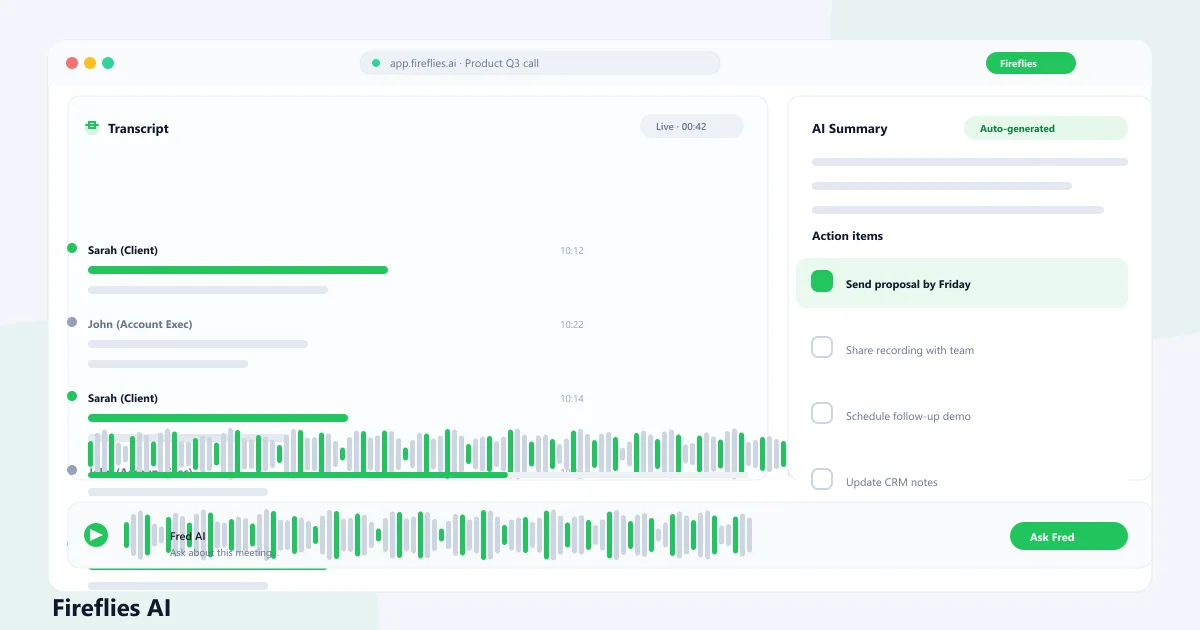
Fireflies AI is a meeting notetaker that joins calls on Zoom, Google Meet, Microsoft Teams, Webex, and other platforms, records them, and delivers a searchable transcript with a summary and action items after every meeting. It sits in the call as a participant named Fred, then posts the notes to a shared workspace when the meeting wraps up.
The lasting value is the archive. Every conversation is indexed, so instead of scrolling old emails or asking "what did we decide?" you can search past calls by keyword, speaker, or topic and jump to the exact moment. Teams that meet a lot treat that library as a working memory they no longer have to keep in their heads.
How Fireflies AI Records Your Meetings
There is no single way to start. Calendar auto-join is the default for most teams: connect your calendar and the notetaker slots into scheduled meetings without anyone re-inviting it each time. You can also add the bot to a specific call, use the Chrome extension to join the tab you are in, or record in person through the mobile app.
Existing recordings are handled too. Fireflies AI accepts MP3, MP4, WAV, and M4A uploads up to 100 MB and 150 minutes, so a phone interview, a webinar archive, or a customer call captured elsewhere runs through the same transcription pipeline.
- Calendar auto-join for Zoom, Meet, and Teams meetings
- Invite the Fred bot, or join the current tab via the Chrome extension
- Mobile app records in-person conversations
- Upload audio or video files for transcription
Transcripts, Summaries, and Action Items
Every captured meeting gets a transcript with speaker labels and an AI summary that highlights topics, decisions, and next steps. Action items are pulled out with owners and timestamps when they are mentioned, and you can jump from any line of the summary to the spot in the transcript where it was said.
Transcripts are editable. If a name is wrong or a sentence is garbled, you can fix it in the notepad and regenerate the summary so it reflects your corrections. A custom-vocabulary setting lets you add names, acronyms, or product terms in advance, which is the most effective way to stop the same error repeating. Fireflies AI can also re-run a summary with a different template — BANT, a sales call, or a standup format — without touching the transcript.
- Speaker-labeled transcripts with editable sections
- Summaries covering topics, decisions, and next steps
- Action items with owners and timestamps
- Custom vocabulary improves names, jargon, and acronyms
AskFred, AI Skills, and Soundbites
AskFred is the assistant you talk to after the meeting. Ask a question in plain language — "what were the main objections?" or "list every action item from this month" — and it answers from the transcript, with quotes linked back to the source. It can also draft follow-up emails and create tasks from what was discussed.
AI Skills apply the same idea to recurring outputs: templates such as BANT, MEDDIC, or interview feedback run automatically after each meeting. Magic Soundbites grab short highlight clips, custom summary sections let you add your own logic, and Live Assist suggests talking points during the call itself.
- AskFred answers from any past meeting, with quoted sources
- AI Skills apply sales, recruiting, or custom templates automatically
- Soundbites extract short highlight clips from recordings
- Live Assist gives real-time suggestions during live calls
Search, Analytics, and Integrations
Global search covers every meeting by title, host, date, or transcript keyword, and playback lets you review recordings at up to 3x speed with comments, reactions, and bookmarks. On Business and above, analytics track meeting trends and conversation intelligence.
Integrations are where meeting data leaves the app. Autofill CRM pushes meeting details into HubSpot and Salesforce automatically, while 50+ connections cover Slack, Notion, Zapier, and other tools. On Business, an API opens the door to custom workflows.
- Search all meetings by title, host, date, or transcript keywords
- Playback at up to 3x speed with comments and bookmarks
- Analytics and conversation intelligence on Business and Enterprise
- Autofill CRM syncs to HubSpot and Salesforce
- 50+ integrations plus Zapier, Slack, Notion, and API access
Fireflies AI Pricing: Free, Pro, Business & Enterprise
Fireflies pricing is per seat, and each tier raises the same ceilings: storage, AI credits, and access to advanced features. The Free plan is permanent rather than a trial, while Pro starts at $10 per user per month billed annually ($18 month-to-month). Business and Enterprise mainly add analytics, API access, admin controls, and compliance tooling.
Whatever the tier, transcription and AI summaries are covered by the plan itself — advanced features such as AskFred, AI Skills, and Soundbites draw from the one-time AI credit balances described below. The prices shown are what Fireflies lists publicly; volume discounts apply at 50+ seats.
Compare Plans & Pricing
Free $0; Pro $10/user/mo billed annually ($18 monthly); Business $19/user/mo annual ($29 monthly); Enterprise $39/user/mo annual. One-time AI credits per plan: 20 / 20 / 30 / 50. Extra credits from $5/mo (50 credits).
Free
A permanent free plan, not a time-limited trial.
- Unlimited transcription with Auto-join enabled
- 400 minutes of storage
- 20 one-time AI credits
- Zoom, Meet, Teams, Webex, Chrome & mobile
- No video recording or downloads on Free
Pro
Billed annually ($18 month-to-month).
- Unlimited transcription and AI summaries
- 8,000 minutes of storage per seat
- 20 one-time AI credits
- Video recording, downloads, and CRM integrations
Business
Billed annually ($29 month-to-month).
- Unlimited storage for the whole team
- 30 one-time AI credits
- Analytics, API, and admin controls
- Multi-Language Mode (Beta): 60+ languages
Enterprise
Billed annually.
- 50 one-time AI credits
- SAML SSO, audit logs, and Rules Engine
- HIPAA with BAA and Private Storage
- Dedicated support and volume pricing
AI Credits: What They Cover and What They Don't
AI credits are easy to confuse with transcription, so the distinction matters. Standard transcription, summaries, and recap emails are included in your plan and are never charged in credits. Credits apply only to advanced features such as AskFred, AI Skills, custom summary sections, Soundbites, Voice Agents, and Slack Assistant.
Every account starts with a one-time credit balance — 20 on Free and Pro, 30 on Business, 50 on Enterprise. Credits are pooled across the team and do not grow as you add seats. When the balance runs out on a paid plan you can buy an add-on from $5 per month for 50 credits, but unused purchased credits do not roll over to the next cycle.
- Transcription and summaries are never charged in AI credits
- One-time balances on sign-up: 20 / 20 / 30 / 50 by plan
- Credits are team-pooled, not per seat
- Add-ons start at $5/month for 50 credits (paid plans only)
- Usage is dynamic: complex queries cost more credits
How Fireflies Fits Into a Real Meeting Workflow
Here is how a typical meeting flows through Fireflies AI once it is set up: the call is recorded or imported, a transcript is created, and a summary with action items appears in the workspace shortly after. You review the decisions and owners, ask AskFred anything the summary missed, then share the recap or let a CRM sync push it downstream.
Two steps deserve a habit. Check anything load-bearing against the transcript before you act on it — summaries are generated text, and a misheard number looks the same as a correct one. Fireflies AI gives you the tools to do that check: click any action item and jump to the exact spot it was discussed. And decide up front which meetings are sensitive enough to keep out of the workspace, because retention and sharing settings only help if they are applied before the call, not after.
- Record or import the meeting into Fireflies AI
- Review the transcript and summary with action items
- Ask AskFred follow-up questions across past meetings
- Verify important details against the transcript
- Share the recap or sync it into your CRM
- Handle sensitive meetings according to team policy
Where Fireflies AI Still Makes Mistakes
Fireflies publishes a claimed accuracy of about 99% for English and 95% for other languages — that is the vendor's own figure under its stated conditions, not an independent benchmark. In practice the errors cluster where you would expect: background noise, overlapping speakers, strong accents, unusual names, internal jargon, code and product names, and meetings where people switch languages mid-sentence.
Uploads add their own edges: recordings under three minutes do not get a recap, and a file with no detectable speech produces nothing at all. Speaker labels are worst on uploaded files, which default to "Speaker 1, Speaker 2". The practical rule is simple — when a transcript carries real consequences (a price, a commitment, a medical or legal detail), read the source audio before you rely on the text.
- Poor audio and background noise degrade accuracy
- Names, jargon, and product terms need custom vocabulary
- Uploaded files get generic speaker labels by default
- Multi-language meetings need Multi-Language Mode enabled
- Review transcripts before acting on important details
Privacy and Data Handling in Fireflies AI
Fireflies AI states that meeting content — audio, video, transcripts, and summaries — is never used to train AI models, and that its third-party vendors are contractually prohibited from training on customer data. Those vendors operate under a zero-data-retention policy, meaning meeting content is not kept by them after processing completes.
You keep ownership of your data. Fireflies describes itself as a data custodian, meeting recaps stay in your workspace until you delete them, and personal information tied to a deleted account is removed within 30 days. By default content is processed on US cloud infrastructure; regions with stricter residency needs can use Private Storage on Enterprise. One caveat worth stating plainly: none of this replaces your own consent obligations — participants still need to be told a notetaker is present, and notification emails are off by default until you turn them on.
- Meeting content is not used to train AI models
- Vendors are contractually barred from training and do not retain content after processing
- You own your data and can delete meetings or the account
- Account data is deleted within 30 days of account closure
- Private Storage (Enterprise) controls where content is kept
Security and Compliance
Fireflies documents a compliance baseline across all plans: SOC 2 Type II audited annually, GDPR alignment, 256-bit AES encryption at rest, and TLS 1.2+ in transit, alongside admin controls for workspace access and permissions.
Stricter controls arrive on higher tiers. SAML SSO, audit logs, and the Rules Engine for retention governance are Enterprise features, and HIPAA compliance requires both a signed BAA and Private Storage rather than being enabled by default. Fireflies also runs a public bug bounty program with HackerOne. None of these make any deployment automatically compliant — configuration, contracts, and team policy still decide the outcome.
- SOC 2 Type II, independently audited annually
- GDPR alignment with DPA and data-transfer safeguards
- AES-256 encryption at rest and TLS 1.2+ in transit
- HIPAA available on Enterprise with BAA and Private Storage
- SSO, audit logs, and Rules Engine governance on Enterprise
Who Fireflies AI Is For
Sales teams get the most obvious return: call details flow into HubSpot or Salesforce automatically, and conversation intelligence highlights where deals stall. Customer success and support teams keep a searchable record of what customers actually said, which settles scope disputes before they start.
Recruiting teams use it to capture interview feedback consistently, while product teams mine research calls for quotes. Managers, consultants, and agencies often want the archive more than the transcript — six months later, the question is never "what was said live" but "what did we agree". Distributed teams across languages benefit most from the 100+ language support.
- Sales teams syncing calls into HubSpot or Salesforce
- Customer success and support teams building a searchable record
- Recruiting teams capturing structured interview feedback
- Product and research teams mining interviews for quotes
- Managers, consultants, and agencies who revisit old commitments
Who May Not Need Fireflies AI
If you attend two meetings a week and take notes happily, a notetaker is setup overhead with little to show for it. The same applies if you only ever need a rough gist — reading a recap is often faster than configuring a tool that produces one.
Organizations with hard rules against third-party meeting bots are a more serious mismatch: the notetaker joins as a visible participant, and some companies, clients, or legal contexts simply do not allow recording. Teams that will never search past meetings, or who cannot allow cloud processing of their conversations, may also find a manual workflow or an on-premise option a better fit.
- People who rarely attend meetings
- Users who only need occasional manual notes
- Teams that prohibit third-party notetaker bots
- Workflows that never revisit searchable meeting history
Fireflies AI vs Otter.ai and Other Alternatives
Both record, transcribe, and summarize meetings, and both plug into common collaboration and CRM tools. The documented differences are concrete: Fireflies AI transcribes 100+ languages where Otter's own help center lists six (English, Spanish, French, German, Japanese, Chinese Simplified); Fireflies AI also accepts uploaded recordings and meters storage, while Otter meters monthly minutes (300 free, 1,200 on Pro, 6,000 on Business).
Fathom, Read AI, and tl;dv are the other names that come up in the same conversations; they differ mainly in free-tier limits, language coverage, and how deeply meeting data lands in your CRM. The right choice depends on which languages you need, which tools you run, and whether uploaded calls are part of your workflow — not on a universal ranking.
- Fireflies AI: 100+ languages, uploads, CRM sync, credit-based advanced AI
- Otter.ai: real-time transcription with a simpler interface, six languages, minute-based limits
- Fathom, Read AI, tl;dv: worth comparing on free tier, languages, and integrations
Pros and Cons
Where Fireflies AI earns its place in a meeting-heavy workflow, and where it will frustrate you.
Pros
- Records and transcribes meetings on Zoom, Google Meet, Teams, Webex, and more
- Searchable meeting library with summaries, action items, and AskFred Q&A
- Transcription and summaries in 100+ languages, with a 60+ language multi-language mode
- CRM integrations and AI Skills on paid plans (Salesforce, HubSpot, Slack, and more)
- Explicit no-training policy: meeting content is not used to train AI models
Cons
- Advanced AI features run on one-time AI credits; refills are a paid add-on
- Free plan caps storage at 400 minutes and excludes downloads and video recording
- Transcription quality varies with audio; accents, jargon, and names often need fixes
- The notetaker joins as a visible bot, which some organizations restrict or require consent for
Best For
Recommended use cases and scenarios where Fireflies.ai shines.
Frequently Asked Questions
Common questions about Fireflies.ai, answered.
Is Fireflies AI free to use?
Yes. The Free plan is $0 and includes unlimited meeting transcription when Auto-join is enabled, though storage is capped at 400 minutes and downloads require a paid plan. Paid plans start at $10 per user per month billed annually.
Does Fireflies AI work with Zoom and Google Meet?
Yes. The notetaker joins Zoom, Google Meet, Microsoft Teams, Webex, and other supported platforms as a participant, or you can join the current tab through the Chrome extension, or upload recordings afterward.
What are Fireflies AI credits used for?
AI credits power advanced features such as AskFred, AI Skills, custom summary sections, Soundbites, and Voice Agents. Standard transcription, summaries, and recap emails are never charged in credits. Every plan includes a one-time balance — 20 on Free and Pro, 30 on Business, 50 on Enterprise — and paid plans can buy more.
How many languages does Fireflies support?
Fireflies supports transcription and summaries in 100+ languages with automatic detection. A separate Multi-Language Mode (Beta) detects and transcribes 60+ languages within the same meeting, and is available on Business and Enterprise plans.
How accurate is Fireflies transcription?
Fireflies states about 99% accuracy for English and 95% for other languages under its own stated conditions — not an independent benchmark. Real-world quality depends on audio: background noise, accents, unusual names, jargon, and overlapping speakers all cause errors. You can edit transcripts and regenerate summaries when accuracy matters.
Is Fireflies private? Does it train on my meetings?
Fireflies states that meeting content — audio, video, transcripts, and summaries — is never used to train AI models, and that its third-party vendors are contractually prohibited from training on it and do not retain it after processing. You keep ownership of your data and can delete meetings or your account; consent and recording rules remain your responsibility as the host.
Fireflies AI vs Otter.ai: which one fits your team?
They solve the same problem with different constraints. Fireflies AI supports 100+ languages, accepts uploaded recordings, and bills on storage plus one-time AI credits. Otter meters monthly minutes, transcribes six languages, and keeps a simpler real-time interface. Match the tool to your languages, stack, and whether uploaded calls matter.
Reviews & Ratings
Loading reviews...
Explore More AI Productivity Tools
Browse the full AI Tools Vault directory to compare Fireflies.ai with every AI meeting notes and productivity tool, or line up your shortlist side by side.
Similar Tools
More Voice & Audio tools you might like

Krisp
Noise-canceling app that silences background audio on every call and adds AI meeting notes, transcripts, and summaries.

Otter.ai
AI meeting assistant that transcribes, summarizes, and makes your conversations searchable in real time.

Guides & Articles about Fireflies.ai
Read our detailed reviews and comparisons covering Fireflies.ai
 Guides & How-To
Zoom Transcription: How It Works and What It Captures
Zoom transcription turns meeting audio into text. Learn the difference between transcripts, captions, and AI summaries, how to enable them, and when to use third-party tools.
 Jawad Fiaz
 Guides & How-To
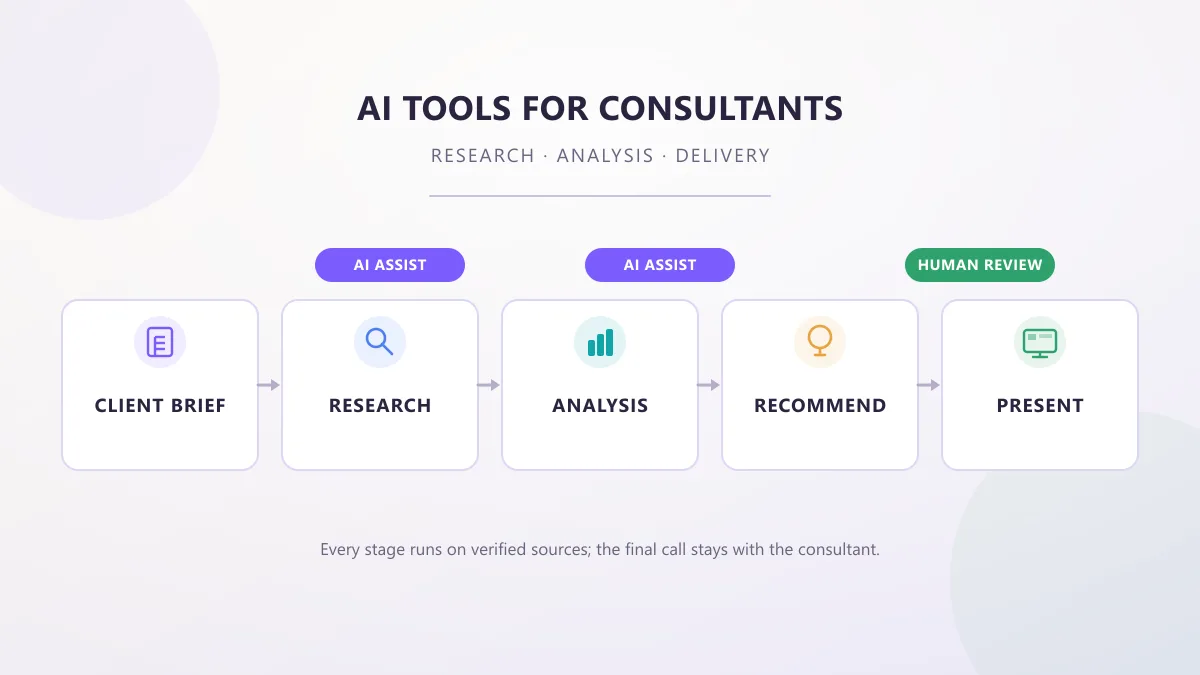
AI Tools for Consultants: Research, Analysis & Delivery
AI tools for consultants in 2026, organized by the work a consultant actually does — research, analysis, proposals, meetings, and decks — with practical prompts, workflows, and client-data checks.
AI Tools Vault Team Guides & How-To
AI Tools for Sales Teams in 2026: What They Actually Do
A practical guide to AI tools for sales teams in 2026: which sales jobs AI can actually take over, how to pick tools without a messy stack, and what still needs a human.
jawad fiaz