Best Free AI Tools for Teachers in 2026
The best free AI tools for teachers in 2026, with verified free tiers, real limits, eligibility rules, and a classroom workflow you can actually follow.

The best free AI tools for teachers in 2026, with verified free tiers, real limits, eligibility rules, and a classroom workflow you can actually follow.
Every year around back-to-school season, the same question makes the rounds: what are the best free AI tools for teachers in 2026? It is a fair question, and the honest answer is more useful than any listicle — because "free" means several completely different things.
Some products have a permanent free tier with real limits. Others are free only for verified educators. A few are free for a while, then change. And at least one popular platform literally calls its free level a "trial" while promising it never expires.
This guide was written for teachers who want to know exactly what they can use without paying. Every tool below was checked against its official pricing page, help center, or eligibility guidelines in September 2026. For each one you will find: what it helps you do, what is actually free, what is capped, who qualifies, and what to watch out for.
Before comparing tools, it helps to define terms. In 2026 the free education tools market splits into five different access models, and most articles blur them together:
| Access model | Example | The catch |
|---|---|---|
| Permanent free tier | MagicSchool, Brisk, Diffit, Curipod, ChatGPT free | Usage caps or feature limits |
| Verified educator access | Canva for Education | K-12 verification, re-verified every 3 years |
| Eligibility-gated free | Khanmigo Teacher Tools | Region, age, and language restrictions |
| Non-expiring "trial" | SchoolAI Free trial plan | 5 Space sessions per year |
| Time-limited free | ChatGPT for Teachers | U.S. K-12 only, through June 2028 |
The key question to ask is not "is it free?" but "what is the cap and who qualifies?" That distinction shapes everything below.
This is not a ranked list. Rankings with made-up scores look scientific but rarely tell a teacher anything useful. Instead, tools are grouped by the job they actually do in a classroom.
Every tool had to clear five checks against official sources:
Tools that failed any check were left out. The ten that passed are organized into the teaching tasks below, and sources are linked so you can verify every claim yourself.
MagicSchool — a full planning workbench, free. MagicSchool's free plan, labeled "Forever Free" on the pricing page, includes 80-plus teacher tools: lesson plans, worksheet generators, rubrics, IEP support, presentations, and more. Quizzes and class writing feedback are also on the free plan, which makes it unusual — most platforms push those to paid tiers. The tradeoff is that free generations run under standard usage limits, while the Plus plan ($12.99 a month, or $8.33 a month billed yearly) removes the caps, keeps your output history, and adds 50-plus student tools and student learning insights.
What this changes for a teacher: you can draft a week of lesson outlines, turn a standard into a worksheet, and build a rubric before lunch on Sunday. The output is a starting point — you still read it, adjust the tone for your students, and decide what actually fits.
Khanmigo Teacher Tools — Khan Academy's teacher suite, free for eligible educators. Khanmigo pricing is straightforward: teachers sign up free; learners and parents pay $4 a month or $44 a year. The teacher tools cover lesson plans, multiple-choice quizzes, rubrics, exit tickets, report card comments, and even draft IEP support. Eligibility is the real filter here — Khanmigo teacher tools require an educator account, being 18 or older, living in an eligible country, and the tool is English-only. If you clear that bar, you get a standards-aligned planning assistant tied to Khan Academy's curriculum. Our full Khanmigo review covers the paid learner side of the product for parents and students.
Diffit — build leveled resources from anything. Paste a topic, a text, a URL, or a PDF into Diffit's free Basic plan and it generates a leveled reading passage with vocabulary, summary, and question sets at different difficulty levels. The free version genuinely works: you can edit and adapt results, download to PDF, and print. The limits are specific — you can access only the content you created in the last 90 days, and exporting into Google Docs, Slides, Forms, or Microsoft formats sits on the paid school plans. First-year teachers get a separate gift: premium access through June 30, 2027 after a short form. Diffit also states that students never need logins, which keeps it a teacher-facing tool.
Brisk Teaching — free AI inside the tools you already use. Brisk's FAQ describes the Educator Free plan as "free forever" with 20-plus tools: change the reading level of any webpage, translate materials, generate quizzes, lesson plans, rubrics, slides, and short podcasts. Brisk runs as a Chrome or Edge extension, so it works where you already work — in Google Docs, Slides, PDFs, YouTube, and web articles — instead of forcing you into a new app. New sign-ups automatically get 14 days of premium access so they can feel the difference, then drop to the free plan. Batch feedback, standards alignment, and student interventions are premium features sold to schools and districts.
One honest caveat: Brisk still needs your judgment. A generated reading-level change improves vocabulary and sentence complexity, but it will not know your class's context, inside jokes, or sensitivities. Read the result before it reaches students.
None of the tools in this guide should assign final grades on their own. What they do well is draft assessment material fast, which is still the biggest time-saver available:
The workflow that works: generate the assessment draft, check every question against your objective, remove anything ambiguous, and only then print or assign. A draft that saves you forty minutes still costs you five minutes of editing — that trade is almost always worth it.
Curipod — interactive lessons where students never need accounts. Curipod's free plan gives teachers two teaching sessions per week, and one session covers multiple classes if you reuse the same lesson. You can create, remix, and save lessons without limits — the cap only applies when you launch one live. Students join with a code, write or draw responses, vote on answers, and get AI feedback on their writing. The free plan also includes three one-time trials of premium "school plan" lessons. Paid plans are sold to schools and districts rather than to individual teachers, so don't expect a self-serve upgrade path.
SchoolAI — supervised AI spaces for students, free with tight limits. SchoolAI's official free plan article is refreshingly specific. The free plan never expires, but it includes only five Space sessions per year — a session counts every time you run a Space, not how many you create. Tools and Assistants are fully included, Chat with Dot is uncapped, and safety alerts always stay on even on paid plans. Some PowerUps (presentation creator, flashcards, mind maps) are paid-only, and SchoolAI does not sell an individual paid plan — Pro and Scale only come through a school or district. In short: free, genuinely student-safe, but budget your Space sessions like a scarce commodity.
Canva for Education — a genuinely free design suite, if you qualify. Canva's eligibility guidelines are precise about who qualifies: currently active certified K-12 teachers, librarians, learning support staff, curriculum specialists, and vocational teachers serving primary or secondary students, plus eligible schools and districts. Canva states the plan is 100% free with no hidden fees, paywalls, or trial periods, and it is not restricted to any country. Teachers re-verify their credentials every three years.
Who does not qualify matters as much: teachers not currently in a post, private or online tutors, homeschool educators who are not licensed with a K-12 institution, public librarians, and higher-education staff. If you do qualify, you get most of Canva Pro's design capabilities — worksheets, slides, posters, infographics, and AI-assisted layouts — for your students too. Teachers who are not K-12 can still use Canva's ordinary free tier; they just won't get the education unlock. The Canva AI tools page on our directory walks through what the AI features do.
ChatGPT (free) and ChatGPT for Teachers — the assistant most teachers already have access to costs nothing to start. The ChatGPT free tier includes unlimited everyday text chat subject to abuse-prevention safeguards, plus browsing, file uploads, and image generation with separate, stricter limits — and it may show ads. For draft emails to parents, exit-ticket prompts, rubric criteria, differentiated-starter ideas, and summarizing long documents, the free plan is genuinely enough for most teachers.
Then there's the educator workspace. ChatGPT for Teachers is free through June 2028 for verified U.S. K-12 educators and school staff at accredited schools or districts. It gives you a secure workspace where teaching materials and student information can be handled with education-grade protections, and OpenAI states this data is not used to train models by default. You get unlimited messages, search, file uploads, connectors to Google Drive and Microsoft 365, image generation, shared custom GPTs, and SAML single sign-on for school leaders.
Two details worth knowing. First, verification runs through SheerID and is limited to the U.S. K-12 system — this is not the same as the free plan anyone can sign up for. Second, dates have shifted: OpenAI's 2025 launch page said free through June 2027, while the current announcement and plans page say June 2028. Check the live page before you plan a school year around it. Our full ChatGPT review covers the non-education plans in more depth.
NotebookLM (now Gemini Notebook) — turn your own materials into study tools. Free with a Google account, NotebookLM's plans page confirms you can sign up at no charge with a regular Gmail or a qualifying Workspace for Education license. NotebookLM answers questions grounded only in sources you upload — syllabus, textbook chapter, article set — and generates study guides, summaries, flashcards-style reviews, and the two-voice audio overviews that teachers also use to give students an audio version of a reading. The free tier carries caps on notebooks, sources per notebook, and daily questions, and Google changed the product name to Gemini Notebook in July 2026 while keeping existing notebooks intact. Our NotebookLM review lists the current limits and plan options, and the audio overview guide digs into the podcast-style feature.
Gemini for Education — Google's AI bundled into the free tools you already run. Google for Education says Gemini for Education is available free as a standalone app through Google for Education Fundamentals, and it is included in every Google Workspace for Education edition at no cost, with enterprise-grade data protection and admin controls. For teachers whose school already lives in Workspace, this is the lowest-friction AI option: no new account, no new tab, no new approval process. The standout here is cost-of-entry, not uniqueness — Gemini does the same drafting, summarizing, and planning work as ChatGPT, with the advantage that it is managed by your school's administrator. Since it builds directly on the consumer Gemini model, the Gemini tool page is a good place to compare features.
Every free tool in this guide works — that is the point of including it. But "works" and "unlimited" are different things. Here is the honest state of the caps as of September 2026:
| Tool | Free status | Limits and eligibility |
|---|---|---|
| MagicSchool | Forever Free plan | Standard usage limits; Plus $12.99/mo or $8.33/mo yearly for unlimited |
| Diffit | Basic (free) | 90-day content access; PDF/print only; exports need paid school plans |
| Brisk Teaching | Free Forever | 20+ tools; new accounts get a 14-day premium trial |
| Curipod | Free plan | 2 teaching sessions/week; unlimited lesson creation |
| SchoolAI | Free trial plan (no expiry) | 5 Space sessions/year; students join via teacher-created spaces |
| Khanmigo Teacher Tools | Free | Educator 18+ in eligible countries; English; learner side $4/mo |
| Canva for Education | Free for verified K-12 | Verification; re-verify every 3 years; higher ed excluded |
| ChatGPT | Free tier | Unlimited everyday chat; other tools capped; ads possible |
| ChatGPT for Teachers | Free through June 2028 | Verified U.S. K-12 educators and staff only |
| NotebookLM / Gemini Notebook | Free with Google account | Notebooks, sources, and daily questions capped |
| Gemini for Education | Free via Education Fundamentals | School account + admin approval required |
Teachers work with student names, assignments, grades, writing, and sometimes special-education records. Before you upload any of that to a new tool, you need answers to a few questions.
First, check what the vendor says. Most education tools publish explicit statements: MagicSchool lists FERPA, COPPA, SOC 2, and GDPR alignment plus Common Sense Privacy certification on its pricing page. SchoolAI states it is FERPA and COPPA compliant, SOC 2 compliant, and contracts its AI providers never to train on or sell student data. Brisk documents exactly what it stores (prompts and outputs, not the underlying student essay) and states FERPA and COPPA alignment. Curipod states FERPA, COPPA, and GDPR compliance and points out that students never have accounts. OpenAI states ChatGPT for Teachers data is not used to train models by default and the workspace is built to support FERPA requirements. Google states Gemini for Education and Gemini Notebook come with enterprise-grade data protection inside Workspace for Education.
Those statements are useful, and they are vendor claims — so attribute them as such and still do your own check. Second, ask whether your school or district has approved the service, and whether the account should be school-managed or private. Third, ask yourself whether the data even needs to go into the tool. If you are generating a lesson opener, you do not need student names or grades anywhere near the prompt. Keep sensitive records out of consumer AI tools entirely, and check each provider's retention and deletion terms before you commit to a routine.
Here is an example week built only from the free tiers in this guide. It is an example, not a promise of results — your mileage depends on your subject, grade, and curriculum.
Sunday (planning). Open MagicSchool's free plan and generate the week's lesson outlines and a worksheet draft. Use Khanmigo Teacher Tools to check the sequence against Khan Academy content and draft exit-ticket questions. Export nothing yet; you are still editing.
Monday (prep). Paste your textbook passage into Diffit and generate two reading levels. Adjust the vocabulary for your actual class, then print the PDFs. If a lesson needs a slide deck, build it in Canva for Education rather than starting from a blank template.
Before class. Read every generated handout one more time. Fix errors, cut anything culturally tone-deaf, and confirm the reading level matches your students. This review step is the part AI cannot skip for you.
During class. Launch a Curipod lesson for a quick-write warm-up — two weekly sessions cover this easily. Or open a SchoolAI Space for a supervised practice activity, knowing each launch counts toward your five sessions for the year.
After class. Use ChatGPT free (or your teacher workspace, if eligible) to draft responses to common parent questions and summarize where the class is struggling. Keep the summaries private and generic — no student names needed.
The pattern is simple: AI drafts, you decide. The tool shortens the first 70% of the work; your judgment owns the last 30%.
You do not need all ten tools at once. Pick by job, not by hype. A practical free stack might look like this:
The tradeoffs are real. Every extra tool means another account, another login, and another place where student work could end up. Before adopting a tool, ask: does it cover a job no other tool in your stack does? If two tools do the same job, keep the one with the better free limit. And remember that moving material between tools costs time — a self-contained tool that does one job well is usually better than two half-used subscriptions.
AI is a drafting tool, not a decision-maker. It can save you hours on the first draft of a lesson, a worksheet, feedback, or a parent note. It should not quietly decide anything high-stakes about a student on its own.
Keep these tasks under human control:
The practical rule most schools land on: anything that reaches students passes through a teacher's eyes first. That rule preserves the time savings without giving away the judgment.
What are the best free AI tools for teachers in 2026? It depends on the job. MagicSchool covers lesson planning, quizzes, and feedback on its free plan. Diffit and Brisk Teaching adapt materials for different reading levels. Curipod runs interactive lessons and writing practice free, while SchoolAI powers teacher-controlled student AI spaces. Canva for Education, ChatGPT, Gemini, and NotebookLM round out a free stack that costs nothing.
Are AI tools for teachers really free? Usually, but read the fine print. Some tools have a permanent free tier with usage limits (MagicSchool, Brisk, Diffit, Curipod, ChatGPT), some require educator verification (Canva for Education) or region eligibility (Khanmigo Teacher Tools), and some are free for a limited time (ChatGPT for Teachers through June 2028). A few use the word trial even when the plan never expires, as SchoolAI does.
Is ChatGPT free for teachers? Yes. ChatGPT has a free plan for everyone with unlimited everyday text chat, subject to usage safeguards. Separately, ChatGPT for Teachers is free through June 2028 for verified U.S. K-12 educators and school staff, with a secure workspace and admin controls. OpenAI's 2025 launch announcement originally said June 2027, and the newer plans page and announcement say June 2028, so check the current page before planning around it.
Do students need their own accounts to use these free AI tools? Usually not for the free tier. Curipod students join a lesson with a code and never need accounts. SchoolAI Spaces are teacher-created and students join through a space. Canva for Education students join the teacher's class. Tools like Diffit and Brisk are teacher-facing, and ChatGPT for Teachers is not for students at all. Confirm the account model before introducing anything to a class.
Which free AI tool is best for differentiation? Diffit's free tier adapts existing content to different reading levels and lets you export to PDF. Brisk Teaching's free plan changes reading levels and translates materials in 50-plus languages. MagicSchool's free plan also includes differentiated-instruction tools. All three ask you to review the output before it reaches students.
Are free AI tools for teachers safe for student data? Treat it as a case-by-case question. Check each provider's own documentation: what data is stored, whether student work trains models, and whether the vendor states FERPA and COPPA alignment. Many education tools make these statements publicly, but your school or district still needs to approve a tool before you use it. Avoid uploading sensitive student information you don't need to.
Will these free tiers stay free? Plans change, so verify before you build a routine around a tool. ChatGPT for Teachers is free through June 2028. Curipod resets two teaching sessions weekly. SchoolAI caps free Space use at five sessions per year. Diffit's first-year teacher offer runs through June 30, 2027. Official pricing and help pages are the only reliable source of current terms.
The best free AI tools for teachers in 2026 are the ones whose free tier actually matches a job you have. Start small: pick one tool for planning, one for differentiation, and one for classroom activities. Learn those properly, review everything the AI drafts, and add more only when a specific task keeps eating your evenings.
If you are also helping students choose tools they can use on their own, our roundup of the best AI tools for students separates free student options from paid ones with the same honesty. And for a directory-style view of the tools above — pricing, pros, cons, and alternatives side by side — start with the Teachers & Educators use-case page on the main directory.
Get our best AI tool reviews and guides delivered to your inbox each week. No spam, unsubscribe anytime.

Written by
Editorial Team
The AI Tools Vault editorial team researches, tests, and reviews the best AI tools across every category.
More reading on guides & how-to
 Guides & How-To
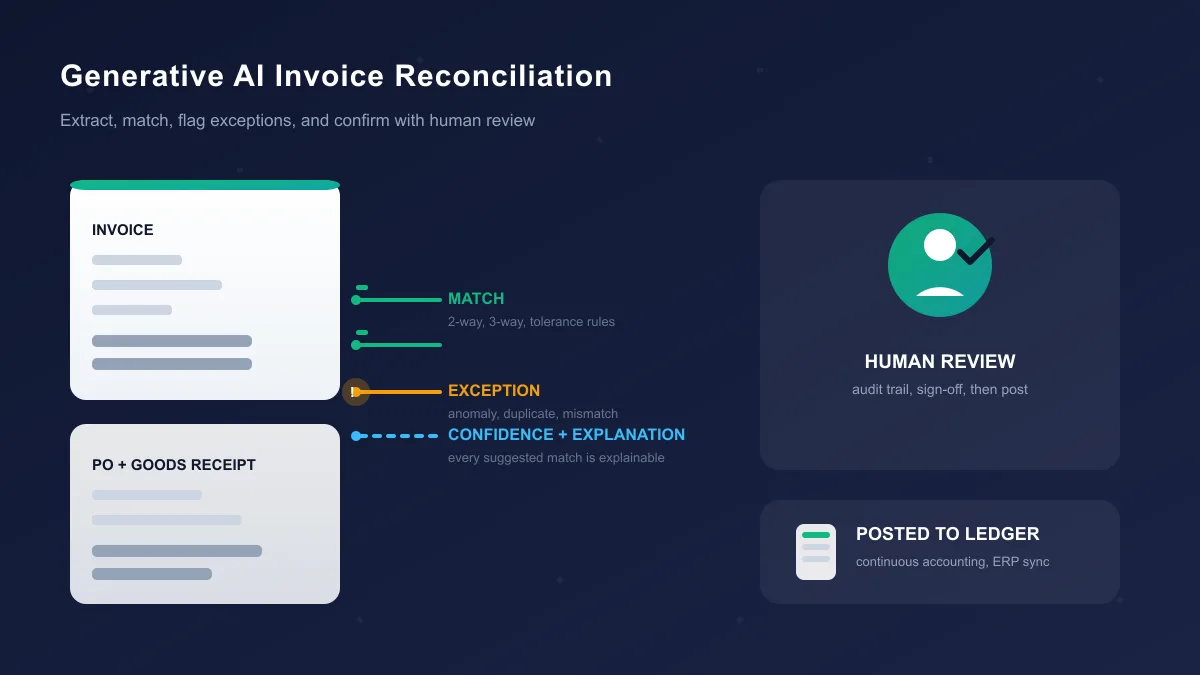
Invoice reconciliation is really several different workflows. Learn the difference, what generative AI can and cannot automate in each, and how to test a tool before you buy.
 AI Tools Vault Team
 Guides & How-To
A practical guide to AI tools for sales teams in 2026: which sales jobs AI can actually take over, how to pick tools without a messy stack, and what still needs a human.
AI Tools Vault Team Guides & How-To
What an AI calculator online actually is, how it differs from a normal calculator and a math solver, how accurate these tools are, and how to verify their answers.
AI Tools Vault Team