Pebblely is an AI product photography tool that turns a plain product photo into realistic lifestyle and commercial images for e-commerce stores in seconds.
Pebblely is an AI product photography tool that converts a plain product photo — the kind you snap on a white background — into a lifestyle or commercial image with a realistic scene around it. You upload one shot, choose a background theme or describe a setting, and the platform generates the product in that scene with proper lighting, shadows, and reflections in about twenty seconds.
The pitch is simple: replace an expensive studio shoot with a self-serve studio that works around the clock. Sellers upload the same photo once and generate dozens of variations for listings, ads, and social posts without touching Photoshop.
How to Create Product Images with Pebblely AI
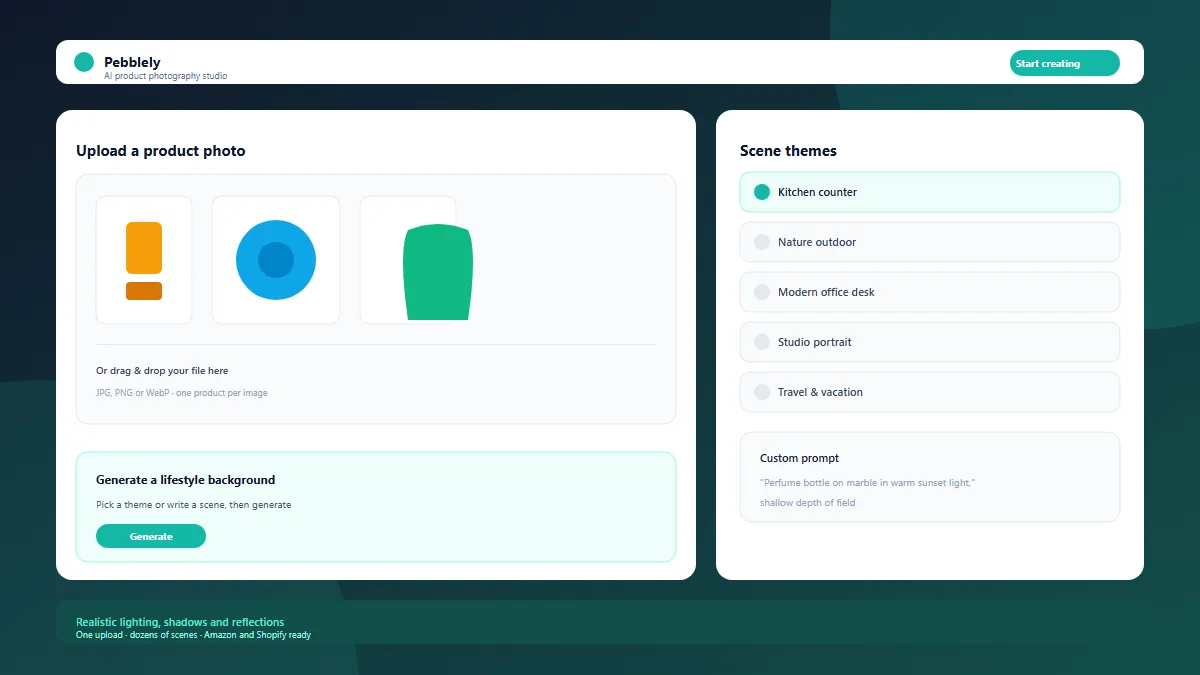
The workflow is built around speed and consistency. Start with a clean product photo, upload it, and pick from more than forty background themes or write your own scene description. The AI keeps the product identical across every generated image, so your catalog stays cohesive even when you produce dozens of variations.
Generation takes about twenty seconds per image at standard resolution. A high-resolution mode is available for products with fine details, text, or pixel-perfect needs, and it consumes two credits instead of one. Finished images export at sizes suited to store listings, social media, and ad creatives, and bulk generation on the higher plans processes multiple products at once. Each variation keeps the product's proportions, color, and material identical, which is what separates a generated catalog from a collection of one-off mockups.
Upload one clean product photo
Choose a theme or write a custom prompt
Generate in about twenty seconds
Export at listing, social, and ad sizes
Pebblely for Amazon and Shopify Sellers
Amazon sellers get the most value from the lifestyle shots that sit beside the required white-background main image. Amazon compliance rules demand a clean, pure-white main photo, so the tool is best used to build the secondary gallery images and A-plus content visuals that help conversions — never to replace the mandated main shot.
Shopify sellers have more freedom. The generated images slot straight into product galleries, homepage banners, blog visuals, and paid ads, and the consistent product identity keeps a brand looking professional across the whole store. Because the credits reset monthly, the tool matches a steady publishing cadence rather than a one-off shoot. A typical store uploads new products weekly and reuses proven scenes, so the monthly allowance aligns neatly with an editorial calendar.
Amazon: lifestyle and A-plus content images
Keep the main listing shot pure white for compliance
Shopify: galleries, banners, and ad creatives
Consistent brand look across every scene
Pebblely Pricing — Free Credits and Watermark
There is no permanently free plan on the current pricing page. New users have sometimes received a small batch of free credits on signup as a taste of the output, but an ongoing free tier does not exist — a paid plan is the only way to keep generating month after month.
Watermark questions come up constantly, and the answer is tied to your plan. Images generated under a paid subscription are yours to use commercially, and exports are available at full resolution without download restrictions. Anyone evaluating the tool on limited free credits should expect preview-level output and plan to pay before putting images into live listings.
Plans are priced by monthly image volume: Lite at $9 for 30 images, Basic at $19 for 200, and Pro at $39 for 500. Annual billing adds two or more months free, and every plan includes the full feature set — the tiers differ only in volume, bulk generation access, and support level. Yearly billing is the best deal for stores that expect to publish for a full selling season, and the subscription can be paused if the catalog goes quiet.
Compare Plans & Pricing
Lite $9/mo (30 images, no bulk generation); Basic $19/mo (200 images, bulk generation); Pro $39/mo (500 images, bulk generation); annual billing adds 2+ months free
Photoroom is the broader product. It removes backgrounds, generates AI backgrounds, and layers in design templates, print tools, and a free tier with a watermark on exports. It suits sellers who want one app for cleanup, resizing, and quick design jobs, not just scene generation — and the free tier is handy for testing before a store commits to a paid workflow.
It is the narrower, more specialized pick: generated, scene-based product photography with a strict product-first focus and no free tier to lean on. Choose Photoroom when you want an all-in-one editing and design workflow; choose the tool when the goal is realistic, at-scale product scenes from a single upload.
Pebblely vs Flair AI
Flair AI approaches the same job from the design side. It offers scene templates, brand-accurate styling, and a drag-and-drop studio that feels like a mini design tool for product marketing, which works well for brands that want art-directed shots with a strong signature look.
It is the faster, simpler path: upload a photo and get realistic lifestyle images without arranging scenes by hand. For sellers who want to push pixels and craft a highly styled brand aesthetic, Flair is the stronger studio; for sellers who want volume product photography in seconds, this pick wins on speed.
Best Free Pebblely Alternatives
Because there is no free tier here, the practical free routes live in adjacent tools. Canva AI offers design templates with AI background tools inside a generous free plan, which covers basic product mockups and social creatives. Adobe Firefly brings generative AI to Photoshop workflows, and Playground AI offers free daily generations for experimental product backgrounds.
None of them replicate the product-focused scene generation exactly, so the honest advice is this: if the core need is realistic product photography at scale, a paid tool is the right investment. If the need is occasional backgrounds and marketing graphics, the free tiers of these alternatives will stretch further.
Canva AI
Design & 3DFreemium
Best for: Quick social & presentation design
Magic Studio AI design suite for creating graphics, presentations, and social posts in minutes.
Best for: Images, video, audio & vectors in one subscription
Firefly is Adobe's generative AI platform for creating and editing images, video, audio, and vectors, with Adobe and partner AI models in one workspace.
The verdict is clear: it is the fastest path from a plain product shot to a full catalog of studio-quality images, priced simply by monthly volume and backed by realistic, consistent output. The trade-offs are the absence of a free tier, monthly image limits that do not roll over, and a Lite plan without bulk generation. For active sellers producing listings and creatives every week, the paid plans earn their cost quickly.
Pros
Turns one plain product shot into a full catalog of scenes
Realistic lighting, shadows, and reflections
Consistent product identity across every background
Bulk generation on Basic and Pro plans
Export at sizes built for stores and social posts
Cons
No permanently free tier, so testing costs money
Image limits reset monthly and do not roll over
Lite plan lacks bulk generation
High-resolution mode costs extra credits
Best For
Recommended use cases and scenarios where Pebblely shines.
Not on an ongoing basis. There is no permanently free plan on the current pricing page. New users have sometimes received a small batch of free credits on signup, but generating images month after month requires a paid plan starting at $9 per month.
Does Pebblely add a watermark to images?
Paid plans export full-resolution images with no download restrictions, so your generated product photos are ready for commercial use. If you are testing on a limited free credit allowance, expect preview-level output until you subscribe.
How do I create product images with Pebblely AI?
Upload a clean product photo, pick one of the 40+ background themes or write a custom scene prompt, and the tool generates a realistic lifestyle image in about twenty seconds. You can regenerate, resize, and export at listing and social sizes.
Is Pebblely good for Amazon and Shopify?
Yes. Shopify sellers use it for galleries, banners, and ads, while Amazon sellers use the lifestyle images for secondary gallery shots and A-plus content. Keep the main Amazon listing image pure white to stay compliant.
How does Pebblely compare to Photoroom and Flair AI?
Photoroom is a broader editing and design suite with a free tier, and Flair AI is a template-driven product photography studio with a stronger design focus. It is the fastest, most product-first option for realistic scene generation at scale.
Reviews & Ratings
Loading reviews...
Explore More Image Generation Tools
Browse the full AI Tools Vault directory to compare Pebblely with every image generation tool, or line up your shortlist side by side.