
Adobe Firefly Review
Image GenerationFreemiumFirefly is Adobe's generative AI platform for creating and editing images, video, audio, and vectors, with Adobe and partner AI models in one workspace.
What Is Adobe Firefly?
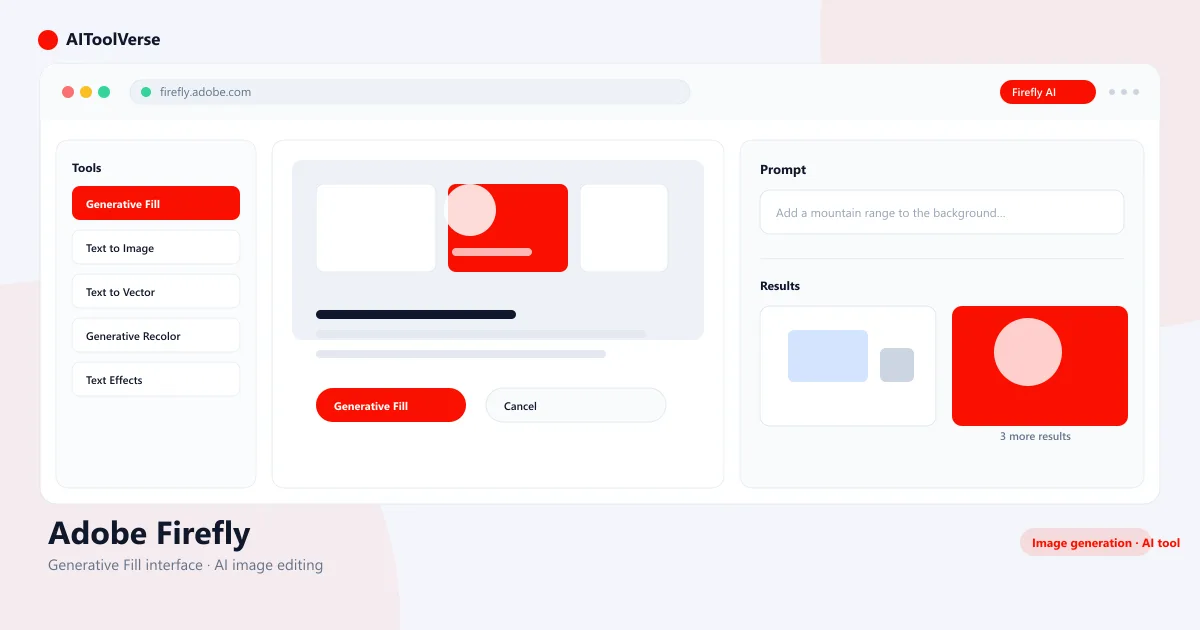
Firefly is a family of generative AI models and tools from Adobe built around creating and editing visual content. Today that covers image generation and photo editing, video creation, audio and speech tools, and vector graphics, and the features sit inside the Creative Cloud apps many designers already use.
What makes the product distinctive is how the models are packaged. Adobe's own Firefly models sit alongside partner models in a single selector, and paid plans treat standard image and vector generation as an unlimited baseline while reserving monthly credits for premium output such as video, audio, and partner-model generations.
Adobe also points to its training approach — licensed Adobe Stock images and public-domain material — as the reason its own models are positioned for commercial use.
What Can You Create With Firefly?
Firefly is no longer just an image generator. The current product spans several overlapping jobs, all reachable from the same web and mobile app, and it lets you pick which AI model does the work.
- Images: Text to Image, Generative Fill, Generative Expand, and text effects produce and edit photos and artwork.
- Video: text-to-video and image-to-video create short clips you can refine by aspect ratio, camera angle, and motion.
- Audio: generate sound effects, speech, and music, and translate audio or video into 20+ languages.
- Vectors: Text to Vector Graphics creates scalable artwork that stays editable in Illustrator.
- Boards: Firefly Boards is a shared visual workspace for mood boards, references, and early ideation.
- Model choice: a selector mixes Adobe models with partner models from Google, OpenAI, Kling AI, Black Forest Labs, ElevenLabs, Topaz, Luma, and Runway.
How Firefly Generative Credits Work
Generative credits are Adobe's monthly allowance for AI features, shared across Firefly and your Creative Cloud apps. They reset on your billing date and do not roll over.
The detail that matters most: paid plans make standard image and vector generation effectively unlimited, while premium output, meaning video, audio, translation, and partner models, draws from your credit pool. How many credits a single task costs varies with the model, resolution, and output size.
- Standard features (Generate Image, Generative Fill, Generative Expand, Text to Vector) are unlimited on paid plans.
- Premium features (video, sound effects, speech, music, audio translation, partner models) consume credits.
- Credit cost varies by model, resolution, and output, so there is no flat one-image-equals-one-credit rule.
- Unused credits reset monthly and do not carry over; add-on credit plans are available if you run out.
- The free tier provides a limited number of daily generations rather than a monthly credit pool.
Adobe Firefly Pricing and Plans
Adobe Firefly has a free tier and four paid individual plans. The free plan gives limited daily generations so you can try the tools; paid plans add a monthly credit pool plus unlimited standard image and vector generation.
Firefly Standard is $9.99/month with 2,000 monthly credits, Pro is $19.99/month with 4,000 credits and bundles Adobe Photoshop on web and mobile plus Adobe Express, Pro Plus is $49.99/month with 10,000 credits, and Premium is $199.99/month with 50,000 credits plus unlimited access to the Adobe Firefly Video Model. Creative Cloud subscribers also get Firefly features and monthly credits inside their existing plans.
Compare Plans & Pricing
Free plan with limited daily generations; paid plans from $9.99/mo (Standard, 2,000 credits) to $199.99/mo (Premium, 50,000 credits).
Free
Try the core tools with limited daily generations.
- Limited free daily generations
- Standard image and vector tools
- Firefly web and mobile apps
- Content Credentials on outputs
Standard
For individual creators focused on image and vector work.
- 2,000 monthly generative credits
- Unlimited standard image and vector generation
- Video, audio, and partner models use credits
- Firefly web, mobile, and desktop apps
Pro
More credits, plus Adobe Photoshop and Adobe Express.
- 4,000 monthly generative credits
- Unlimited standard image and vector generation
- Includes Adobe Photoshop (web and mobile) and Adobe Express
- Premium features like video and audio use credits
Pro Plus
A higher credit pool for steady premium-feature use.
- 10,000 monthly generative credits
- Unlimited standard image and vector generation
- Room for regular video, audio, and partner-model work
- Credits reset each month and do not roll over
Premium
High-volume plan aimed at teams and frequent video work.
- 50,000 monthly generative credits
- Unlimited Adobe Firefly Video Model access
- Unlimited standard image and vector generation
- Credits for audio, translation, and partner models
Using Adobe Firefly for Commercial Work
Adobe positions its own Firefly models for commercial use, pointing to training on licensed Adobe Stock content and public-domain material, and it states that outputs from non-beta generative features can be used commercially.
That positioning should not be read as a blanket guarantee for everything Firefly produces. Partner models are a separate case, and Adobe says creators are responsible for judging whether a partner model's output suits their project.
- Adobe's own Firefly models: trained on licensed and public-domain content with commercial use in mind.
- Partner models: check suitability for your project and review the model's usage terms.
- Beta features: usable commercially unless Adobe says otherwise, but not eligible for IP indemnification.
- Content Credentials are attached to qualifying Firefly outputs as a C2PA-based record of how the content was made.
- Enterprise plans can include IP indemnification for selected Firefly outputs.
A Practical Firefly Workflow
The sequence below follows Firefly's documented capabilities rather than first-hand testing, and it sketches one plausible path from idea to finished asset.
- Concept: collect references in Firefly Boards and pin down the mood you are aiming for.
- Iterate: generate image directions with Text to Image, then refine with Generative Fill, Expand, or text effects.
- Extend: turn a chosen concept into a short video or add sound effects, narration, or a music track.
- Edit: pull results into Photoshop, Illustrator, or Express for the human decisions AI cannot judge.
- Ship: export with Content Credentials intact, confirm licensing on any partner-model output, then publish.
Who Adobe Firefly Is For
Firefly suits people who want more than a single image generator, especially those already working with Adobe applications and producing several media types at once.
- Creative Cloud users: Firefly features are embedded in Photoshop, Illustrator, Express, Premiere, InDesign, and Lightroom.
- Designers: vector generation and recoloring fit into scalable artwork production.
- Marketers: campaign visuals, social-media creative, video concepts, and audio translation.
- Content creators: one subscription for images, short video, sound, and music.
- Creative teams: shared spaces like Firefly Boards and credits that work across a plan.
Who May Not Need Firefly
There are reasonable cases where a narrower, cheaper tool covers the actual job. Firefly is not the only sensible choice.
- Occasional image generation: a pay-as-you-go or free image tool may be enough.
- A single specialized workflow: if you only need video, or only text-to-image, a tool built around that job can be simpler.
- No Adobe workflow: the integration value shrinks if you never touch Creative Cloud apps.
- Low tolerance for credit math: video and audio work burns credits quickly on the lower tiers.
- Strict budget: paid plans start at $9.99/month, and heavy premium use pushes the cost higher.
How Adobe Firefly Compares to Other AI Tools
The practical differences are about workflow, not a quality ranking. Canva AI pairs generation with a template-based editor aimed at quick social graphics. Midjourney concentrates on high-fidelity image generation sold as a subscription. ChatGPT's image generation, in the DALL-E lineage, offers prompt-to-image inside a general assistant. Firefly combines image, video, audio, and vector tools with Creative Cloud integration and a model selector.
Which one fits depends on where you already work and how many media types you need, not on which is 'better.'
Pros and Cons
The short take: Firefly is worth it if you use several media types or live in Creative Cloud, and the trade-off is plan and credit complexity.
Pros
- Covers image, video, audio, and vector workflows under one subscription
- Features embedded in Photoshop, Illustrator, Express, and Premiere
- Model selector mixes Adobe models with Google, OpenAI, Kling AI, and other partners
- Unlimited standard image and vector generation on paid plans
- Content Credentials attached to qualifying Firefly outputs
Cons
- Premium features like video and audio draw down monthly credits quickly
- Partner model outputs fall outside Adobe's commercial-use positioning
- Five plans with distinct credit pools take time to evaluate
- The integration advantages matter most inside the Adobe ecosystem
Best For
Recommended use cases and scenarios where Adobe Firefly shines.
Frequently Asked Questions
Common questions about Adobe Firefly, answered.
Is Adobe Firefly free?
Yes, there is a free plan with limited daily generations, enough to test image and vector generation. Paid plans start at Firefly Standard for $9.99/month with 2,000 monthly generative credits.
How much does Adobe Firefly cost?
Firefly Standard is $9.99/month (2,000 credits), Pro is $19.99/month (4,000 credits and includes Adobe Photoshop on web and mobile plus Adobe Express), Pro Plus is $49.99/month (10,000 credits), and Premium is $199.99/month (50,000 credits plus unlimited access to the Adobe Firefly Video Model).
How do Firefly generative credits work?
Credits are a monthly allowance for premium AI features such as video, audio, speech, and partner models. They reset each billing cycle and do not roll over. Standard image and vector generation is unlimited on paid plans.
Is Adobe Firefly only an image generator?
No. Firefly also covers video generation, audio and speech tools, vector creation, and creative boards, and it offers a model selector with partner models from Google, OpenAI, Kling AI, and others.
Can I use Adobe Firefly outputs commercially?
Adobe states that outputs from non-beta Firefly features can be used commercially and positions its own models for commercial use based on licensed training data. Outputs from partner models are a separate question, and Adobe says you are responsible for judging whether a partner model fits your project.
Does Adobe train Firefly on customer content?
Adobe states that it does not train Firefly on Creative Cloud subscribers' personal content. Its models are trained on licensed Adobe Stock content and public-domain material, and Adobe Stock editorial content is not used for training.
What AI models does Adobe Firefly offer?
Firefly includes Adobe's own image, video, and audio models, plus a model selector with partner models from providers such as Google, OpenAI, Kling AI, Black Forest Labs, ElevenLabs, Topaz, Luma, and Runway. Partner-model output uses generative credits.
Reviews & Ratings
Loading reviews...
Explore More AI Image Generation Tools
Browse the full AI Tools Vault directory to compare Adobe Firefly with every AI design and image tool, or line up your shortlist side by side.
Similar Tools
More Image Generation tools you might like

Midjourney
Midjourney AI is the industry-leading text-to-image generator behind the V8.2 model, known for stunning artistic and photorealistic outputs.

Craiyon
Craiyon is a free AI image generator — formerly DALL·E mini — that turns text prompts into 9 image variations in seconds, with no account required.

Guides & Articles about Adobe Firefly
Read our detailed reviews and comparisons covering Adobe Firefly
 Guides & How-To
Adobe Premiere Pro AI: Features & Tools in 2026
Premiere Pro AI in 2026 explained for working editors: Media Intelligence, Object Mask, Generative Extend, text-based editing, and the new Generative Media Tool.
 AI Tools Vault Team
 Guides & How-To
Best Free AI Tools for Removing Backgrounds and Editing Photos in 2026
The best free AI tools for removing backgrounds and editing photos in 2026 — Remove.bg, Photoroom, and Stable Diffusion, tested and compared.
AI Tools Vault Team Guides & How-To
Best AI Tools for Freelancers in 2026: A Workflow Guide
Proposals, client email, meetings, design and invoices — where AI actually cuts work from a freelance week, with honest limits and caveats.
Jawad Fiaz