Skip to content
Topaz Labs Video AI tool logo

Topaz Labs – AI Photo & Video Enhancement Tools

VideoPaid
Best for: AI photo and video enhancement, upscaling, denoising, and sharpening

Topaz Labs makes AI-powered photo and video enhancement software — upscaling, denoising, sharpening, and restoring images and footage locally on your GPU.
4.6(5.2k)
Founded 2005
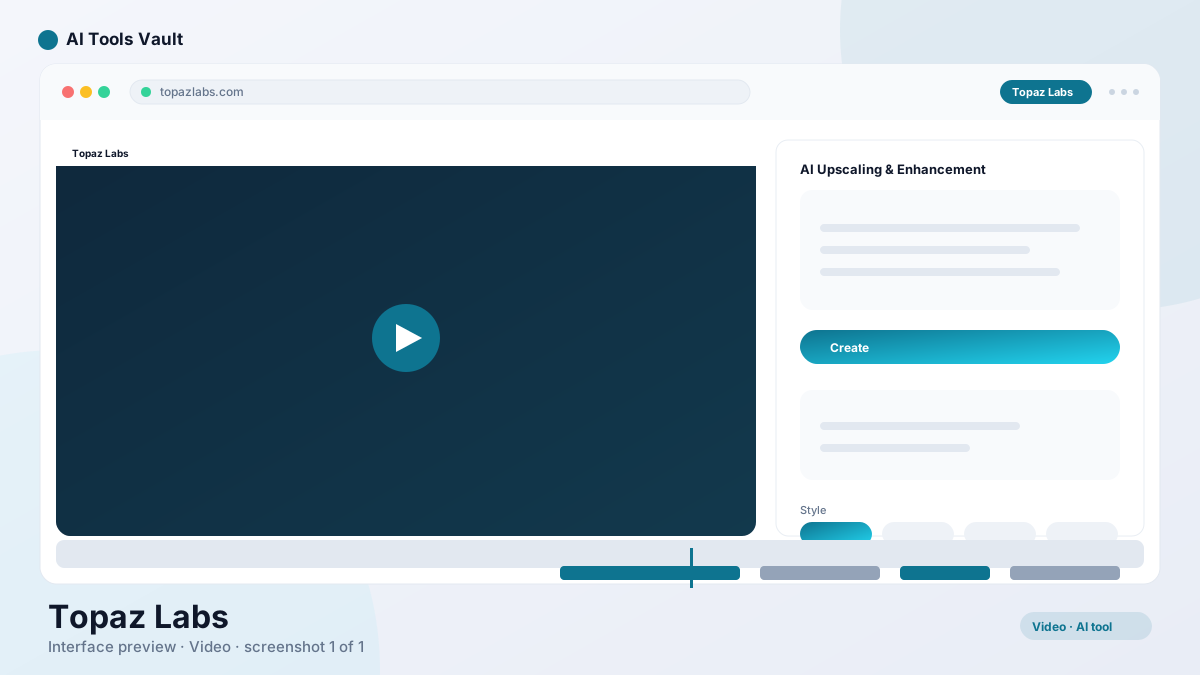
Topaz Labs AI photo and video enhancement tools

What Is Topaz Labs?

Topaz Labs is a desktop software company that builds AI-powered tools for enhancing images and video. The products run entirely on your local machine — no cloud upload, no subscription servers, and no watermarks on output. For creators who work with footage that needs restoration, upscaling, or cleanup, the local-processing model is a major advantage.
The company's most well-known products are Video AI for video enhancement and Photo AI for still image enhancement. Both use machine learning models trained on millions of images to reconstruct detail, reduce noise, and improve quality beyond what traditional filters achieve.
  • Desktop apps for Windows and macOS
  • All processing runs locally on your GPU
  • No cloud upload required
  • One-time license with free 30-day trial

Topaz Labs AI Tools and Features

The core strength of the product line is the model stack. Different AI models handle different problems: upscaling adds realistic detail to low-resolution footage, denoising removes grain and compression artifacts, deinterlacing fixes interlaced broadcast captures, and sharpening restores edge definition to soft or blurry images.
What separates these tools from one-click AI enhancers is the level of control. You can preview different model combinations per clip, stack multiple enhancements in a single pass, and adjust settings to find the point of diminishing returns before committing a render. For editors who need precision, that control is the difference between acceptable and excellent results.
  • Multiple specialized AI models for different enhancement tasks
  • Per-clip and per-image settings for precise control
  • Preview before rendering to compare model results
  • Stack multiple models in a single processing pass

Topaz Photo

Photo AI handles still image enhancement — upscaling, denoising, sharpening, and face recovery. It processes RAW files, JPEGs, and PNGs, and runs the same local GPU processing as the video tool. For photographers working with older cameras, high-ISO shots, or scanned film, it reconstructs detail that traditional editors cannot recover.
The face recovery model is particularly useful for portrait work. It identifies faces in the image and applies targeted enhancement to improve detail and clarity without affecting the rest of the image. For archival photo restoration, this alone can save hours of manual retouching.

Topaz Video

Video AI is the flagship product — an AI video enhancer that upscales, denoises, deinterlaces, and sharpens footage. It handles everything from 480p home videos to interlaced broadcast captures, and can output to 4K or even 8K resolution. The tool processes footage frame by frame using dedicated AI models.
The real-world impact is significant. Footage that looks beyond saving — shaky phone recordings, grainy low-light clips, old DVD rips — can be restored to watchable quality. The preview window lets you compare model results before committing to a full render, which is essential given that 4K processing can take hours on consumer hardware.
  • Upscale to 4K and 8K resolution
  • Denoise grainy and compressed footage
  • Deinterlace old broadcast and DVD captures
  • Frame rate conversion with motion estimation

Topaz Gigapixel

Gigapixel AI was one of Topaz Labs' earliest products and remains a popular standalone image upscaler. It uses AI models to add realistic detail when scaling images up to 600%, which is far beyond what traditional interpolation methods achieve. While Photo AI now includes Gigapixel's upscaling models, some users prefer the standalone workflow for batch image upscaling.
For print production, archival restoration, and large-format display, Gigapixel-style upscaling fills a gap that no camera can retroactively fix. A 12-megapixel photo can be scaled to billboard size with convincing detail — not perfect, but far better than the blurry result of standard resize algorithms.

Topaz AI Image and Video Enhancement

The difference between Topaz Labs' approach and general-purpose AI enhancers is specialization. Rather than a single model that tries to do everything, the company provides dedicated models for specific enhancement tasks. The Iris model handles upscaling with realistic detail reconstruction. The Proteus model balances sharpening with noise reduction. The Gaia model handles video-specific motion artifacts.
In practice, this means better results on challenging footage. A general-purpose enhancer might sharpen a blurry frame but introduce halos and artifacts. The specialized models in Topaz Labs tools are trained on specific degradation types, so they reconstruct detail more accurately while preserving natural appearance.

How to Use Topaz Labs

The workflow is straightforward. Import a clip or image, let the software analyze the source material, choose an enhancement model, preview the result, and export. The preview step is where the real value lives — you can compare different model combinations side by side before committing to a render that might take hours.
For video, the typical workflow for degraded footage is: deinterlace if needed, denoise to remove grain, then upscale to the target resolution. These steps can be stacked in a single pass. For batch work, you can apply the same model settings to an entire folder of clips and let the software process them overnight.
Photo AI follows a similar pattern: load an image, select enhancement models, preview, and export. The face recovery feature runs automatically when faces are detected, and you can adjust its strength per image.
  • Import footage or images into the desktop app
  • Select the appropriate AI model for your source material
  • Preview results before committing to a full render
  • Batch process entire folders for efficiency

Topaz Labs Pricing and Plans

Topaz Labs uses a one-time license model — you buy the software once and own it permanently. Video AI costs $299, Photo AI costs $199, and buying both unlocks bundle discounts. There is also a free 30-day trial so you can test the tools on your actual footage before committing.
The one-time pricing is unusual in a market dominated by subscriptions. For studios or freelancers who process footage regularly, the license typically pays for itself within a few projects compared to monthly subscription alternatives. The tradeoff is the upfront cost and the fact that major version upgrades may require a new purchase.

Compare Plans & Pricing

Video AI $299 one-time; Photo AI $199 one-time; bundle discounts; free 30-day trial

Most Popular

Video AI

$299one-time

Upscale, denoise, and enhance video with AI models.

  • 4K and 8K upscaling
  • Denoise and deinterlace models
  • Motion estimation and frame rate conversion
  • Batch processing for folders of clips
Try Video AI

Photo AI

$199one-time

AI upscaling, denoising, and sharpening for still images.

  • Image upscaling to 600%
  • Face recovery and enhancement
  • Denoise and sharpen models
  • Raw file support
Try Photo AI

Topaz Labs Alternatives

For video editors who need enhancement inside their editing timeline, DaVinci Resolve includes Super Scale — an AI upscaler built into the free version of the editor. It is not as powerful as Video AI for severely degraded footage, but it eliminates the need to export and re-import between applications.
Adobe Premiere Pro offers AI-powered enhancement through Adobe Sensei, including auto-reframe and noise reduction. The results are less dramatic than dedicated upscaling models, but the integration with the Premiere timeline makes it convenient for editors already in the Adobe ecosystem.
CapCut provides free AI enhancement features including basic upscaling and cleanup, which is a practical starting point for creators who do not need the precision or power of desktop-class enhancement software.
DaVinci Resolve AI tool logo

DaVinci Resolve

VideoFreemium
Best for: Professional video editing, color grading, VFX, and audio post-production

DaVinci Resolve is Blackmagic Design's free professional video editor with Hollywood-grade color grading, Fusion VFX, Fairlight audio, and AI tools — all in one application.

4.8(12.8k)
Visit Website
Adobe Premiere Pro AI tool logo

Adobe Premiere Pro

VideoPaid
Best for: Professional video editing, broadcast, film, and content creation

This tool is the industry-standard video editor with AI-powered tools like Generative Extend, Object Mask, and text-based editing inside the Creative Cloud ecosystem.

4.5(15.4k)
Visit Website
CapCut AI tool logo

CapCut

VideoFreemium
Best for: Free short-form video editing

CapCut is ByteDance's free AI-powered video editor for short-form content, with auto captions, background removal, and a huge template library for TikTok and Reels.

4.6(23.8k)
Visit Website

Pros and Cons of Topaz Labs

The biggest advantage is the quality of results on challenging footage. Nothing else in the consumer market delivers the same level of detail reconstruction on severely degraded video. The local-processing model keeps footage private and avoids recurring costs.
The main limitations are the upfront price, the GPU requirements, and the processing time. Running 4K enhancement on a laptop integrated GPU will be slow, and very degraded footage can produce AI artifacts that require manual intervention. For most use cases, these tradeoffs are worth the quality gains.

Pros

  • Dramatic quality gains on low-res, noisy, or degraded footage
  • Runs locally — no cloud upload, no watermarks, full privacy
  • Dedicated models for upscaling, denoising, deinterlacing, and sharpening
  • Batch processing for folders of clips or images

Cons

  • One-time licenses are expensive compared to subscription tools
  • Heavy GPU requirements for 4K video output
  • Can introduce AI artifacts on very degraded source material
  • Per-clip model settings have a learning curve

Best For

Recommended use cases and scenarios where Topaz Labs shines.

Frequently Asked Questions

Common questions about Topaz Labs, answered.

Is Topaz Labs free?

No. It is a paid product with a free 30-day trial. Video AI costs $299 and Photo AI costs $199, both as one-time licenses with no recurring subscription required.

Can Topaz Labs upscale video to 4K?

Yes. Video AI can upscale footage to 4K and even 8K resolution, and you can stack denoise and deinterlace models in the same processing pass for degraded source material.

Does Topaz Labs require an internet connection?

No. All processing runs locally on your GPU. Footage never leaves your machine, which keeps client work private and lets you process without an internet connection.

What GPU do I need to run Topaz Labs?

A modern NVIDIA GPU with at least 4GB of VRAM is recommended. Higher-resolution upscaling and batch processing benefit significantly from more VRAM and a faster GPU.

How does Topaz Labs compare to DaVinci Resolve's built-in upscaler?

DaVinci Resolve includes Super Scale, an AI upscaler in the free version. It is convenient for editors already using Resolve, but Topaz Labs' dedicated models deliver better results on severely degraded footage and offer more control over enhancement settings.

Can I use Topaz Labs for archival photo restoration?

Yes. Photo AI's upscaling, denoising, and face recovery models are effective for restoring old photos, scanned film, and low-resolution images. The face recovery feature is particularly useful for portrait archives.

Is there a subscription option for Topaz Labs?

The standard purchase is a one-time license. The company also offers monthly access plans if you prefer to spread the cost, though the one-time license is the more common option.

Reviews & Ratings

4.6

Based on 5,200 reviews

5
77%
4
13%
3
6%
2
3%
1
1%

Share your experience

Your rating

Loading reviews...

E

Elena Petrova

Solid, but the free tier is quite limited. The paid plans are where it shines.

A

Alex Chen

Game changer for my daily workflow. The quality of output consistently surprises me.

S

Sofia Rossi

I've tried most tools in this space and nothing comes close. Highly recommended.

Explore More Video Tools

Browse the full AI Tools Vault directory to compare Topaz Labs with every video tool, or line up your shortlist side by side.

Similar Tools

More Video tools you might like

Loom AI AI tool logo

Loom AI

VideoFreemium
Best for: Async screen recordings with AI summaries

Async screen recording with built-in AI that writes titles, summaries, chapters, and action items from every recording.

CapCut AI tool logo

CapCut

VideoFreemium
Best for: Free short-form video editing

CapCut is ByteDance's free AI-powered video editor for short-form content, with auto captions, background removal, and a huge template library for TikTok and Reels.

4.6(23.8k)
Visit Website
Pictory AI tool logo

Pictory

VideoPaid
Best for: Turning blog posts & scripts into videos

AI video generator that turns blog posts, scripts, and URLs into narrated videos with stock clips, captions, and AI voices.

4.5(5.5k)
Visit Website

Guides & Articles about Topaz Labs

Read our detailed reviews and comparisons covering Topaz Labs