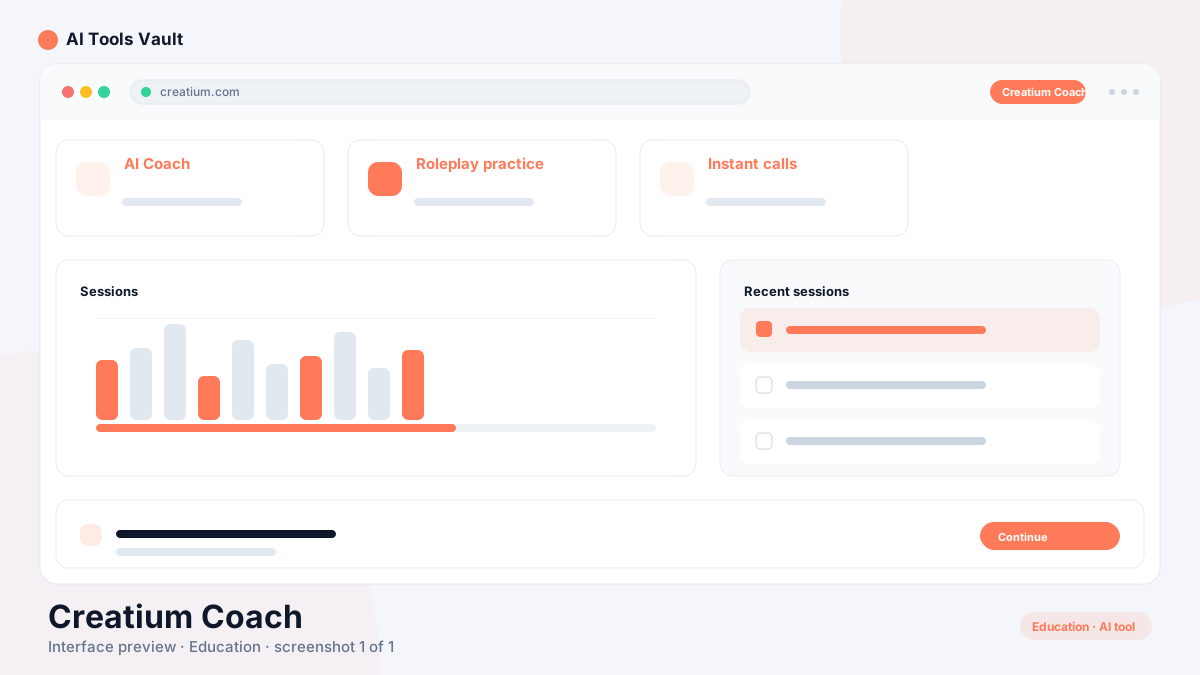
Best for: Personal AI coaching for interview, sales, and communication practice
Creatium Coach is Creatium's personal AI coach — live avatar sessions, roleplays, simulations, and certificates in one $20/month subscription for a single person.
Creatium Coach is the personal AI coaching product from Creatium, an e-learning company founded in 2020 and headquartered in Cincinnati, Ohio. It gives one person their own coach with a face and a voice: an AI presenter appears on screen, runs roleplays and simulations with you, and coaches you between takes. The idea is to make professional practice feel like a conversation rather than a course.
The product belongs to a family of three. Studio is where learning-and-development teams build interactive training; the Voice, Avatar, and Video APIs let developers embed the same engine in their own products; and this coach is the self-serve entry point for individuals. They are separate products with separate pricing, so a feature of Studio should not be read as a feature of the coach.
The core value is access. Most people cannot afford a $500-per-session human coach, and the ones who can rarely get one on demand. A flat monthly subscription removes both barriers: you practice when you have time, on the exact scenario you face next, and keep going until the goal is yours.
Personal AI coach for a single person at a flat monthly price
Live instant-avatar sessions that respond in real time
Roleplays, simulations, and final challenges with certificates
Built by Creatium, an e-learning company founded in 2020
How Creatium Coach Works
You sign up self-serve, name a goal — pass the interview, earn the promotion, stop dreading the Monday one-on-one — and the coach builds the path to it. Sessions move through three to five learning topics, and you can interrupt at any point; the presenter checks in as you go, watches how well you are doing, and adjusts the difficulty to keep you working.
Every session ends in a final challenge: a roleplay, a simulation, a sandbox, or a project, whichever best proves the skill you are practicing. Pass it and you earn a certificate you can share wherever proof matters. Because the presenter is avatar-based, the session has body language and tone rather than just text, and the whole flow runs in the browser on Creatium's avatar platform.
The coach also remembers where you left off. Progress, scripts, and goals carry forward between sessions, and when you connect the tools you already work in — Slack, Gmail, Outlook, Notion, and GitHub — it can pick up the real context you practice against instead of a made-up scenario.
Self-serve signup with no sales call
Set a goal; the coach builds the session path for it
Three to five interruptible learning topics per session
A final challenge each session, with a certificate when you pass
Runs in the browser on Creatium's avatar platform
What Can You Practice With Creatium Coach?
Anything conversational, according to the official FAQ: interviews, feedback, presentations, and negotiations. You set the scenario, the coach plays the other side, pushes back, and coaches you between takes — which is what makes it more than a chatbot. Officially listed practice tracks are AI training, interview and career prep, sales practice, technical skills and certifications, and manager readiness.
Sales teams can rehearse the pitch, the pushback, and the close before the call that matters. Managers can practice giving feedback out loud before it becomes somebody's review. Technical professionals can build the skill their job keeps asking for, one rep at a time, and anyone can keep up with AI skills without sitting through another video.
The point is repetition in a safe space. You can get a simulation wrong without consequences, run it again until it feels natural, and practice the phrasing you never want to fumble in front of a real person.
Interview and career preparation
Sales pitches, objection handling, and closes
Feedback and difficult conversations for managers
Technical skills, certifications, and AI training topics
Presentations and negotiations rehearsed out loud
Creatium Coach for Interview and Career Preparation
Interview preparation is an officially listed use case. Creatium's page for individuals describes the track as "Interview & career prep — practice the questions before someone else asks them," and that is exactly what Creatium Coach does: it roleplays the interviewer, asks the questions you expect, follows up on your answers, and then coaches you on your delivery.
That is useful for more than the interview itself. The same conversational format works for salary negotiations, presentations in front of decision-makers, and the difficult conversations that come with a new role. Each is a practice environment: you rehearse your side and hear how it lands before the stakes are real.
It is important to be precise about scope. The coach is not a job finder. It does not build resumes, match you to roles, scan for ATS keywords, or apply on your behalf, and no practice product can guarantee an offer. What it does is help you arrive prepared — rehearsed, confident in your answers, and comfortable hearing pushback.
Rehearse common interview questions out loud
Practice salary negotiations and difficult conversations
Refine presentations and pitches with feedback
A practice environment, not a job discovery tool
Creatium Coach's Main Features
The flagship experience is the live instant-avatar session. A presenter appears and converses with you in real time, asking questions, listening to your answers, and challenging you the way a human coach would. Because the presenter has a face and a voice, the session feels tangible rather than like typing at a box.
Around that core sit the practice mechanics. Roleplays let you rehearse a conversation as many times as it takes; simulations stage situations that would be costly to run in person; multimedia steps mix in video and interactive content; and every session is built around a goal you define rather than a fixed curriculum.
Finishing a session triggers the final challenge, and passing it produces a certificate you can share. On the delivery side, the coach content is SCORM-compliant and can distribute through an LMS with progress tracking, which matters for organizations that need learning records. The Slack, Gmail, Outlook, Notion, and GitHub integrations round out the feature set by pulling live context into practice.
Two claims from the marketing site are worth repeating only with their source attached. Creatium cites University of Georgia research showing 28% higher test scores with an AI coach and a +0.48 effect size, and a Fortune 100 deployment where engagements were roughly five times deeper in conversation turns. Those are attributed study findings, not a promise that everyone improves by a fixed amount.
Live instant-avatar coaching sessions with real-time responses
Roleplays, simulations, and multimedia learning steps
Goal-driven practice with final challenges and certificates
SCORM-compliant content with LMS progress tracking
Practice context pulled from Slack, Gmail, Outlook, Notion, and GitHub
Creatium Coach Pricing
The coach costs $20 per month for one person, sold self-serve with no sales call. That flat price is the whole story for an individual who wants a personal AI coach. Creatium's pricing page and FAQ both confirm the number, and it is the only recurring cost for the product itself.
Two caveats are worth knowing before you subscribe. There is currently no free plan and no free trial — the FAQ is explicit that Coach has no trial period. And there is no team plan: the product stays $20 per month per person, so if you need to roll it out to a whole organization, the intended path is Studio, which is priced in tokens from $250 per month. The Voice, Avatar, and Video APIs are billed on usage and sold separately.
Prices are current as of publication but can change, so the official pricing page is the final authority before you commit.
Is Creatium Coach Safe?
Creatium positions the coach for security-sensitive buyers, and it documents the position on a dedicated security page. The headline commitment is that user inputs, outputs, and personal information are not used to train third-party AI. Every AI subprocessor the company relies on — including Anthropic, OpenAI, ElevenLabs, Cartesia, Perplexity, and AWS and Azure AI — is disclosed in the privacy notice, and the company says it applies human review to AI-generated content in its services work.
The compliance posture is documented rather than overstated. Official materials say Creatium is built to comply with GDPR and UK GDPR, supports FERPA obligations for education data, and aligns with privacy laws in Canada, Australia, New Zealand, South Africa, and twenty US states. Note the wording: "built to comply," not an external certification claim. The company lists only certifications it can produce evidence for, and it publishes a VPAT on request.
The honest caveat applies to every online service, and Creatium's own privacy notice states it: no electronic transmission over the internet can be guaranteed 100% secure. Treat the coach the way you would any SaaS product that processes your conversations — review the privacy notice, avoid sensitive personal data in practice sessions if you are concerned, and check the security page before an organization adopts it.
Inputs, outputs, and personal information are not used to train third-party AI (per official policy)
AI subprocessors are disclosed in the privacy notice
Built to comply with GDPR and UK GDPR, with FERPA support documented
Enterprise SSO/SAML and on-premise deployment available
No online service can guarantee absolute security
Privacy and AI Data Use
The privacy notice says Creatium Coach processes personal information to provide, improve, and administer the service, to communicate with you, for security and fraud prevention, and to comply with law. It is not a "we store nothing" service: it keeps information as long as necessary for those purposes, and it uses cookies and analytics including Google Analytics.
For AI features, the notice explains that your input, output, and personal information are shared with and processed by AI service providers such as Perplexity, Anthropic, OpenAI, ElevenLabs, Cartesia, and AWS and Azure AI so the features can run. The same notice states explicitly that Creatium does not use this data to train third-party AI. On contract, the company commits to deleting your content within 60 days of termination, with backup retention of up to 90 additional days.
Processes personal information for service delivery, communication, security, and compliance
Shares session data with named AI service providers to power the features
Does not train third-party AI on that data (per official policy)
Content deletion within 60 days of termination plus backup retention
Enterprise Security Controls
Creatium Coach runs on the same platform as the rest of Creatium's products, and the security page lists the controls the company commits to contractually: encryption in transit and at rest, access controls, logical segregation, vulnerability management, and logging and monitoring. It also commits to breach notification without undue delay, at least 30 days' notice before adding a new subprocessor, and audit rights including an on-site audit once every twelve months.
For enterprise deployment, the company offers single sign-on through SAML identity providers and on-premise deployment so data never leaves your system. Accessibility is treated as a documented requirement: the platform is conformant to WCAG 2.1 AA and Section 508, with captions and screen-reader support and a VPAT available on request. Coach content's SCORM compliance adds LMS-safe delivery with progress tracking for organizations that need audit trails.
Encryption in transit and at rest, with logical segregation and monitoring
Breach notification, 30-day subprocessor notice, and audit rights
Enterprise SSO/SAML and on-premise deployment
WCAG 2.1 AA and Section 508 conformance with a VPAT on request
SCORM-compliant content for LMS distribution with progress tracking
Who Should Use Creatium Coach?
Creatium Coach fits anyone who would benefit from regular practice but does not have a coach on hand. Job seekers can rehearse interviews; salespeople can drill the pitch, the pushback, and the close; managers can practice feedback before it becomes somebody's review; and founders or consultants can polish a presentation until it lands. Career changers preparing for a new field get the same benefit from the technical-skills and AI-training tracks.
It also suits organizations testing avatar-based coaching before committing to a platform. A team lead can run the coach for themselves for a month, judge the live-avatar experience, and then decide whether Studio or the APIs are the right home for a broader rollout. For individuals, the $20 price replaces a $500-per-session coaching habit; for teams, the intended path is different and more structured.
Job seekers and career changers rehearsing interviews
Salespeople and managers practicing high-stakes conversations
Founders, consultants, and public speakers refining delivery
Professionals building technical or AI skills one rep at a time
Organizations piloting coach before adopting Studio
Where Creatium Coach May Not Be the Best Fit
Set honest expectations from the start. Creatium Coach is practice software, not a job platform: it does not build resumes, match jobs, scan ATS systems, automate applications, or guarantee interview outcomes. If you need job discovery rather than interview rehearsal, a recruiting or job-search tool is the better category.
It is also not built for team-wide rollout. Pricing is strictly per person with no team plan, so an organization covering dozens of employees would be better served by Studio's token plans or the APIs. And while the certificate is a shareable proof of practice, it is not a substitute for professional advice, therapy, or a certification exam.
Finally, the product asks for participation. Roleplays only work if you talk out loud, simulations only teach if you run them, and final challenges require you to perform. Someone looking for a passive course or a one-time video will get less value than someone ready to practice.
Not a job finder — no resumes, job matching, or guaranteed offers
Per-person pricing is not built for team rollout
Practice software, not professional advice or a certification exam
Requires active participation to deliver value
Creatium Coach vs a General AI Chatbot
The most common comparison is to a general assistant such as ChatGPT, and Creatium makes the distinction itself: ChatGPT answers you, while the coach makes you do it. A chatbot responds to your prompt and ends the exchange; the coach plays the other side of a real conversation, pushes back, and coaches you between takes, so you leave having rehearsed rather than having read.
One official data point illustrates the difference. In a Fortune 100 deployment, Creatium measured 12.4 turns per conversation with the coach against 2.5 with ChatGPT in the same organization — roughly five times the back-and-forth. That supports its marketing line about "5x deeper conversations" and shows why practice, not answer-giving, is the product's core.
The practical advice is to use the right tool for the job. For a general assistant that answers questions, writes, and researches, ChatGPT is a strong fit. For rehearsing a conversation you must actually deliver — an interview, a negotiation, a difficult meeting — the coach is built for exactly that. The two complement each other in the same workflow.
ChatGPT answers questions; the coach makes you practice
Coach plays the other side, pushes back, and coaches between takes
12.4 turns per conversation vs 2.5 for ChatGPT in a Fortune 100 deployment
Best used alongside a general assistant, not instead of one
Creatium Coach Alternatives
The closest directory comparisons are other skill-and-practice tools. TutorAI builds custom courses on any topic for self-paced learning, which suits people who want structured instruction rather than live practice. Yoodli AI coaches public speaking with feedback on delivery, a good complement for presentation work. Khanmigo is Khan Academy's AI tutor for guided academic study.
This product is differentiated by the live instant-avatar format and the roleplay-and-simulation loop. Where TutorAI teaches and Yoodli critiques delivery, the coach stages an interactive conversation against a present avatar, then tests you with a final challenge and a certificate. That makes it the most conversation-like of the group, and the only one of the three that targets interview and career practice as an official track.
TutorAI
Research & EducationFreemium
Best for: Personalized AI courses on any topic
Personal AI tutor that builds custom courses on any topic with lessons, quizzes, and flashcards, plus step-by-step homework help.
Best for: AI-powered speech coaching and communication roleplay training
Yoodli AI is an AI speech coaching platform that provides real-time communication feedback through interactive AI roleplays for sales, interviews, and public speaking.
The strengths of Creatium Coach are access and format. At a flat $20 per month, a single person genuinely owns a coach that never reschedules, and the live-avatar sessions give practice a human feel that text-based tools lack. The roleplays, simulations, and final challenges create a repeatable loop — set a goal, practice, get coached, pass the challenge — and the certificate gives the effort something shareable. For interview, sales, and communication rehearsal, it is a practical and well-priced option.
The limits deserve equal weight. There is no free tier, no trial, and no team plan, so it is strictly a one-person subscription. It is practice software, not a job finder or a guarantee of outcomes, and its roleplays are simulations rather than real-world results. If you want a present, interactive practice partner at a fair price, this delivers; if you need team rollout, job discovery, or formal certification, look at the categories built for those.
Pros
One flat price — $20 per month — for a coach that is always available
Live instant-avatar sessions with a presenter that responds in real time
Roleplays, simulations, and final challenges with shareable certificates
Covers interviews, presentations, negotiations, feedback, and sales practice
Published research behind the format, including University of Georgia results
Understands context from connected work tools like Slack, Gmail, Outlook, Notion, and GitHub
Cons
No free plan or free trial — it is $20 per month from day one
For one person; no team plan, so team coverage multiplies cost
A practice tool, not a job finder — no resume building, job matching, or guaranteed outcomes
Roleplays and simulations are practice environments, not real-world results
AI coaching complements rather than replaces a human mentor or professional advice
Newer product category, so feature depth continues to evolve
Best For
Recommended use cases and scenarios where Creatium Coach shines.
It is the personal AI coaching product from Creatium, an e-learning company founded in 2020. A single person gets their own AI coach that runs live avatar sessions, roleplays, and simulations, then ends each session with a final challenge and a shareable certificate.
How does Creatium Coach work?
You set a goal, the coach builds a path of three to five learning topics, and you work through them with an avatar presenter that responds in real time. Each session ends in a final challenge — a roleplay, simulation, sandbox, or project — and you earn a certificate when you pass.
How much does Creatium Coach cost?
It costs $20 per month for one person, sold self-serve with no sales call. There is currently no free plan, no free trial, and no team plan. Studio plans start at $250 per month, and the Voice, Avatar, and Video APIs are billed on usage separately.
Is Creatium Coach free?
No. The price is $20 per month per person, and Creatium's FAQ states there is no trial period and no free way to try it right now.
Can Creatium Coach help with interview practice?
Yes. Interview and career preparation is an officially listed track: you practice answers out loud, the coach plays the interviewer, gives feedback between takes, and you can rehearse negotiations and presentations too. It is a practice environment, not a job finder, and it does not guarantee offers.
Is Creatium Coach safe?
Creatium states that inputs, outputs, and personal information are not used to train third-party AI, and it discloses its AI subprocessors in the privacy notice. It is built to comply with GDPR and UK GDPR, supports FERPA, and offers enterprise SSO/SAML and on-premise deployment. As with any online service, absolute security cannot be guaranteed.
What is the difference between Creatium Coach and Creatium Studio?
The coach is a per-person subscription for practicing conversational skills. Studio is the team and L&D platform for building and deploying interactive learning, priced in tokens from $250 per month. They are separate products, and the developer-facing Voice, Avatar, and Video APIs are separate again.
What can you practice with Creatium Coach?
Officially listed tracks include interview and career prep, sales practice, technical skills and certifications, manager readiness, and keeping up with AI. The FAQ sums it up as anything conversational — interviews, feedback, presentations, and negotiations.
Reviews & Ratings
Loading reviews...
Explore More Research & Education Tools
Browse the full AI Tools Vault directory to compare Creatium Coach with every research & education tool, or line up your shortlist side by side.
Best for: Students who want essays, math help, and study materials from one subscription
AI study platform for students with 25+ purpose-built tools - essay writer with citations, step-by-step math solver, humanizer, and research assistant.