
Surfer SEO Review: Content Score, Pricing & Alternatives
MarketingPaidSurfer SEO is a content optimization platform that scores drafts against top-ranking pages and tracks visibility in Google, ChatGPT, and other AI answer engines.

What Is Surfer SEO and How Does It Work?
Surfer SEO is a content optimization platform for teams that publish search-driven articles. You give it a keyword, it analyzes the pages currently ranking for that query, and it scores your draft from 0 to 100 while you write. The score updates in real time, so a section you add shows up immediately in the number.
The score is split into two parts in the current version. The SEO Score measures keyword usage, topical coverage, structure, and how closely a draft aligns with the top-performing pages for the target query. The AI Search Score looks at how well the content covers the facts and questions AI answer engines draw from, and how early in the page the main intent is answered. Both parts feed guidelines that sit beside the editor while you write.
Key Features: What Surfer SEO Actually Does
The feature set has grown well beyond the original editor. These are the parts that stand out most in the current version.
- Content Score: one 0-100 number that combines SEO and AI-search optimization signals and updates as you type
- SERP analysis: pull the current top-ranking pages for a keyword and compare your draft against them
- AI visibility tracking: monitor how often your site appears in ChatGPT, Perplexity, Google AI Mode, AI Overviews, and Gemini answers
- Content audit: connect Google Search Console to find existing pages that underperform and are worth refreshing
- Topical map: plan content clusters so new articles fill gaps instead of repeating topics you already cover
- One-click content optimization and one-click internal linking
- Surfy AI assistant for drafting, with an AI detector and humanizer available on every plan
- Integrations with WordPress, Google Docs, Contentful, and Zapier
How Surfer SEO Fits Into a Content Workflow
This is how a typical article gets built with the tool, based on Surfer's published workflow documentation rather than any first-hand testing here. Start with a target keyword and open a Content Editor query. Surfer analyzes the current results and asks you to select the pages you are competing against.
It then produces a guideline panel with terms to use, related topics to cover, and facts worth including. A writer drafts against those guidelines, either directly in the editor, in Google Docs through the extension, or with the help of the built-in AI assistant, while the Content Score ticks up or down in real time. If the score stalls, the recommendations point to specific gaps, like a term that only appears in body copy instead of headings, or a sub-question the article never answers.
The next step is judgment, and Surfer's own documentation makes the case for it. Over-optimizing against the guidelines can make content worse, and chasing a perfect 100 is normally neither possible nor useful. The practical route is to apply the suggestions that fit the natural flow of the article, ignore the ones that would make it read oddly, and aim for a score clearly above the range of competing articles rather than the maximum. Before publishing, the final version can be checked in the editor and pushed to WordPress or exported for the CMS.
What the Content Score Does — and Does Not Tell You
Surfer documents the score's behavior openly. Values below 33 mean the draft is significantly under-optimized. A score between 33 and 66 is reasonable, and above 66 the content is in the range where it can compete. The company's guidance is to sit 10 to 20 points above competitor content rather than chase a 100, which it describes as usually impossible to reach.
The important caveat is that the Content Score is an optimization signal, not a ranking prediction. It reflects how closely your draft matches what Surfer's analysis believes the top-performing pages for the query look like. It does not measure link authority, brand strength, site speed, technical health, or how well content serves a niche audience. Those factors still decide rankings, and no third-party tool can claim a score equals a position on Google. Use the number as a checklist for on-page coverage, not as a promise.
Who Surfer SEO Is For — and Who Can Skip It
Surfer is aimed at content marketers, SEO specialists, agencies, and in-house teams that publish or refresh search-focused articles on a regular schedule. Plan design reflects that: shared workspaces, team seats, content version history, comments, and collaboration links all point at multi-person content operations rather than an individual blog.
The list of people who may not need it is just as clear. If you publish a handful of articles a year, the document allowances and annual commitment will not pay off. If you only need basic keyword volume data, a dedicated research tool is lighter and cheaper. And because there is no free tier, anyone who wants to test the tool casually is tied to the 7-day trial window and its automatic conversion to a paid plan.
Content Optimization Alternatives Worth Knowing
Surfer sits in a busy category. Clearscope and MarketMuse focus on keyword coverage and content briefs with their own scoring models, Scalenut bundles content generation with AI-visibility tracking, and teams that already pay for a full SEO suite often use its content modules instead of adding another subscription. Pricing differs in the same way Surfer's does: credit-based allowances, annual billing discounts, and no permanent free plan.
Two direct alternatives already in this directory are Frase and NeuronWriter, both of which score content against SERP data with their own approaches. The deciding factor for most teams is publishing volume. The workflow and price only make sense if you will actually optimize a steady stream of articles.
Pricing and the 7-Day Pro Trial
Annual billing: Discovery $49/mo, Standard $99/mo, Pro $182/mo, Peace of Mind $299/mo, Enterprise from $999/mo. New accounts get a 7-day free trial with full Pro access. No free plan.
Discovery
Billed annually. Entry tier for getting a few articles optimized.
- 1 team seat
- 120 documents per year
- AI SEO optimization guidelines
- Surfy AI assistant
- AI detector and humanizer
- Track 10 pages
Standard
Billed annually. The common starting point for content teams.
- 3 team seats
- 360 documents per year
- AI visibility tracking (25 prompts, weekly refresh)
- WordPress and Google Docs integrations
- 1-click content optimization
- Plagiarism check
- Rank-drop alerts
Pro
Billed annually. Built for agencies and multi-client teams.
- 5 team seats
- 360 documents per year
- AI visibility tracking (50 prompts, daily refresh)
- Contentful, WordPress, and Google Docs integrations
- 1-click internal linking
- Cannibalization report
- MCP access
Peace of Mind
Billed annually. Unlimited documents with fair-use policy.
- 10 team seats
- Unlimited documents (fair-use policy)
- AI visibility tracking (100 prompts, daily refresh)
- Advanced SERP analysis
- Zapier and API access
- Dedicated success manager
Best For
Recommended use cases and scenarios where Surfer SEO shines.
Pros and Cons
It is a capable fit for teams producing search content at volume, with on-page and AI-visibility guidance that updates live as they write. The costs to weigh are the fixed document limits, the annual billing structure, and the lack of a permanent free tier.
Pros
- Content Score combines SEO and AI-search signals into one 0-100 number
- Guidelines update against live SERP data as you write
- AI visibility tracking across ChatGPT, Perplexity, and Google AI modes on Standard and up
- WordPress, Google Docs, Contentful, and Zapier integrations
- Topical maps, content audit, and one-click internal linking for teams
- New accounts get 7 days of full Pro access
- AI writing assistant (Surfy) plus detector and humanizer on all plans
Cons
- Document limits are fixed per plan and unused allowance does not roll over
- No free plan, and the trial auto-converts to a paid subscription unless cancelled
- Teams doing deep keyword discovery usually pair it with a dedicated SEO suite
- Chasing a very high score can encourage over-optimized, unnatural writing
- Enterprise tier is annual billing only
Frequently Asked Questions
Common questions about Surfer SEO, answered.
What is Surfer SEO used for?
Surfer SEO is used to optimize articles for search engines and AI answer engines. You enter a keyword, it analyzes the ranking pages, and it scores your draft from 0 to 100 while you write, with guidelines that update in real time.
Does Surfer SEO have a free plan?
No. There is no free tier. New accounts do get a 7-day free trial with full access to the Pro plan, but the trial converts to the plan you selected at checkout and starts charging unless you cancel first.
What does the 0-100 Content Score actually mean?
It is an optimization signal that combines an SEO score and an AI-search score, updated live as you write. It compares your draft against top-ranking pages, so it is a useful checklist, but a high score does not guarantee a Google ranking.
Does Surfer SEO track AI visibility?
Yes, on tiers from Standard upward. Surfer tracks how often your content appears in answers from ChatGPT, Perplexity, Google AI Mode, AI Overviews, and Gemini, with prompt counts and refresh rates depending on the plan.
What are Surfer SEO pricing and plan limits in 2026?
Annual billing: Discovery $49/mo with 120 documents a year, Standard $99/mo and Pro $182/mo with 360 documents a year, Peace of Mind $299/mo with unlimited documents, and Enterprise from $999/mo. Limits are granted upfront for the year.
Which CMS does Surfer SEO integrate with?
WordPress and Google Docs are the main content integrations, with Contentful and Zapier on higher tiers. There are also integrations for ChatGPT and Jasper that pull Surfer guidelines into AI writing workflows.
How does Surfer SEO compare to alternatives like Frase and NeuronWriter?
All three score content against SERP data with their own models, and all use credit-based pricing with no free plan. Surfer stands out for its AI visibility tracking and topical maps, while Frase and NeuronWriter differ in briefs, NLP analysis, and how they price document allowances.
Is spending on Surfer SEO worth it for a small site?
Only if you publish and refresh articles regularly. The document limits, annual billing commitment, and the absence of a free tier make it a poor value for occasional publishers, which is why many small sites start with the 7-day Pro trial to test the workflow first.
Reviews & Ratings
Loading reviews...
Similar Tools
More Marketing tools you might like

HubSpot AI
HubSpot AI puts smart CRM features, content writing, chatbots, and sales forecasting in one marketing platform.

Buffer
Social media scheduling and management platform with per-channel pricing, unlimited AI content assistance, and a forever-free plan for up to 3 channels.

Guides & Articles about Surfer SEO
Read our detailed reviews and comparisons covering Surfer SEO
 Guides & How-To
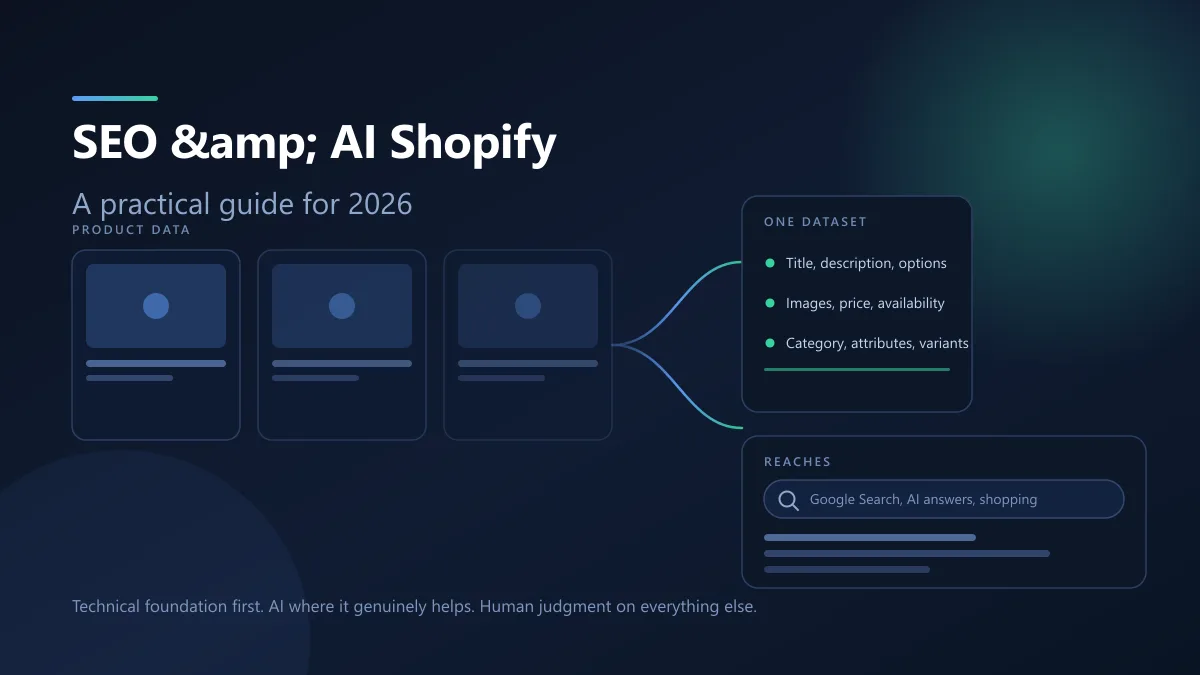
Shopify SEO and AI eBook 2026: Free PDF Guide
AI channels read the same product fields Google already crawls, so Shopify SEO and AI search are one job rather than two. Here is what the platform handles, what you still own, and where AI genuinely helps.
 Jawad Fiaz
 Guides & How-To
How to Rank in Google AI Overviews: The 2026 GEO Playbook
Google AI Overviews flip the goal from 'rank first' to 'get cited.' Here is the 2026 GEO playbook: how AI selects passages, the signals that earn citations, what Google says not to do, and how to measure it.
AI Tools Vault Team Comparisons
Best AI SEO Content Tools in 2026: Frase vs NeuronWriter vs Surfer SEO
Three AI SEO content tools compared — Frase for GEO tracking, NeuronWriter for budget NLP analysis, and Surfer SEO for data-driven on-page scoring.
AI Tools Vault Team