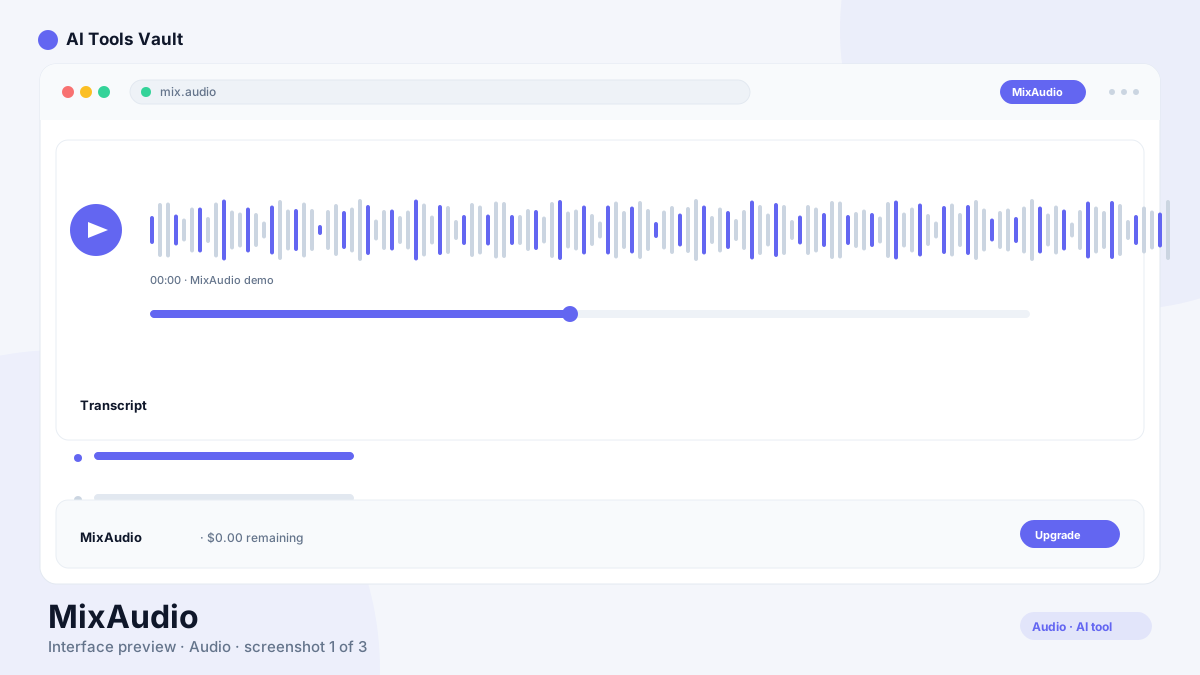
Best for: AI audio mixing and automatic mastering for musicians, podcasters, and content creators
the tool is an AI audio mixing and mastering tool that analyzes your tracks and applies professional-quality processing automatically, balancing levels, EQ, and compression without manual engineering.
the tool is a cloud-based AI audio mixing and mastering tool designed to automate the most time-consuming parts of audio post-production. You upload individual tracks — vocals, drums, bass, instruments — and the AI analyzes each one, then applies EQ, compression, stereo imaging, and level balancing to produce a finished mix.
The tool targets musicians, podcast producers, and content creators who need a fast, professional-sounding result without investing in expensive studio time or years of mixing experience. The AI models are trained on thousands of professionally mixed tracks across multiple genres, so the processing chain adapts to whether you are mixing a hip-hop beat or an acoustic podcast.
Cloud-based AI audio mixing and mastering
Genre-aware processing chains
Finished master output in minutes
No audio engineering background required
This Tool AI Tools and Features
The core feature is the automatic mixing engine. Upload your tracks, select a genre profile, and the AI applies a professional processing chain — level balancing, EQ matching, compression, stereo widening, and limiting. The result is a finished stereo master that sounds comparable to what a mix engineer would produce after several hours of work.
Beyond basic mixing, the platform includes stem separation for splitting finished tracks into individual components, reference matching for importing the tonal profile of a song you admire, and batch processing for handling multiple tracks in a single session. The real-time preview lets you hear results before committing to a full render.
Automatic multi-track mixing and mastering
Genre-aware processing with custom profiles
Reference track matching for tonal consistency
Stem separation for splitting finished audio
How to Use This Tool
The workflow is designed for speed. Upload your individual tracks — WAV, MP3, or FLAC — select the genre that best describes your music, and let the AI process everything. The preview plays back your finished mix in real time so you can hear the result before downloading.
For the best results, upload clean tracks with minimal noise. The AI works best when each track contains only one instrument or vocal. If your tracks are already bounced into a stereo mix, use the stem separation feature to split them into individual components before mixing.
The reference matching feature lets you upload a professionally mixed song as a target. The AI analyzes the tonal balance, dynamics, and stereo image of your reference and applies similar characteristics to your mix. This is useful for maintaining sonic consistency across an EP or matching the sound of a specific genre.
Upload individual tracks in WAV, MP3, or FLAC
Select genre profile and processing intensity
Preview finished mix in real time before downloading
Use reference matching to match a specific sound
This Tool Pricing and Plans
the tool operates on a freemium model. The free tier gives you access to basic AI mixing with up to three projects per month, which is enough to test the tool on real tracks. The Pro plan at $9.99 per month removes project limits, unlocks advanced mastering chains, and adds high-resolution export.
For users who need multitrack mixing and stem separation, the Studio plan at $24.99 per month is the full suite. It includes everything in Pro plus the ability to process individual tracks with separate AI chains. For podcasters and musicians mixing several tracks per week, the Studio plan is the practical choice.
Compare Plans & Pricing
Free tier with limited projects; Pro from $9.99/month; Studio from $24.99/month
The standout feature is the automatic processing chain. Unlike simple AI mastering tools that apply a single preset, the tool builds a custom processing chain for each track — adjusting EQ, compression, and stereo imaging based on the content of each individual track.
The reference matching system is also notable. By importing a professionally mixed song as a target, you can steer the AI toward a specific sonic character. This bridges the gap between full automation and manual control, giving you a way to guide the output without needing to understand every parameter.
Per-track AI processing chains instead of global presets
Reference matching for importing tonal characteristics
Real-time preview of finished mix
Genre detection and adaptive processing
This Tool vs Suno
the tool and Suno serve fundamentally different purposes despite both using AI for audio. Suno generates complete songs from text prompts — it creates the music itself. the tool takes existing multi-track recordings and mixes them into a polished final product.
For content creators who need original background music, Suno is the right tool. For musicians and podcast producers who already have recordings and need professional mixing, the tool is the practical choice. The two tools are complementary rather than competing — you might use Suno to generate a backing track and the tool to mix your vocals over it.
This Tool vs Murf.ai
Murf.ai focuses on AI voiceover and text-to-speech — it generates spoken audio from text. the tool takes existing audio recordings and mixes them into a finished product. They serve different stages of the content creation pipeline.
If you need a voiceover for a video, Murf.ai generates the voice. If you need that voiceover mixed with background music and sound effects, the tool handles the mix. For complete audio production workflows, the two tools work well together.
Pros and Cons of This Tool
The main advantage is speed and accessibility. A finished mix that would take a human engineer several hours can be produced in minutes. The genre-aware processing means the output adapts to your style rather than applying a one-size-fits-all preset.
The tradeoff is control. Professional mix engineers make creative decisions that AI cannot — subtle level adjustments, spatial placement, and the artistic choices that define a record's character. the tool produces technically competent mixes, but the creative nuance of a skilled human engineer remains ahead of what current AI can deliver.
Pros
Automatic mixing and mastering without audio engineering knowledge
Genre-aware processing tailors output to your style
Fast turnaround — finished master in minutes instead of hours
Cloud-based — no powerful local hardware required
Cons
Less control than manual DAW-based mixing
Genre detection can misclassify unusual or hybrid styles
Output quality depends heavily on the quality of source tracks
No offline or local processing option
Frequently Asked Questions About This Tool
Quick answers to what prospective MixAudio users search for.
Best For
Recommended use cases and scenarios where MixAudio shines.
Yes. the tool offers a free tier with up to 3 projects per month and basic AI mixing. The Pro plan at $9.99/month removes limits and adds advanced mastering, while Studio at $24.99/month includes multitrack mixing and stem separation.
Can this tool mix and master a full song?
Yes. Upload your individual tracks — vocals, drums, bass, instruments — select a genre profile, and the AI applies EQ, compression, stereo imaging, and level balancing to produce a finished stereo master.
What file formats does this tool support?
the tool accepts WAV, MP3, and FLAC uploads. Export options include standard MP3 and high-resolution WAV, depending on your plan tier.
How does this tool compare to hiring a mix engineer?
the tool produces technically competent mixes in minutes at a fraction of the cost of a professional engineer. However, a skilled human engineer makes creative decisions — spatial placement, subtle dynamics, artistic choices — that current AI cannot fully replicate.
Does this tool work for podcasts?
Yes. the tool is effective for podcast audio, handling noise reduction, level balancing between speakers, and tone shaping to produce a polished final product without manual audio engineering.
Reviews & Ratings
Loading reviews...
Explore More Voice & Audio Tools
Browse the full AI Tools Vault directory to compare MixAudio with every voice & audio tool, or line up your shortlist side by side.